Body Camera Shader
CurseForgeBody camera effect
2.5M downloads LoLip_p
latest vFix Thermal Imager CurseForge


ABOUT:
Hi, I'm LoLip_p! This is a shader that simulates the effects of a body camera.
Looking for more realism?
I've released a Next-Gen version of this shader! It's a complete overhaul based on Rethinking Voxels, bringing RTX lighting to the bodycam aesthetic. Check it out on my Patreon!
Base version:
SCREENSHOT:
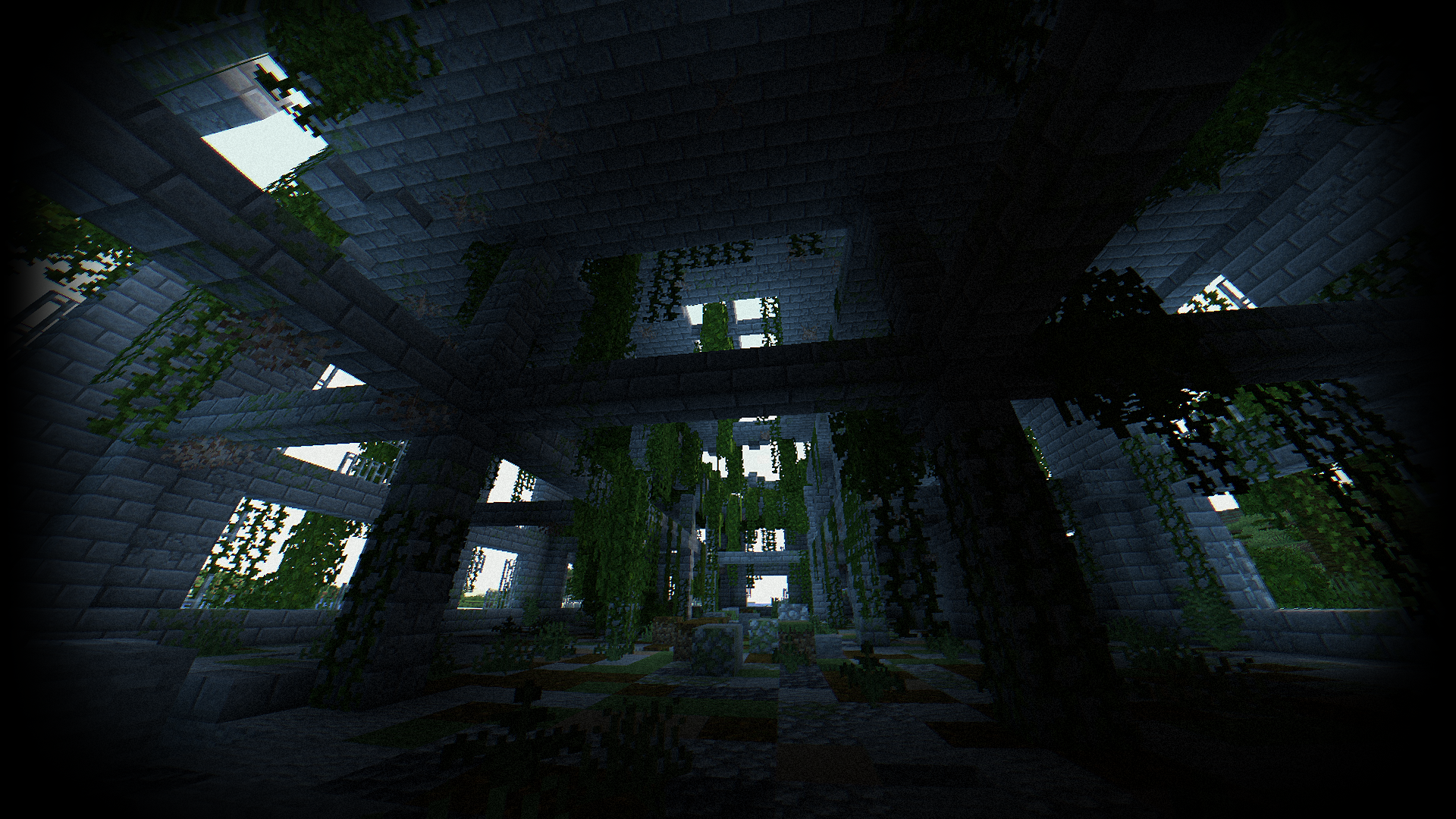
Performance: 160 FPS+
- 2K (2560x1440)
- 10 chunks
- GPU: RX 580 (8GB)
- CPU: Ryzen 5 1500X
THE SHADER HAS:
- Fisheye Effect
- Auto Exposure
- Support Better Clouds
- Support Distant Horizons
- PBR support (LabPBR)
- Chromatic Aberration
- Thermal Imager
- Night vision goggles
- Support 3 language: EN RU FR
Recommended settings:
- Brightness: 0
- Field of view (Fov): 110
LINKS:
INSTALL THE SHADERS
- Download Client Which Supports Installing Shaders Such As Optifine And Iris
- Download The Shaders
- Copy Shaders to /.minecraft/shaderpacks
- Launch Minecraft, Go To Options --> Video Settings --> Shaders
- Choose Body Camera Shader
Versions
Release
Fix Thermal Imager
1.6k
Release
Add Flashlight
190.8k
Release
Body Camera Shader - V1.6.0.zip
2.4k
Release
Vignette Improvements
1.8k
Release
Thermal Imager Update
185.2k
Release
Fix Nether+End
1.7k
Release
Bloom + Fix AO
68.1k
Release
Fix AO & Shadow
1.7k
Release
1.4.0
1.7k
Release
1.3.1
96.8k
Release
1.3.0
176.5k
Release
1.2.6
17.4k
FAQ
How do I install Body Camera Shader?
Download the file for your Minecraft version and loader from this page, then drop the .jar into your mods (or plugins) folder and launch the game.
Is Body Camera Shader free?
Body Camera Shader is free to download on Modgrid — we link straight to the official source, no paywall or bundled installer.
Which Minecraft versions does Body Camera Shader support?
See the download section on this page for the full list of supported versions and loaders.
Comments 0
No comments yet. Be the first to share your thoughts.