Opal Light
CurseForgeA universal colored light API with automatic Iris Shaders compatibility.
OpalLight —— Colored Light API
Overview
OpalLight provides a universal colored light API for Minecraft. Unlike common full-screen shader approaches, OpalLight uses per-block, voxel-level RGB light propagation——colors travel through blocks via BFS, attenuate with distance, mix across RGB channels, and take the strongest value within each channel. This means colored lighting renders correctly around corners and through complex geometry, rather than being a screen-space post-effect.
The key advantage: automatically compatible with the vast majority of Iris Shaders with zero user configuration.
Core Features
Powerful Colored Light API
- Data-driven + event-driven: Register colored light sources via JSON data files, or programmatically through the
ModificationEvent. - StatePropertiesPredicate support: Different block states of the same block can emit different colors.
- Zero-invasion integration: Any block from any mod can emit colored light——just register data or listen to the event.
True Color Propagation
- Voxel-level BFS light propagation, with linear attenuation over Manhattan distance.
- Per-channel multi-source merging: different channels mix naturally while equal channels use the strongest value, so removing a source remains exact.
- Correct lighting regardless of terrain complexity——corners, crevices, and caves all light accurately.
Broad Compatibility
- Iris Shaders: Automatically compatible with the vast majority of shader packs. No manual compatibility selection needed.
- Custom shaders use Core Profile GLSL 150, standards-compliant to avoid rendering conflicts.
Example: Colored Lanterns
Seven colored lanterns are included as API usage demonstrations:
| Lantern | Recipe |
|---|---|
| Red / Orange / Yellow / Green / Cyan / Blue / Purple Lantern | Vanilla lantern + matching dye (shapeless) |
Each lantern is registered through OpalLight's API, showing how blocks are associated with RGB colors.
Showcase
Vanilla
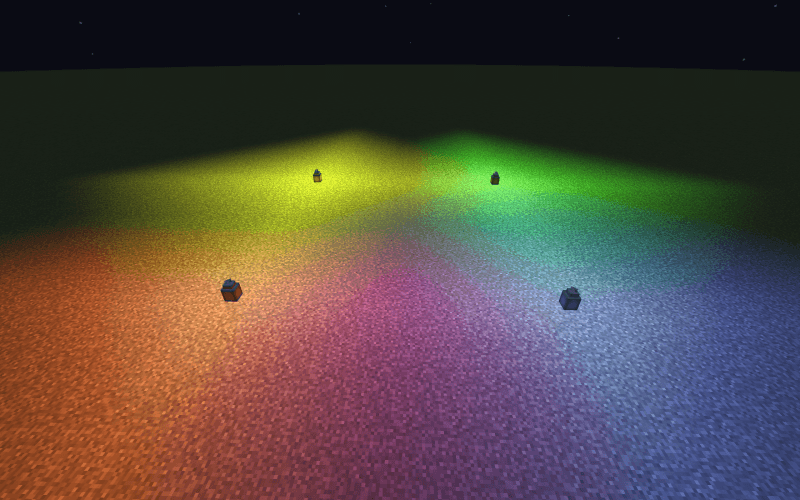
Complementary
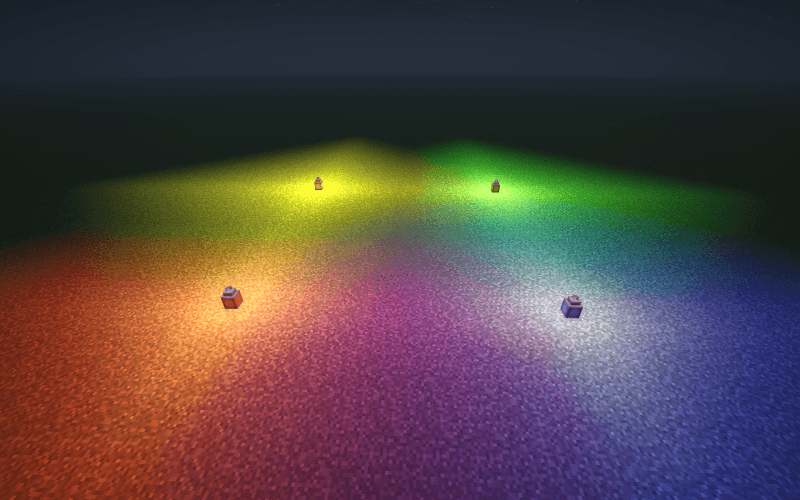
BSL
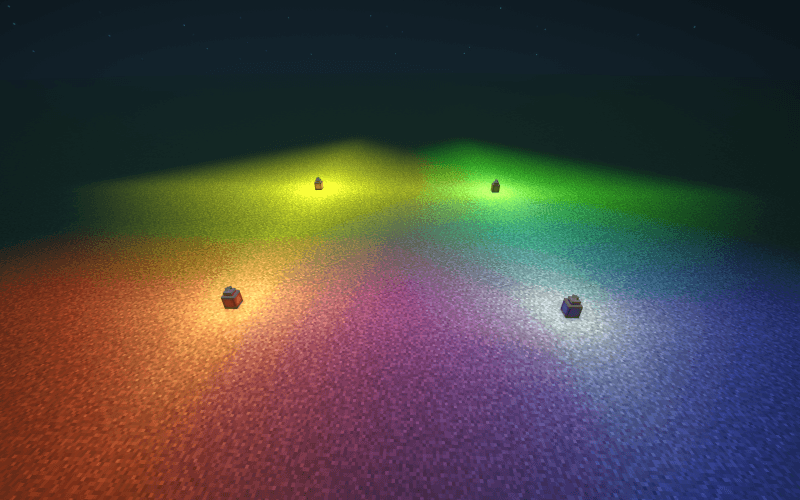
Photon
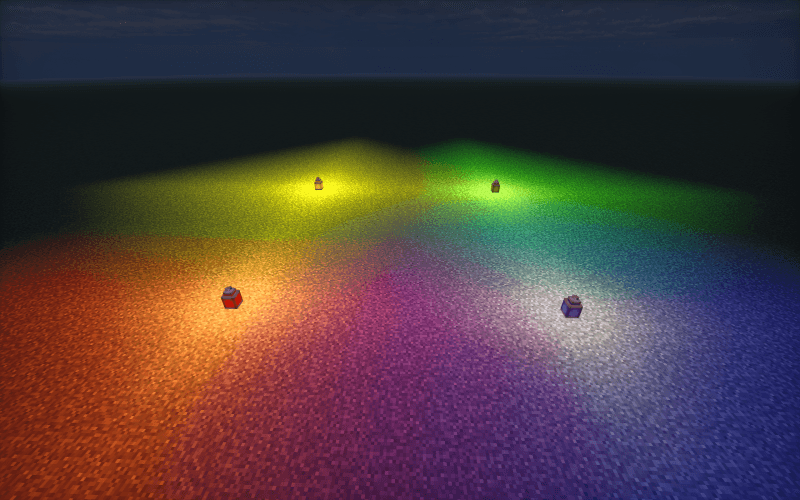
Mellow
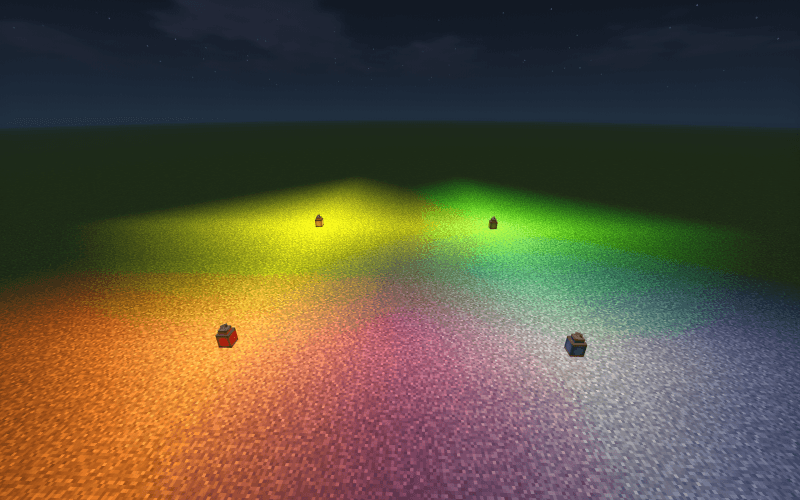
For Developers
// Listen to ModificationEvent to register colored light for any block
@SubscribeEvent
public static void onLightModification(LightDataLoader.ModificationEvent event) {
    event.getDataByBlock().put(
        MyBlocks.GLOWING_CRYSTAL,
        List.of(new LightDataLoader.OpalData(new OpalColor(0.2f, 0.8f, 1.0f), Optional.empty()))
    );
}
Or drop a JSON file under assets/<modid>/opal_data/ for zero-code integration.
Compatibility
| Project | Status |
|---|---|
| Iris Shaders | Auto-compatible with most shader packs |
| NeoForge 1.21.1 | Native platform |
| Other mods' light-emitting blocks | Compatible via API registration |
Версії
FAQ
Як встановити Opal Light?
Завантажте файл під свою версію Minecraft і завантажувач із цієї сторінки, потім покладіть .jar у папку mods (або plugins) і запустіть гру.
Opal Light безкоштовний?
Opal Light можна завантажити безкоштовно на Modgrid — ми ведемо прямо до офіційного джерела.
Які версії Minecraft підтримує Opal Light?
Працює з Forge, Neoforge. Перелік підтримуваних версій і завантажувачів — у блоці завантаження на цій сторінці.
Коментарі 0
Поки немає коментарів. Будь першим, хто поділиться думкою.