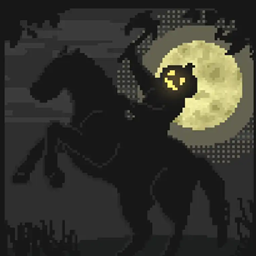
🎃 Insanity Shader
CurseForgeA highly customizable horror styled Minecraft shaderpack based on BSL.






A stylized, horror themed Iris shaderpack with high customizability and performance.
Insanity is based from BSL Shaders by Capt Tatsu! With expanded customizability, new clouds, and a unique scary atmosphere



- 🧟 Horror styled gameplay. Great for horror modpacks!
- 📓 Highly customizable shader configuration. Expanded from BSL's limits.
- ⛈️ Immersive weather. From foggy mornings to torrential rains.
- 📝 User-friendly menu. Including a quick options menu with easy to configure settings.
- 💻 Runs on most modern PC's! Optimized even for modern low end GPUs.
- 🔦 Always bring some torches. Not only the night is dark, the Nether and End are even worse!
- 🌎 Wide compatibility across versions. Supports all newer MC versions, even 1.19 using Iris!
- ☀️ Support for "realistic" texture packs*
* Please enable "Advanced Materials" on the Materials and Reflections settings
Can I share the shader with my friends/community/followers?
Yes, of course. Just don't distribute the files. If you want to share the shader, send the link to this curseforge page.
If you want to include the shaderpack inside a modpack, please contact me through curseforge first.
Since October 2023 you can now include shaderpacks in your modpacks thanks to CurseForge officially supporting shaders!
Can I make a video using this shader?
Feel free to make any video with the shader, crediting would be appreciated, but it's not necessary :)
If you plan on making a review, don't forget to share it in the comments of this page so we can see it!
How do I install the shader? (Iris)
The recommended way to use Insanity is through Iris Shaders, an alternative to OptiFine
- To install it, download it from their website, open the .jar file and install it in your .minecraft folder
- Then download Insanity and place the .zip file onto .minecraft\shaderpacks
- Open Minecraft using the Fabric Loader that Iris installed and go to Video Settings > Shaders and select Insanity
- Enjoy the darkness.
Made with 🖤 by ElocinDev
Special thanks to Capt Tatsu for making BSL
Versions
FAQ
Comment installer 🎃 Insanity Shader ?
Téléchargez le fichier pour votre version de Minecraft et votre loader sur cette page, puis placez le .jar dans le dossier mods (ou plugins) et lancez le jeu.
🎃 Insanity Shader est-il gratuit ?
🎃 Insanity Shader est gratuit sur Modgrid — nous renvoyons directement vers la source officielle, sans paywall.
Quelles versions de Minecraft 🎃 Insanity Shader prend-il en charge ?
La liste des versions et loaders pris en charge est dans la section de téléchargement de cette page.
Commentaires 0
Aucun commentaire pour l'instant. Sois le premier à donner ton avis.