
AzureLib
CurseForgeModrinthJava Minecraft mod using Bedrock models to create custom models and animations for items, blocks, entities




AzureLib is an animation and rendering engine for Minecraft mods. It started as a fork of GeckoLib 4.x and has since grown into its own library, with a reworked rendering pipeline, an extended Molang runtime, per-bone hitboxes, procedural animation tools and its own Blockbench plugin. If you've seen a creature in a modpack that crawls, lunges, bursts out of the ground or swings a weapon with real weight, there's a good chance AzureLib is animating it.
Players: you don't need to do anything with this mod. Install it if a mod you use requires it.

Features
Animation
- Keyframe animation from Blockbench: rotation, position and scale on any bone, for entities, items, armor and block entities.
- 30+ easing functions plus per-keyframe interpolation.
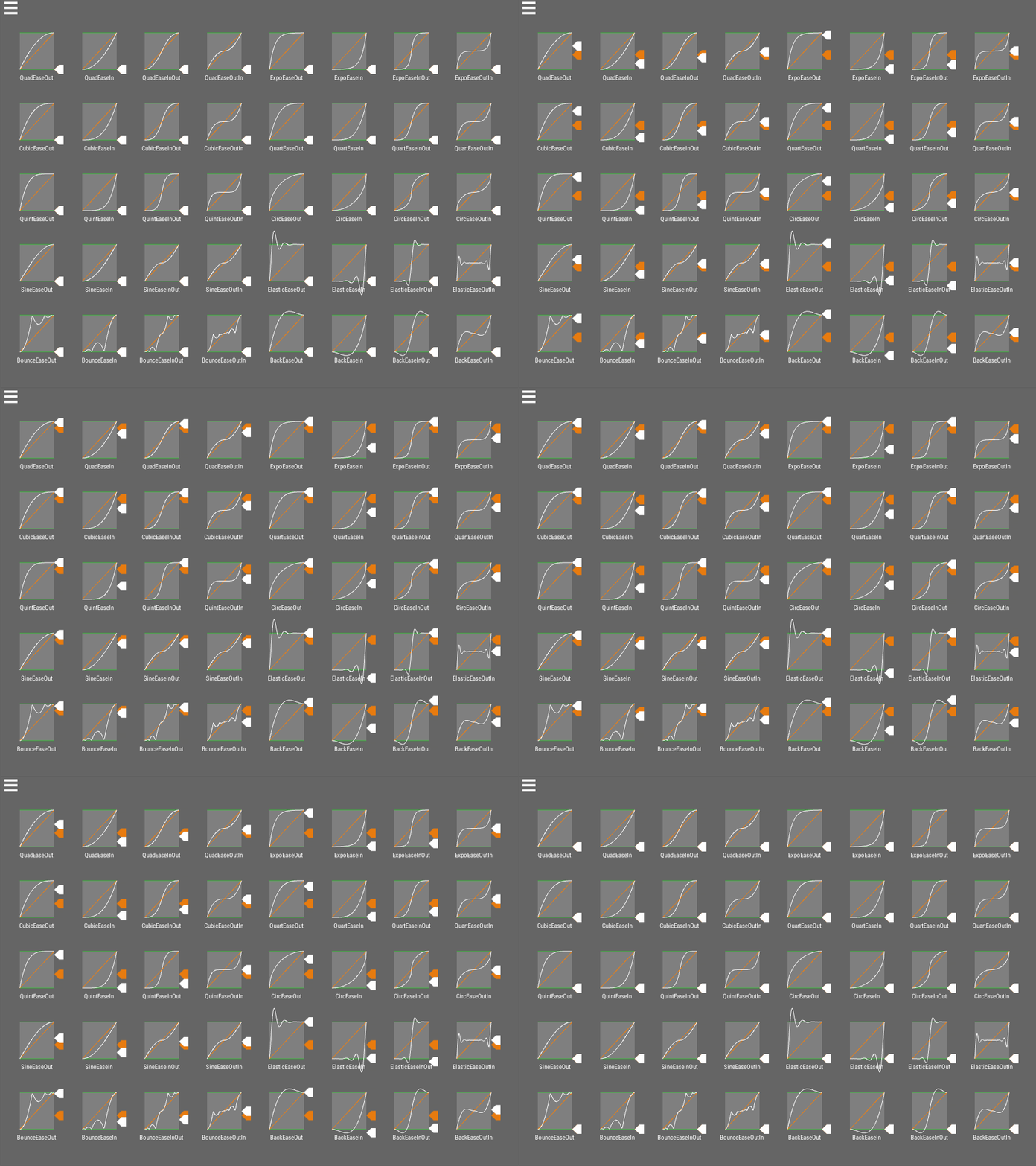
Easing visualization by noisecrime - Multiple controllers at once: run a walk cycle, an attack and a head-look together without them fighting each other.
- Sound, particle and custom event keyframes: trigger effects and your own code at exact moments in an animation.
- Molang support extended toward Bedrock parity: strings, arrays,
for_each,this, and many additional entity queries.
Procedural & Gameplay Tools
- Multi-hitbox system: define hitboxes per bone that follow your animated model, so a long tail or a burrowing worm can be hit where it actually is.

- Bone transform & procedural pose API: drive bones from code on top of keyframed animation, including IK and bone constraints, spring-bone secondary motion, bone sockets/attachments, and 1D/2D blend spaces.

- Morph mod compatibility with Walkers and ReMorphed, so morphed players play your mob's animations.
Performance
- Reduced per-frame allocations and object pooling in the animation pipeline.
- Binary-search keyframe lookup for long animations.
- Optional bone and animation LOD to keep crowded scenes smooth (opt-in per renderer).
Tooling
- AzureLib Blockbench plugin with exports matched to the library, including baking IK into keyframes.
- Examples mod showing entities, items, armor and block entities working end to end.

Made with AzureLib
A few of the mods using AzureLib (see the Gallery tab for more):
- Arachnids
- Aftershock
- JCRAFT: Eyes of Ender (JoJo)
- Legends: Superheroes Unlimited
- Discerning The Eldritch
- Celestial Exploration
- Helios Divinity
Using AzureLib in your mod? Let me know on Discord and I'll add it here.
Supported Versions
| Minecraft | Loaders | AzureLib |
|---|---|---|
| 26.3 | NeoForge / Fabric | 4.1.x |
| 1.21.1 | NeoForge / Fabric | 3.2.x |
| 1.20.1 | Forge / Fabric | 3.2.x |
| 1.18.2 | Forge / Fabric | 3.3.x |
| 1.12.2 | Forge | 1.1.x |
| 1.7.10 | Forge | 1.1.x |
| Beta 1.7.3 | Babric / Ornithe | 1.1.x |
For Developers
Full setup for each loader, plus guides for entities, items, armor and block entities and migrating from GeckoLib, is on the AzureLib wiki.
Support: AzureLib is maintained independently. Questions and bug reports are welcome on Discord or the issue tracker, but I can only help with AzureLib, not GeckoLib.
Need a server to play with friends? Rent a ready-to-go server from BisectHosting!
Pick a plan (4GB or more) and use code azuredoom for 25% off your first month.
Versions
FAQ
Comment installer AzureLib ?
Téléchargez le fichier pour votre version de Minecraft et votre loader sur cette page, puis placez le .jar dans le dossier mods (ou plugins) et lancez le jeu.
AzureLib est-il gratuit ?
AzureLib est gratuit sur Modgrid — nous renvoyons directement vers la source officielle, sans paywall.
Quelles versions de Minecraft AzureLib prend-il en charge ?
Compatible avec Neoforge, Fabric, Quilt, Forge. La liste des versions et loaders pris en charge est dans la section de téléchargement de cette page.
Commentaires 0
Aucun commentaire pour l'instant. Sois le premier à donner ton avis.