
Ariral plushies
ModrinthA fork of MissKatsune's "Argemia Plush" pack adding Voices of the Void Ariral plushies via anvil renaming
📌 First Things First
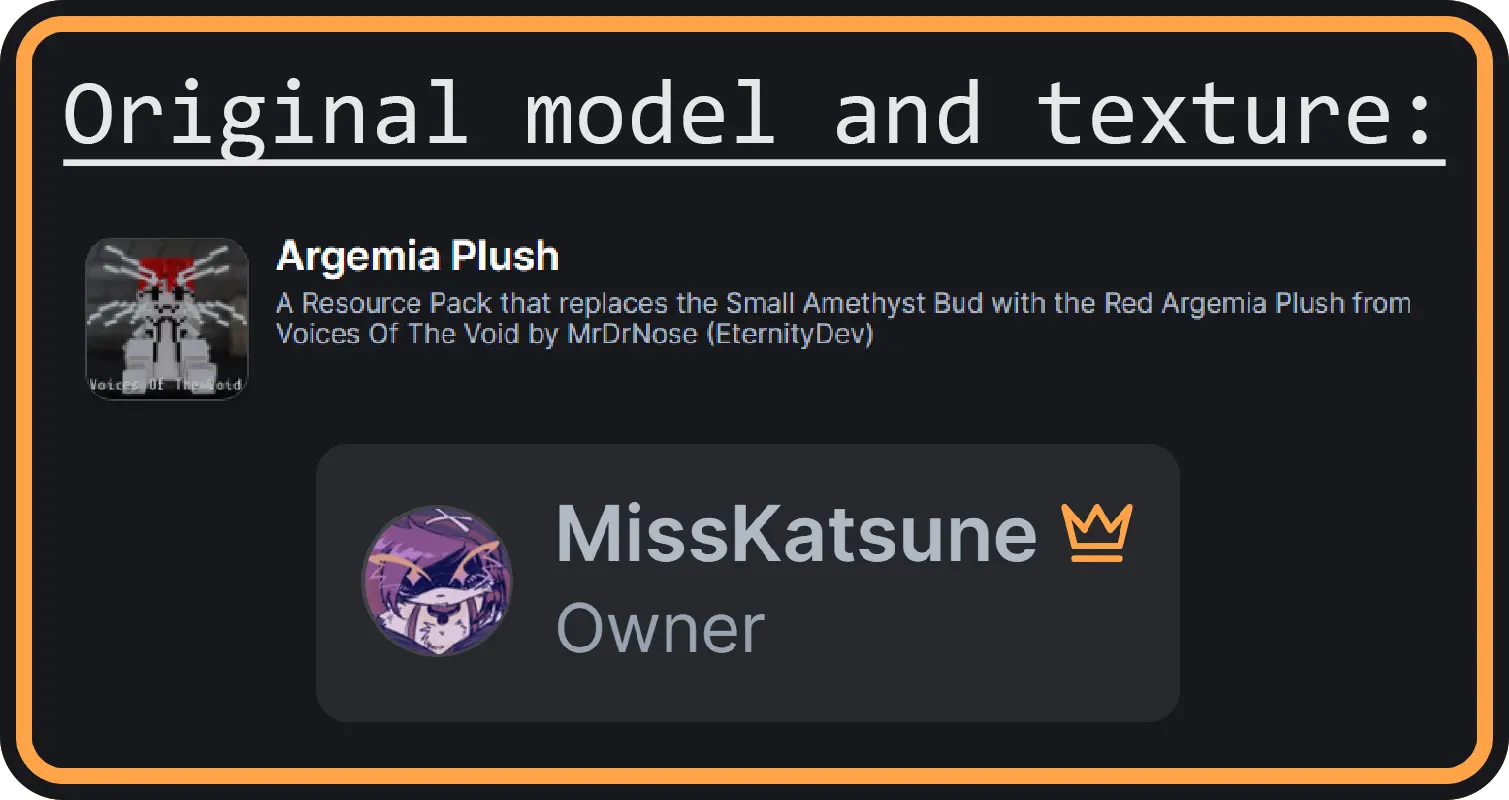
This pack is a fork of original pack by MissKatsune!
The original project has been discontinued (i guess), and it only contains the red Argemia. Since I love this pack so much, I decided to expand it and add more plushies!
⚠️ Requirements: This pack requires CIT Resewn or OptiFine to function properly.
🦐 About the Pack
There are 10 different types of these alien cats available: Red, Green, Blue, Cyan, Magenta, Yellow, Black, White, Gold, plus one extra ULTRA-GIGA-OMEGA-DANGEROUS plushy.
To get these little dudes, just rename specific items using an anvil. Get your very own shrimp-eater collection!
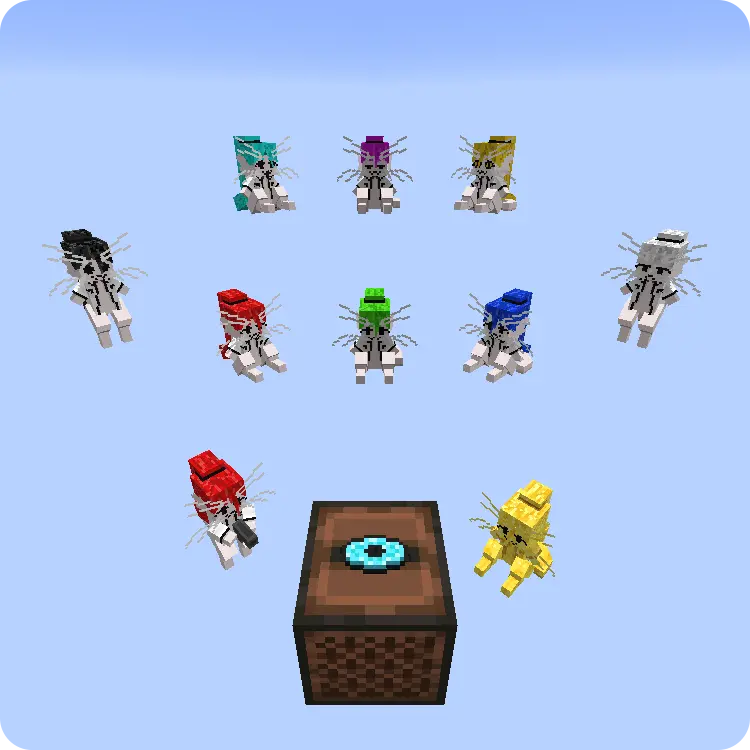
"Craft"
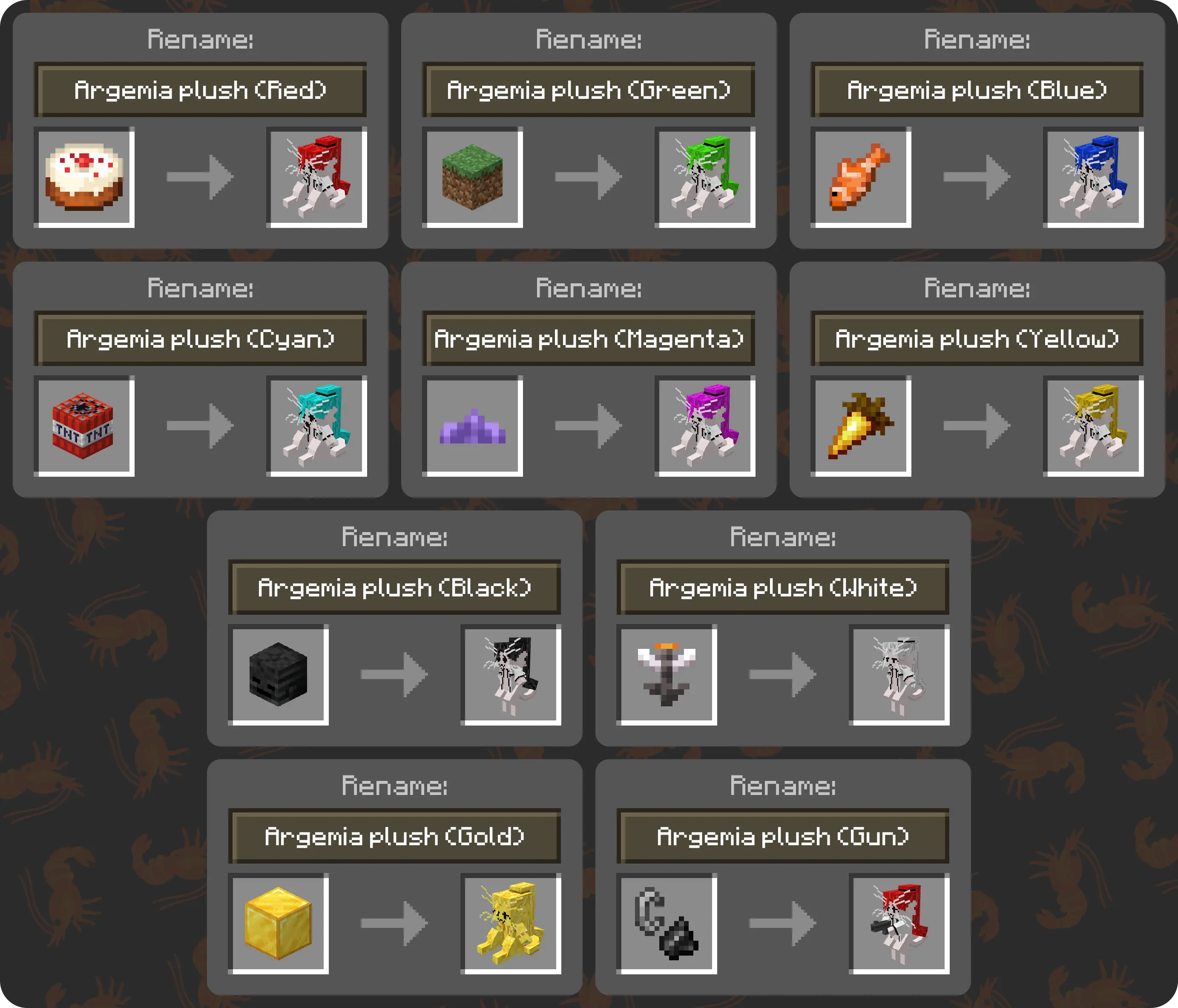
🛠️ "Crafting" Recipes (Anvil Renaming):
- Argemia plush (Red) ➔ Rename a Cake
- Argemia plush (Green) ➔ Rename a Grass Block
- Argemia plush (Blue) ➔ Rename a Tropical Fish
- Argemia plush (Cyan) ➔ Rename TNT
- Argemia plush (Magenta) ➔ Rename a Small Amethyst Bud
- Argemia plush (Yellow) ➔ Rename a Golden Carrot
- Argemia plush (Black) ➔ Rename a Wither Skeleton Skull
- Argemia plush (White) ➔ Rename an Open Eyeblossom
- Argemia plush (Gold) ➔ Rename a Gold Block
- Argemia plush (Gun) ➔ Rename Flint and Steel
💿 ArirPLS
I've also replaced Music Disc 5 btw!
(Only texture and audio changes. The crafting and obtaining methods remain vanilla).
⚙️ Customization
⚙️ Customization (How to change items)
If you'd prefer to use different base items, you can easily customize them via the .properties files.
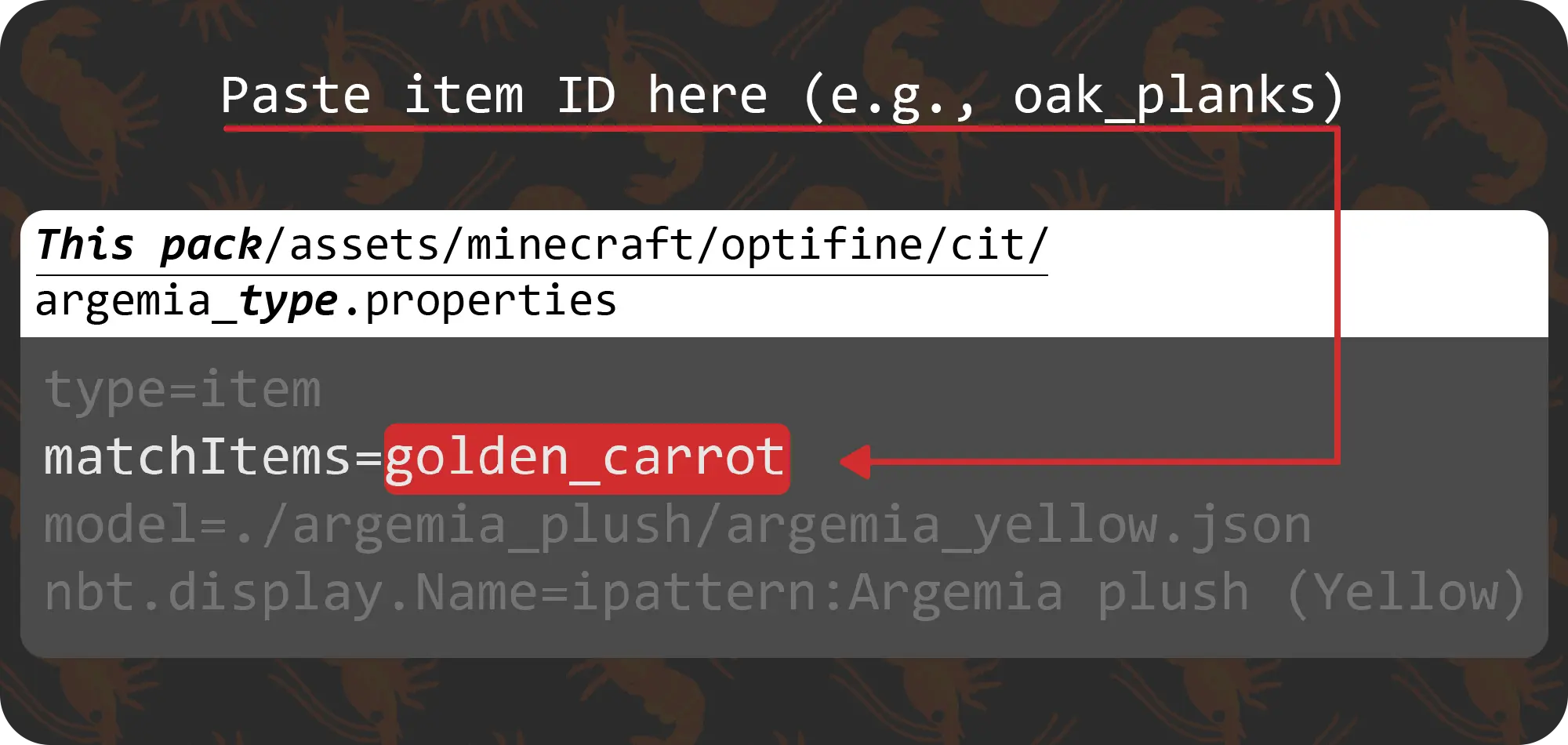
- Open the resource pack folder.
- Navigate to:
assets/minecraft/optifine/cit - Open the corresponding
.propertiesfile with any text editor (e.g., Notepad). - Modify the
matchItems=parameter.
⚠️ Note: Make sure you use Minecraft Item IDs (not the in-game display names). For example, use oak_planks or dirt or whatever it is, instead of "Oak Planks" or "Dirt".
???
Maybe I'll add more VotV plushies later. But who knows...👀
Versions
No version history available. Use the Download button to get the latest from the source.
FAQ
How do I install Ariral plushies?
Download the file for your Minecraft version and loader from this page, then drop the .jar into your mods (or plugins) folder and launch the game.
Is Ariral plushies free?
Ariral plushies is free to download on Modgrid — we link straight to the official source, no paywall or bundled installer.
Which Minecraft versions does Ariral plushies support?
Works with Minecraft. Supports versions 26.2–26.2. See the download section on this page for the full list of supported versions and loaders.
Comments 0
No comments yet. Be the first to share your thoughts.