AZOTH Cobblemon Minimap Icons
ModrinthPokémon from Cobblemon: Iconified for JourneyMap and Xaero's Minimap!
13.8k downloads 26 followers updated 5mo ago
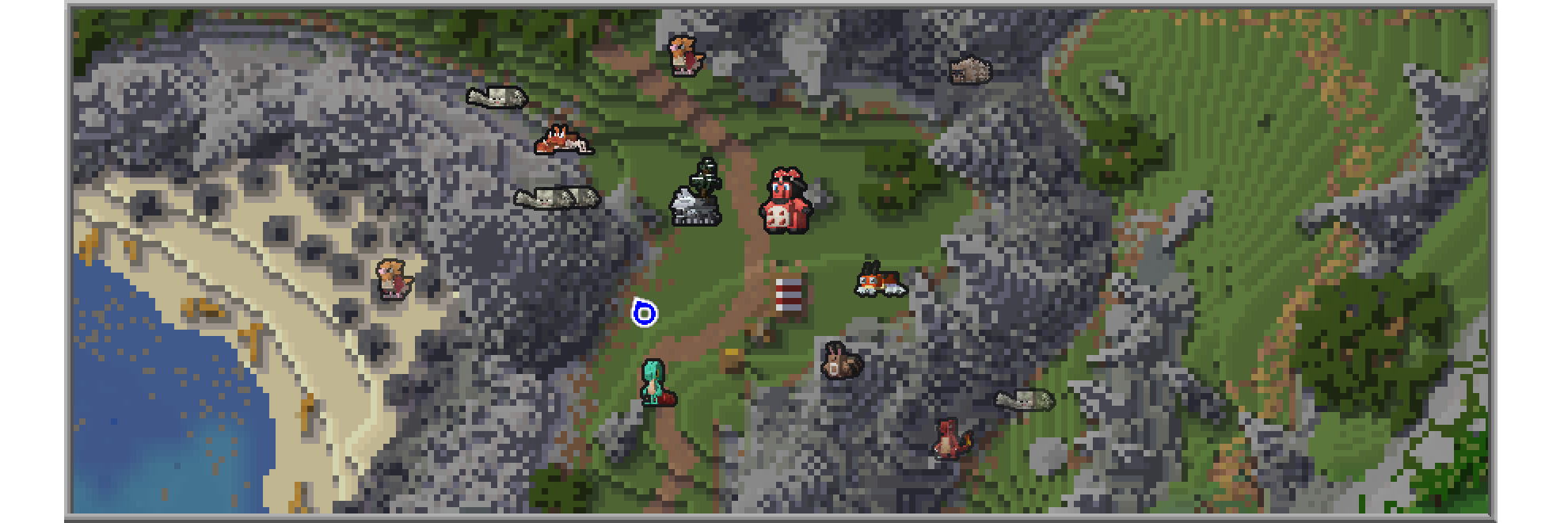
This Resource Pack adds Cobblemon-style icons for modeled Pokémon in either JourneyMap or Xaero's Minimap.

Journeymap Guide
Enable Pokémon Icons
- Open the in-game menu and go to Journeymap Settings (
Jkey by default). - Click Options from the button list on the lower part of your screen.
- Select Minimap Preset or Full Map Preset depending on your preferences.
- Set Mob Display → Outlined Icons.
- Adjust Entity Icon Size as desired.
Xaero’s Minimap Guide
Enable Pokémon Icons
- Open the in-game menu and go to Xaero's Minimap Settings (
Ykey by default). - Select Entity Radar Settings.
- Change Display Icons to Always.
- Adjust Entity Icon Scale as desired.
Versions
No version history available. Use the Download button to get the latest from the source.
Comments 0
No comments yet. Be the first to share your thoughts.