AZOTH Cobblemon Minimap Icons
ModrinthPokémon from Cobblemon: Iconified for JourneyMap and Xaero's Minimap!
13.8k téléchargements 26 abonnés mis à jour 5mo ago
dernière v1.1.0 Modrinth
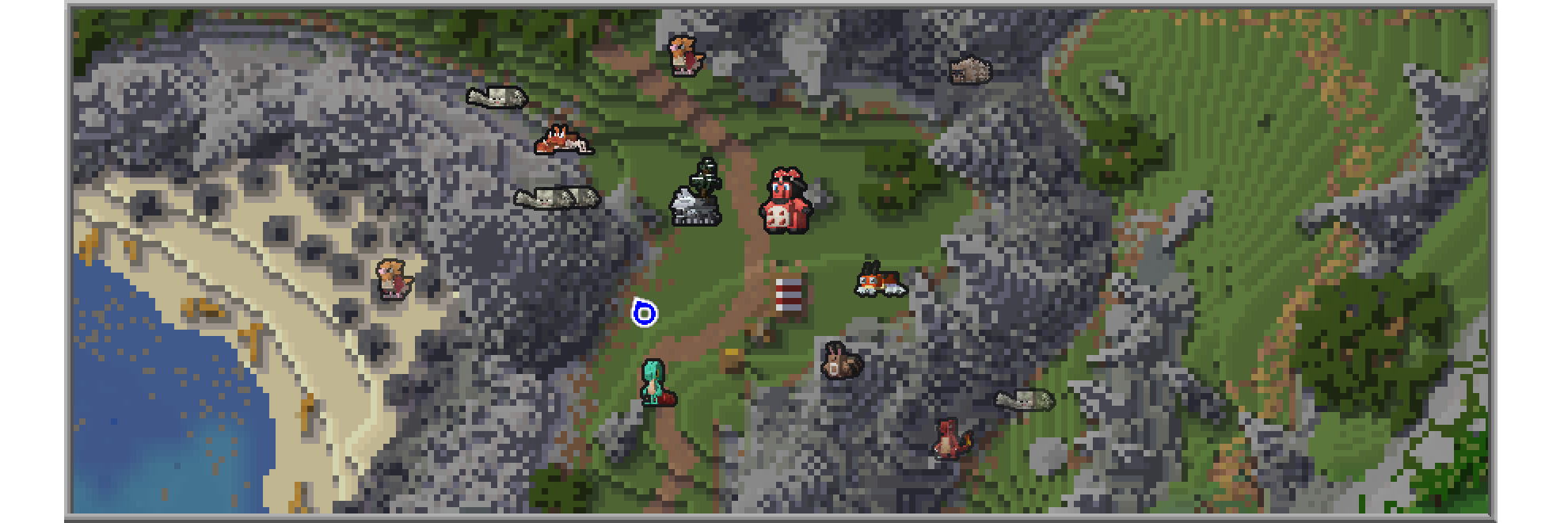
This Resource Pack adds Cobblemon-style icons for modeled Pokémon in either JourneyMap or Xaero's Minimap.

Journeymap Guide
Enable Pokémon Icons
- Open the in-game menu and go to Journeymap Settings (
Jkey by default). - Click Options from the button list on the lower part of your screen.
- Select Minimap Preset or Full Map Preset depending on your preferences.
- Set Mob Display → Outlined Icons.
- Adjust Entity Icon Size as desired.
Xaero’s Minimap Guide
Enable Pokémon Icons
- Open the in-game menu and go to Xaero's Minimap Settings (
Ykey by default). - Select Entity Radar Settings.
- Change Display Icons to Always.
- Adjust Entity Icon Scale as desired.
Versions
Release
1.1.0
- Added all Pokémon up to Cobblemon's 1.7.2 snapshot
- Shiny Pokémon now render with a colorful outline and sparkle indicator
- Hotfix for Xaero's Version
Release
1.1.0
- Added all Pokémon up to Cobblemon's 1.7.2 snapshot
- Shiny Pokémon now render with a colorful outline and sparkle indicator
Commentaires 0
Aucun commentaire pour l'instant. Sois le premier à donner ton avis.