
Better Mods Button
ModrinthYour mods button, your way. Where you want it, and how you want it!




📖 About:
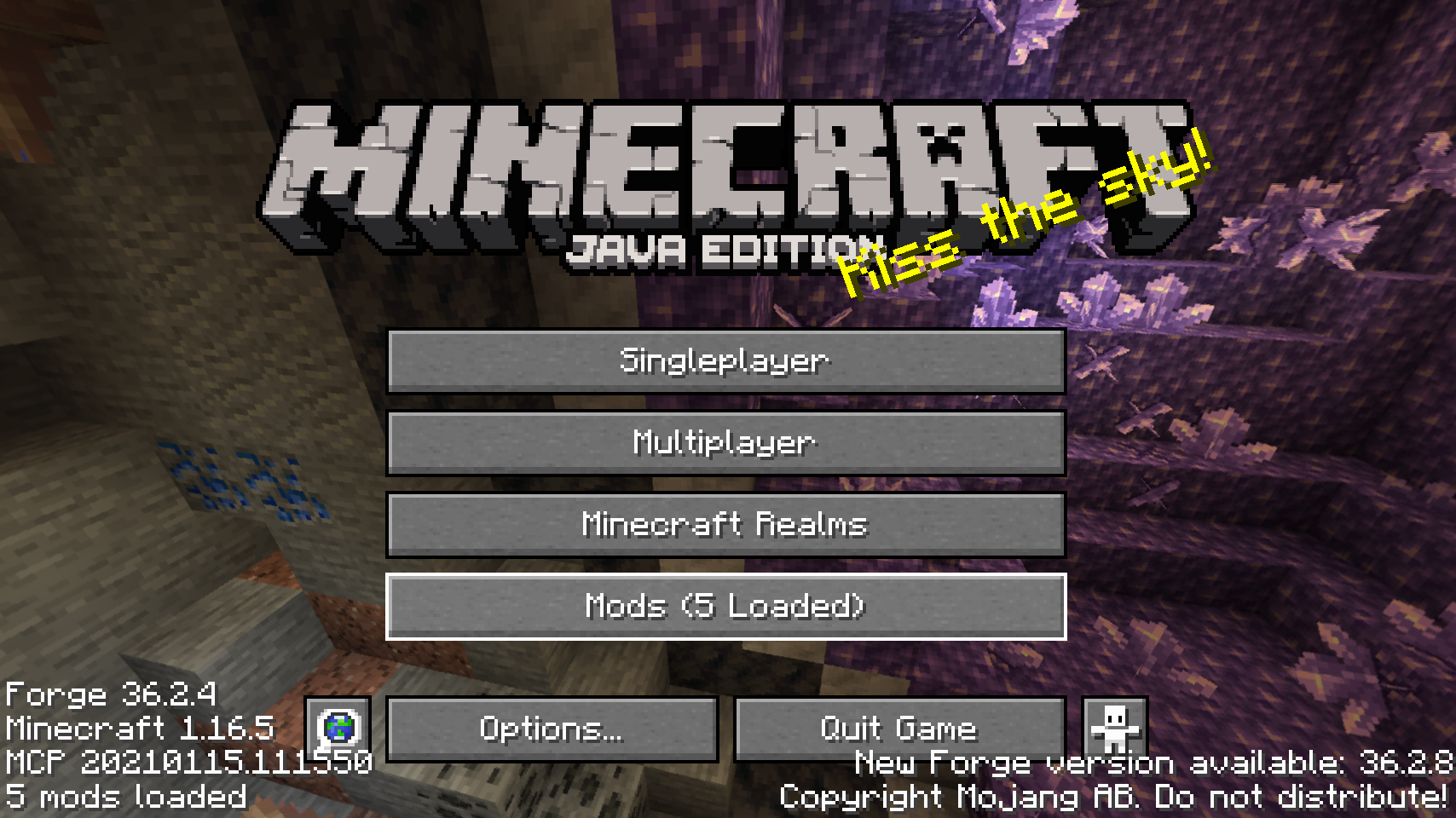
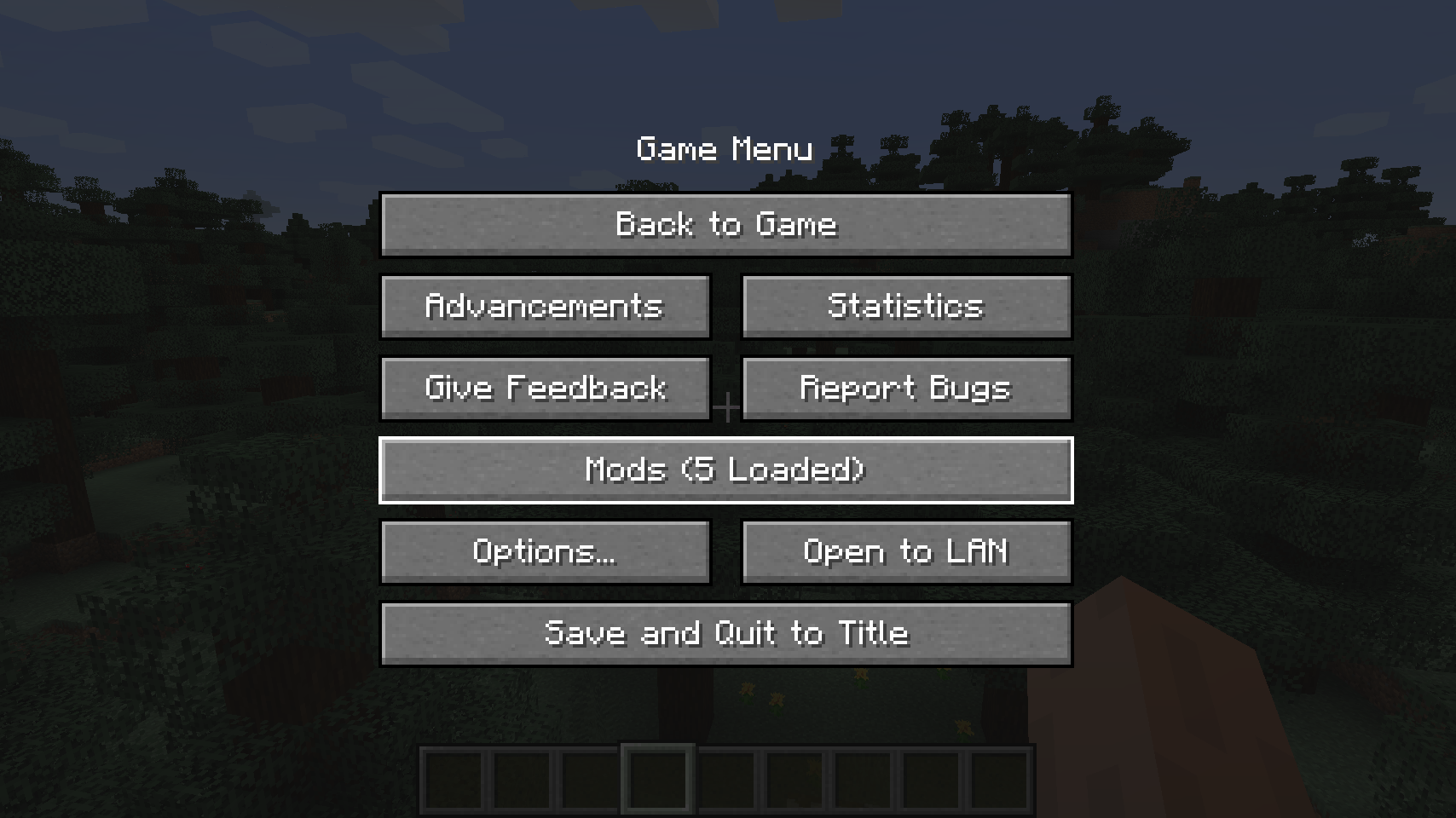
Better Mods Button adds the mods button back to the pause screen as in Forge versions prior to Minecraft 1.13, so it can be used to easily access in-game mod configuration (when available).
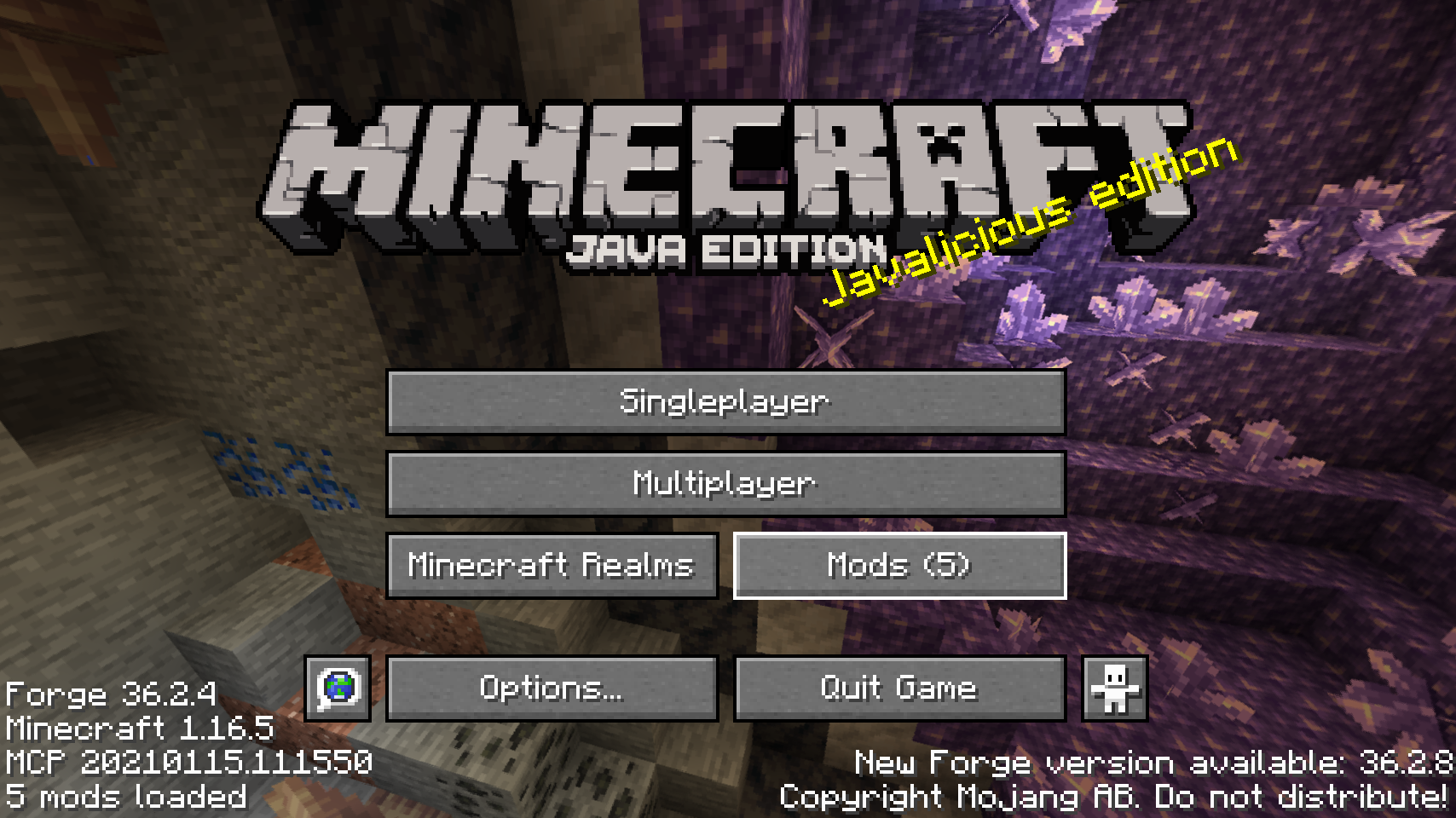
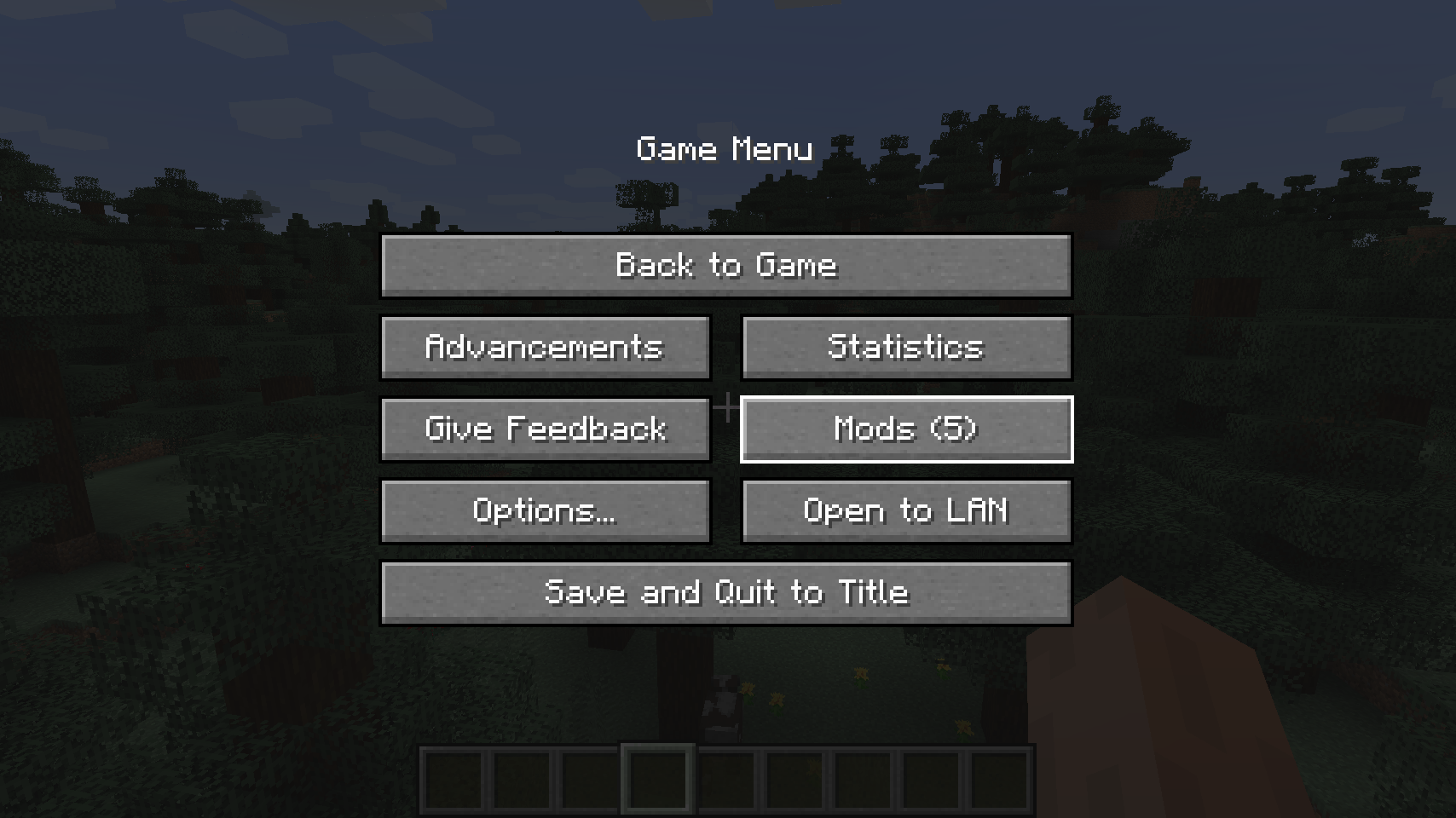
As a bonus, there are plenty of options for where and how exactly you want your mods button to be shown on screen (heavily inspired by Mod Menu). Showing a total mod count, as well as toggling the update notification glyph are both supported.
📷 Media:
 |
 |
|
| Default mods button on title screen | One of the alternative mods button placements | |
 |
 |
|
| Default mods button on pause menu | An alternative placement for the pause screen | |
 |
||
| Another alternative pause screen button placement | ||
💡 FAQ:
Q: How do I configure this mod?
A: Install my Config Menus for Forge mod and do it directly in-game!
Q: What about a Fabric port?
A: Use Mod Menu by ProspectorDev instead.
🏆 Credits:
Developing Better Mods Button was helped and inspired by:
- ProspectorDev for inspiring most of the configuration options for this mod from their Mod Menu mod







 |
 |
|
 |
 |
|
 |
 |
|
 |
 |
|
 |
 |
|
Versions
No version history available. Use the Download button to get the latest from the source.
Comments 0
No comments yet. Be the first to share your thoughts.