
ChestLockLite
ModrinthLock your chests with owner-only protection, password protection, or trusted players system.
ChestLockLite
A simple, powerful container locking plugin for Spigot/Paper 1.21+ servers. Lock your chests, barrels, hoppers, and furnaces with owner protection, password protection, or trusted players system. No MySQL required - uses lightweight SQLite storage.
Lock a Container
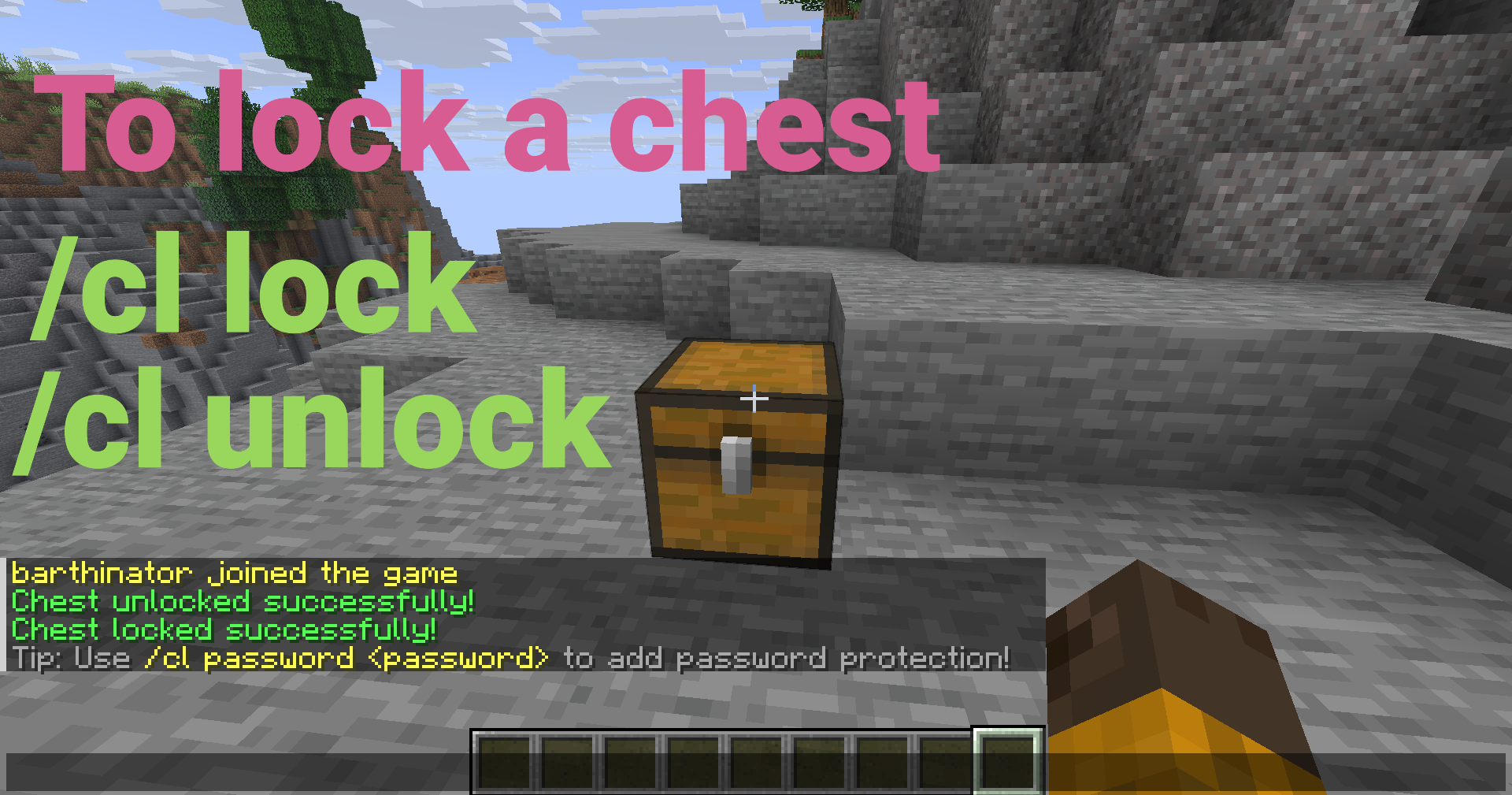
Look at a chest, barrel, hopper, or furnace and run:
/cl lock
Only you can open it now!
Key Features
Core Protection
- Owner Locks - Lock containers so only you can access them
- Password Protection - Share access with passwords (SHA-256 hashed)
- Trusted Players - Grant access to specific players without passwords
- Container Protection - Prevents breaking, explosions, fire, and pistons
Container Support
- Chests - All chest types (regular, trapped, copper, etc.)
- Barrels - Full locking support for barrels
- Hoppers - Lock hoppers and control item extraction (configurable)
- Furnaces - Lock furnaces, blast furnaces, and smokers (configurable)
- Per-Container Hopper Control - Toggle hopper access per container via GUI
User Interface
- GUI Menu - Easy-to-use visual interface (Shift + Right-click with empty hand)
- Password Input GUI - Interactive character selection
- Tab Completion - Full autocomplete support for all commands
- Container-Specific Messages - Messages show the correct container type
Advanced Features
- Double Chest Support - Automatically handles single and double chests
- Auto-Lock on Place - Optional automatic locking when placing containers
- Password Cooldown - Prevents spam attempts (configurable)
- Admin Tools - Clear locks, reload config, bypass permissions
- Admin Notifications - Admins see notifications when opening locked containers
- SQLite Storage - Fast, lightweight, no external database needed
- Auto-Backup - Automatic database backups
- Automatic Migration - Seamless database upgrades
Quick Setup
- Download the
ChestLockLite.jarfile - Place it in your server's
pluginsfolder - Start your server
- Configure as needed in
plugins/ChestLockLite/config.yml(optional)
That's it! The plugin is ready to use.
Usage Examples
Password Protection
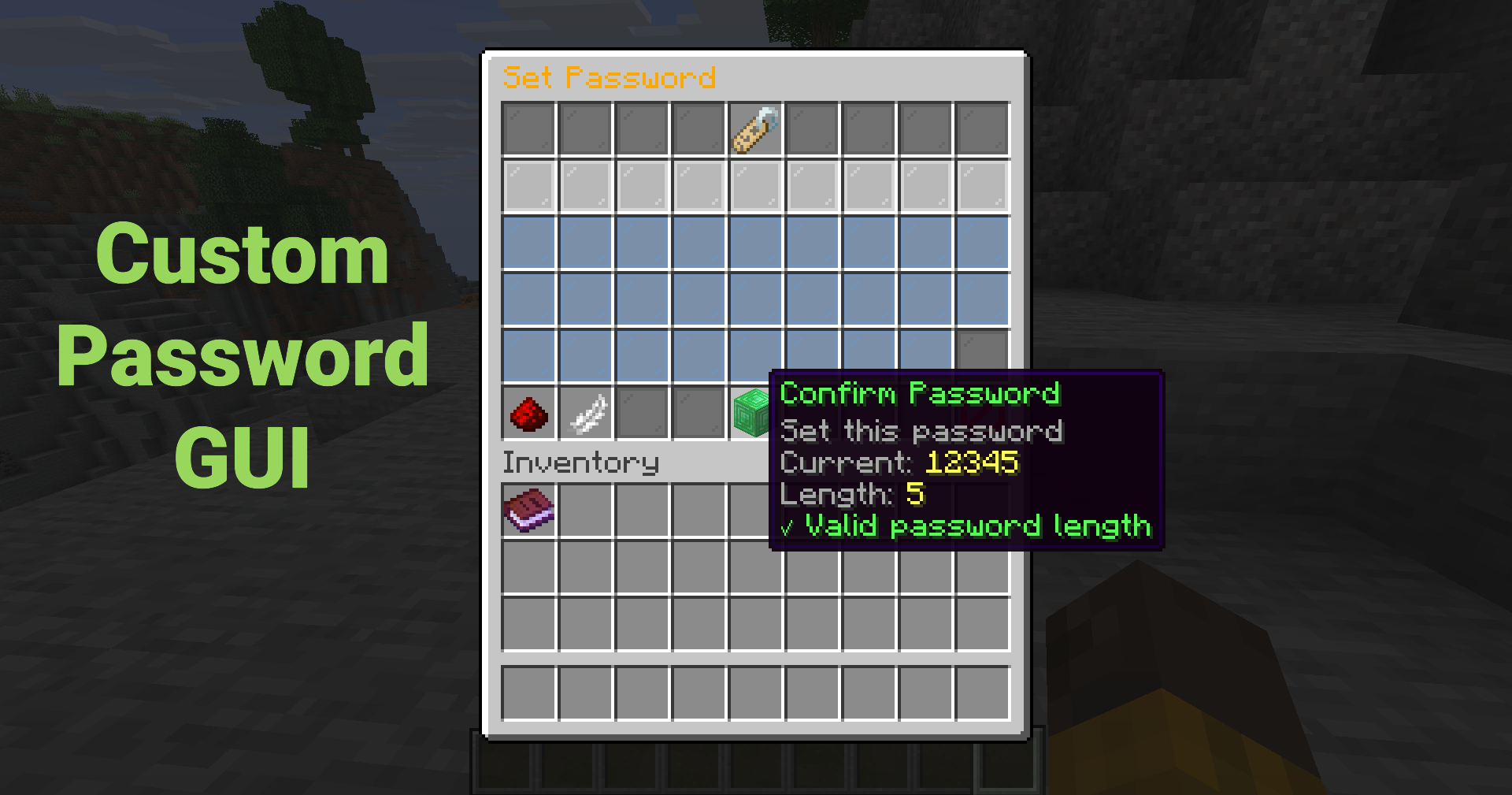
Set a password so anyone with the password can unlock the container:
/cl password mypassword123
Or use the GUI (Shift + Right-click → "Set Password") for an interactive password input!
Trust a Player
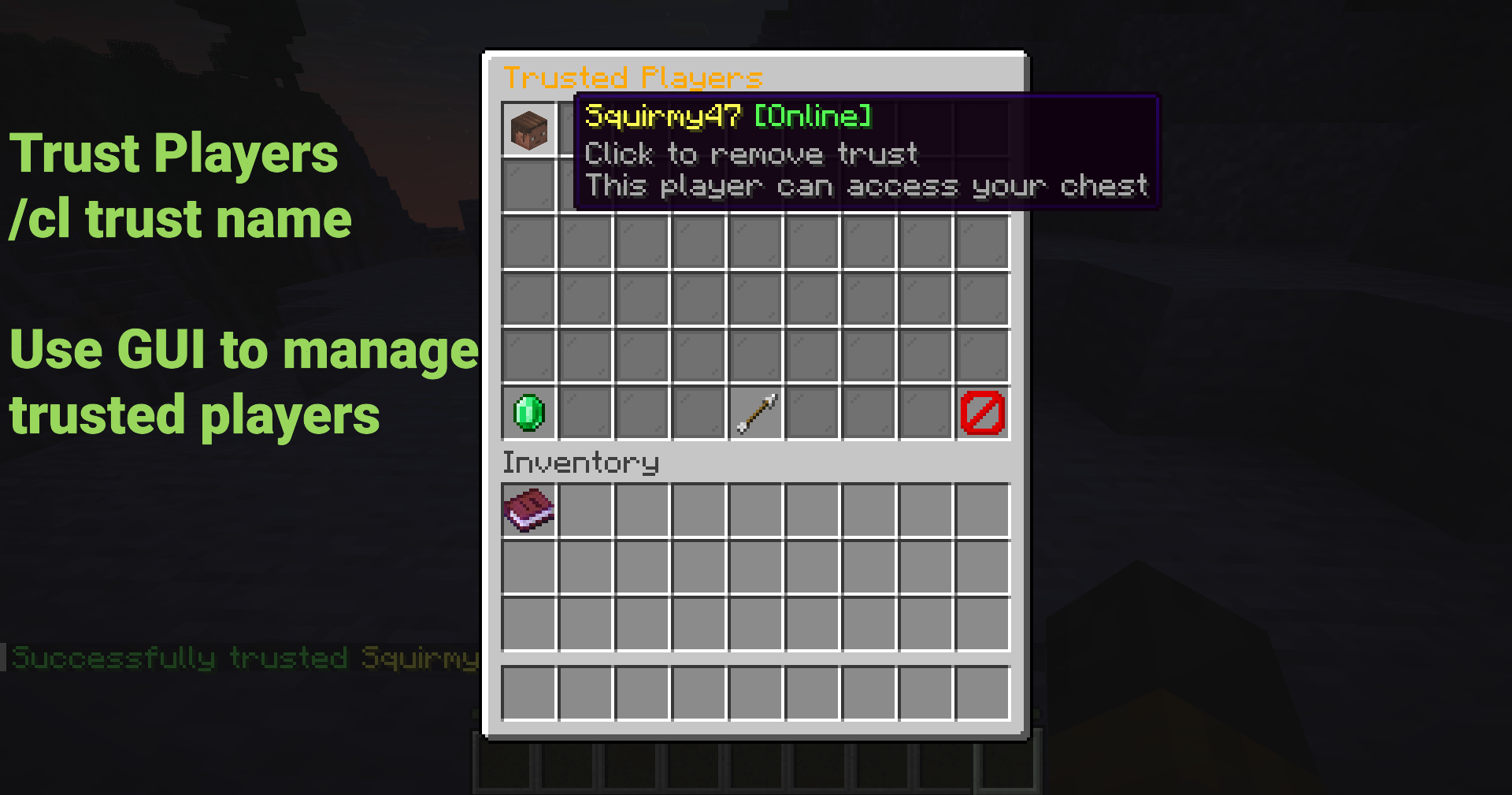
Grant a player access without sharing passwords:
/cl trust FriendName
The trusted player will receive a notification and can now access your container!
Using the GUI
Shift + Right-click any container to open the menu (Must have empty hand)
Click buttons to:
- Lock/unlock containers
- Set or remove passwords
- Manage trusted players
- Toggle hopper access (per container)
- View lock information
No commands to remember!
Common Commands
| Command | Description |
|---------|-------------|
| /cl lock | Lock the container you're looking at |
| /cl unlock | Unlock your container |
| /cl password <pass> | Set or enter password |
| /cl trust <player> | Trust a player on your container |
| /cl untrust <player> | Remove trust from a player |
| /cl trustedlist | List trusted players |
| /cl gui | Open GUI menu |
| /cl info | View lock information |
Aliases: /chestlock, /lockchest
Security Features
- SHA-256 Password Hashing - Passwords are never stored in plain text
- Unique Salt Per Password - Prevents rainbow table attacks
- Container Break Protection - Prevents unauthorized breaking
- Explosion Protection - Protects from creepers, TNT, etc.
- Fire/Lava Protection - Protects from fire and lava damage
- Piston Protection - Prevents pistons from moving locked containers
- Hopper Control - Prevent hoppers from extracting items from locked containers
Configuration
New in v1.1.0:
locks:
  # Support for hoppers (allow locking hoppers)
  allow-hoppers: true

  # Support for furnaces (allow locking furnaces, blast furnaces, smokers)
  allow-furnaces: true

  # Show notification to admins when they open locked containers
  admin-notification: true
Perfect For
- Survival Servers - Protect player containers from griefing
- SMP Servers - Secure shared storage areas
- Economy Servers - Protect shop chests and storage
- Towny/Factions - Team-based container protection
- Any Server - Simple, lightweight container protection
Documentation
- Full Documentation: GitHub Wiki
- Quick Start Guide: Quick Start
- Configuration: Config Reference
- Permissions: Permissions Guide
Admin Commands
Admins have access to powerful management tools:
| Command | Description | Permission |
|---------|-------------|------------|
| /cl clear | Clear lock on targeted container | chestlocklite.admin.clear |
| /cl clearall <player> | Clear all locks by player | chestlocklite.admin.clearall |
| /cl cleararea [radius] | Clear locks in area | chestlocklite.admin.cleararea |
| /cl reload | Reload configuration | chestlocklite.admin.reload |
Performance
- Lightweight - Minimal server impact
- SQLite Storage - Fast, no external database needed
- Indexed Queries - O(log n) lookup time
- Tested - Handles 10,000+ locks without issues
- Comprehensive Testing - 39 unit tests ensure reliability
What's New in v1.1.0
- 🎉 Barrel, Hopper & Furnace Support - Lock all container types!
- 🎛️ Per-Container Hopper Control - Toggle hopper access via GUI
- 🔔 Admin Notifications - Admins see notifications when opening locked containers
- 💬 Container-Specific Messages - Messages show correct container type
- 🐛 Bug Fixes - Fixed password GUI bug and GUI access with items
- 🧪 Test Suite - Comprehensive testing infrastructure (39 tests)
License
This project is licensed under the MIT License.
Links
- Download: GitHub Releases
- Report Issues: GitHub Issues
- Wiki: Documentation Wiki
- Support: Check the Troubleshooting Guide
Made with ❤️ for the Minecraft community
Perfect for survival, SMP, and economy servers. Simple configuration, comprehensive permissions system, and full documentation included.
Versions
No version history available. Use the Download button to get the latest from the source.
Comments 0
No comments yet. Be the first to share your thoughts.