
CommandCrafter
ModrinthUseful Minecraft command tools in a Fabric mod and VSCode Extension (syntax highlighting, completion, debugging, etc.)


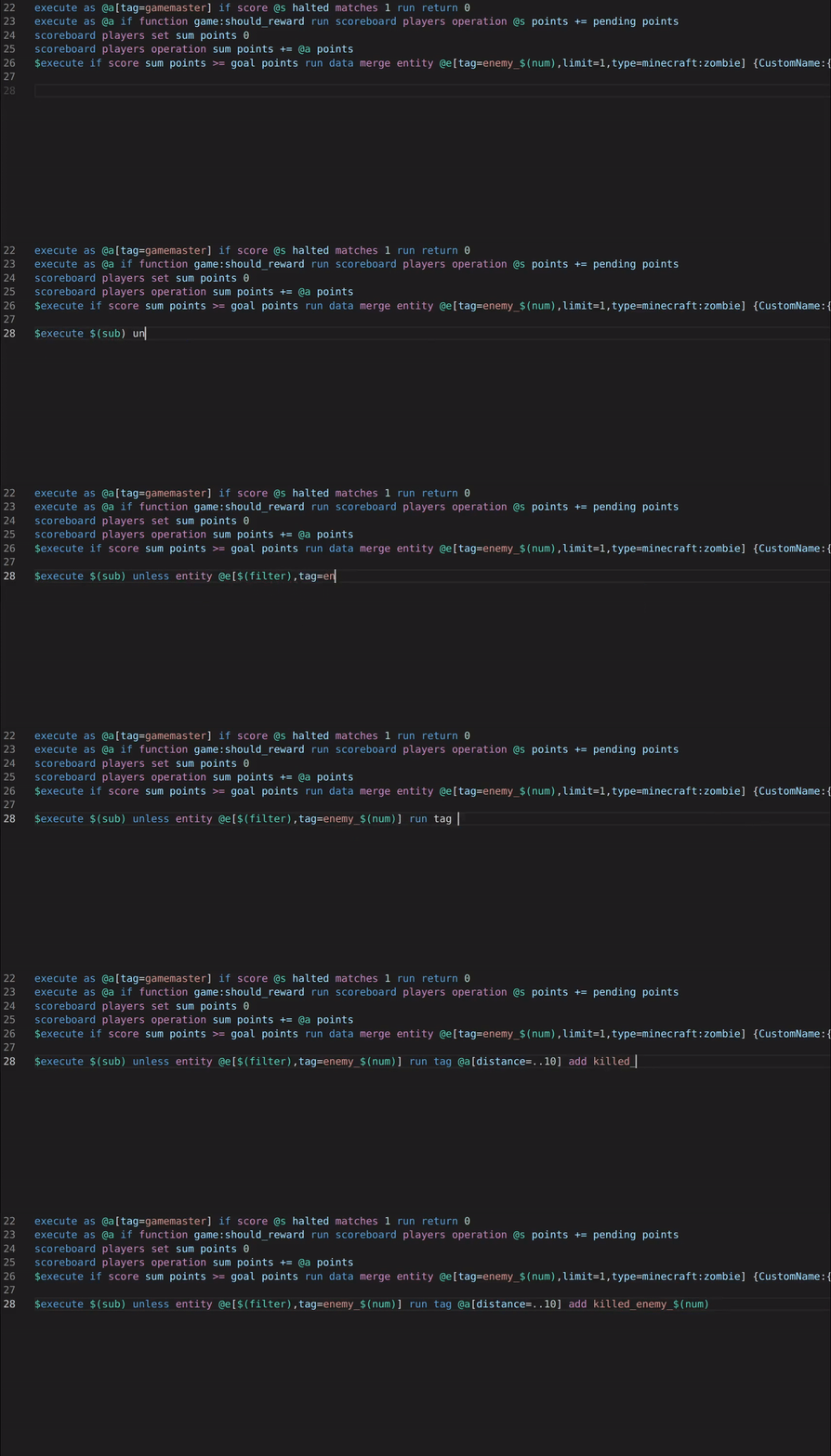
This mod and the corresponding CommandCrafter VSCode extension connects your editor to Minecraft, giving you lots of useful features for datapacks, such as:
- Syntax Highlighting (including macros)
- Auto-completion
- Error checking
- A debugger that lets you set breakpoints and step through functions and evaluate arguments while paused
- Viewing and editing scoreboards/storages in your editor
- Viewing the client's and the server's log in your editor
- Reload datapacks, resourcepacks or shaders with VSCode commands (can be bound to keyboard shortcuts or configured to happen automatically upon saving a file)
CommandCrafter differs from traditional datapack extensions in that everything it does is provided by the mod, which means it can use all the data available inside Minecraft. For example the auto-completion for commands can for the most part use the vanilla suggestions, which means you see all scoreboards that exist in a world or all functions known to Minecraft. CommandCrafter can detect any commands or dynamic registries added by other mods as well. This connection to Minecraft is also what makes the debugger and other features, which require deep integration with Minecraft, possible.
Additionally, the mod includes an extension of the vanilla function syntax, which optionally makes it possible to write multiline commands without backslashes and write inline functions/tags. This new function syntax can be transpiled to a vanilla datapack by the mod using the /datapack build command.
For more info on how to use this mod, visit the Getting Started page on its wiki.
Versions
No version history available. Use the Download button to get the latest from the source.
Comments 0
No comments yet. Be the first to share your thoughts.