Язык

Coordinates Display

Coordinates Display

Modrinth

A basic mod that displays your Coordinates on the In-game HUD.

510.3k загрузок 497 подписчиков обновлено 2mo ago
последняя v20.0.0 Modrinth
Fabric Forge Neoforge Quilt 1.14.4 – 26.1.2 AdventureManagementUtility

Coordinates Display

Introduction

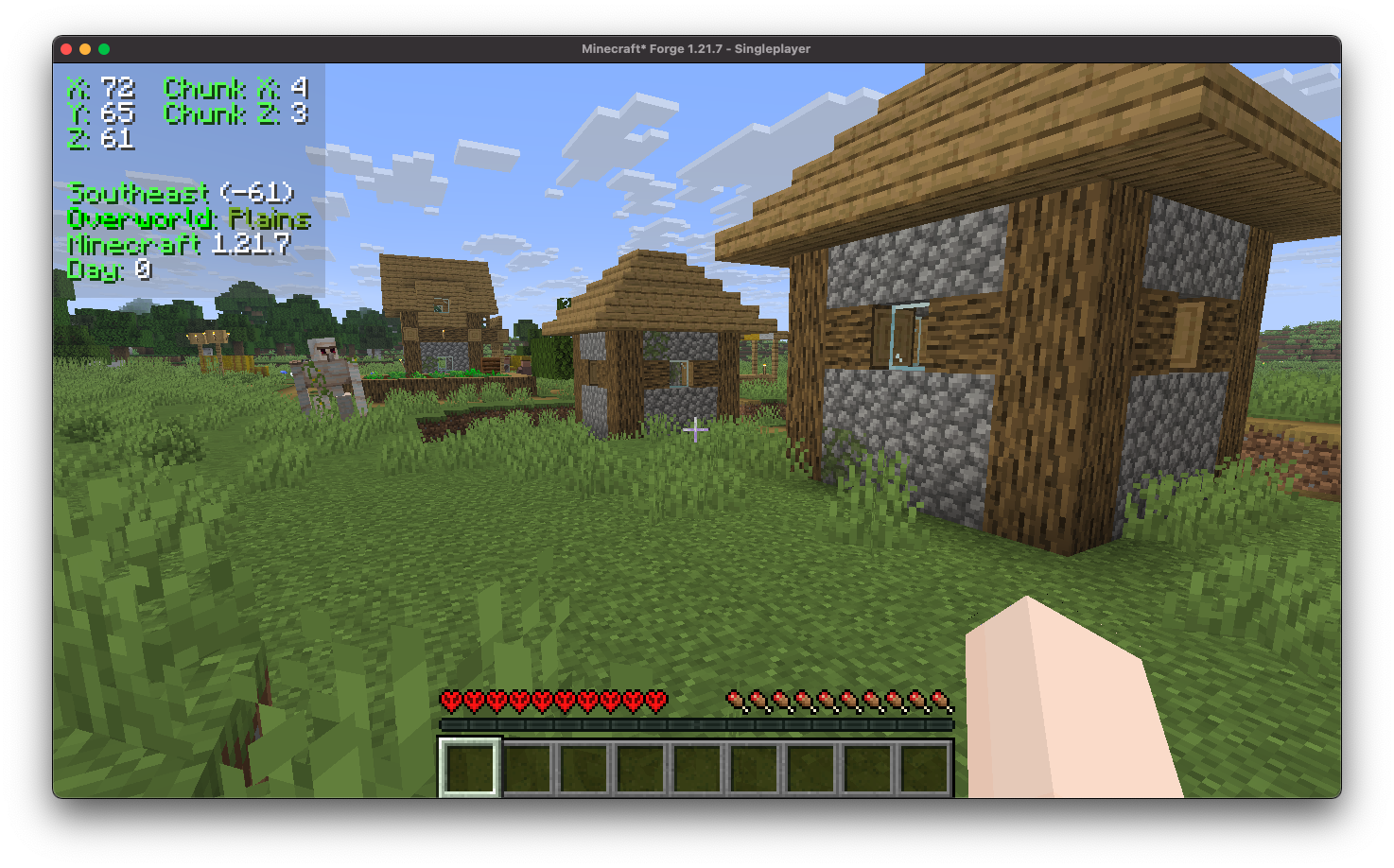
default hud

Coordinates Display enhances the client-side experience by incorporating a heads-up display (HUD) that provides detailed information. It includes your precise coordinates within the game world, your current chunk coordinates, the specific direction you are facing, real-time updates on the biome you are currently traversing, and even displays the version of Minecraft you are playing.

Installation/Dependencies

This mod requires BoxLib a Client-side library mod developed by me.

  1. Install Minecraft Forge/Fabric/Neoforge: Download and install the appropriate modloader for your Minecraft version.
  2. Download the mod: Download the latest release of Coordinates Display for your specific modloader and Minecraft version
  3. Download BoxLib: Download the latest release of BoxLib for your specific modloader and Minecaft version
  4. Place the mod jars: Drop the downloaded jar files into your Minecraft mods folder. The location of this folder varies depending on your operating system.

Fabric Dependencies

Requires Fabric API

Mod Menu is recommended for configuration purposes.

Forge/NeoForge Dependencies

This mod requires BoxLib a Client-side library mod developed by me.

Key Features

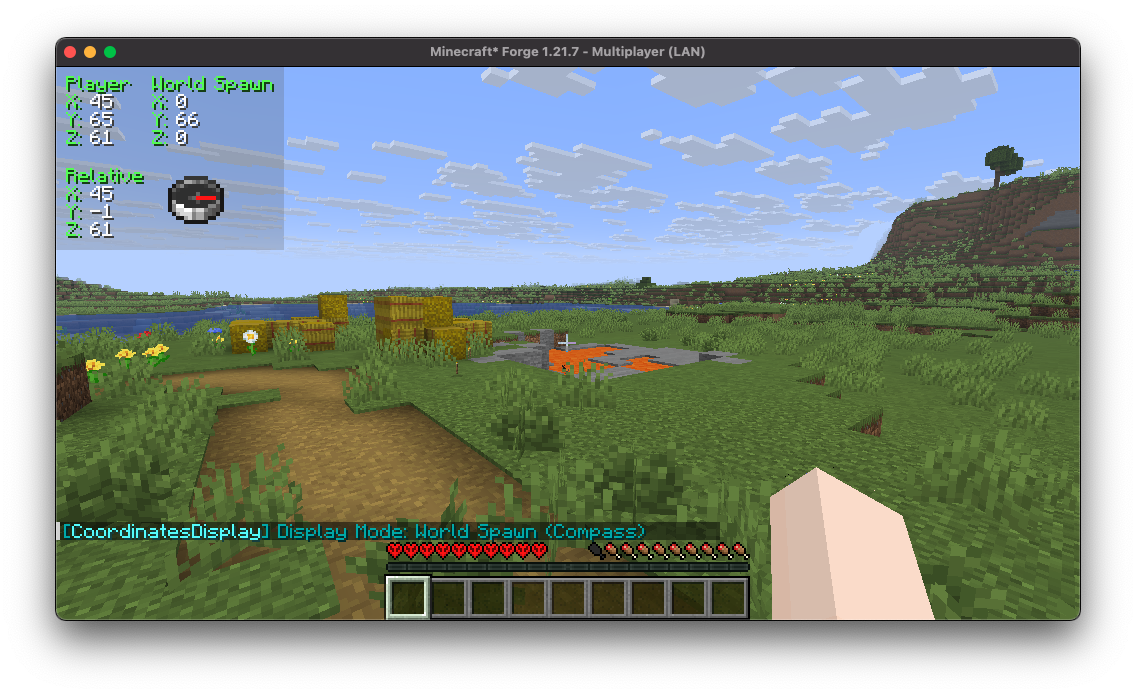
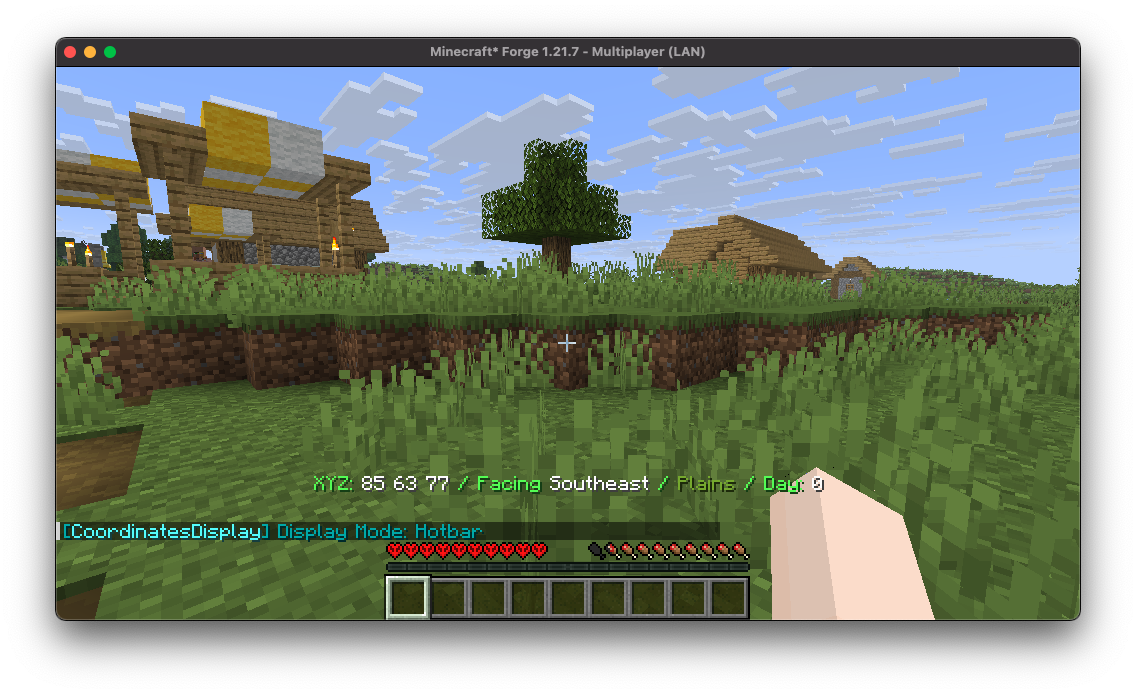
1. Multiple ways to render your coordinates
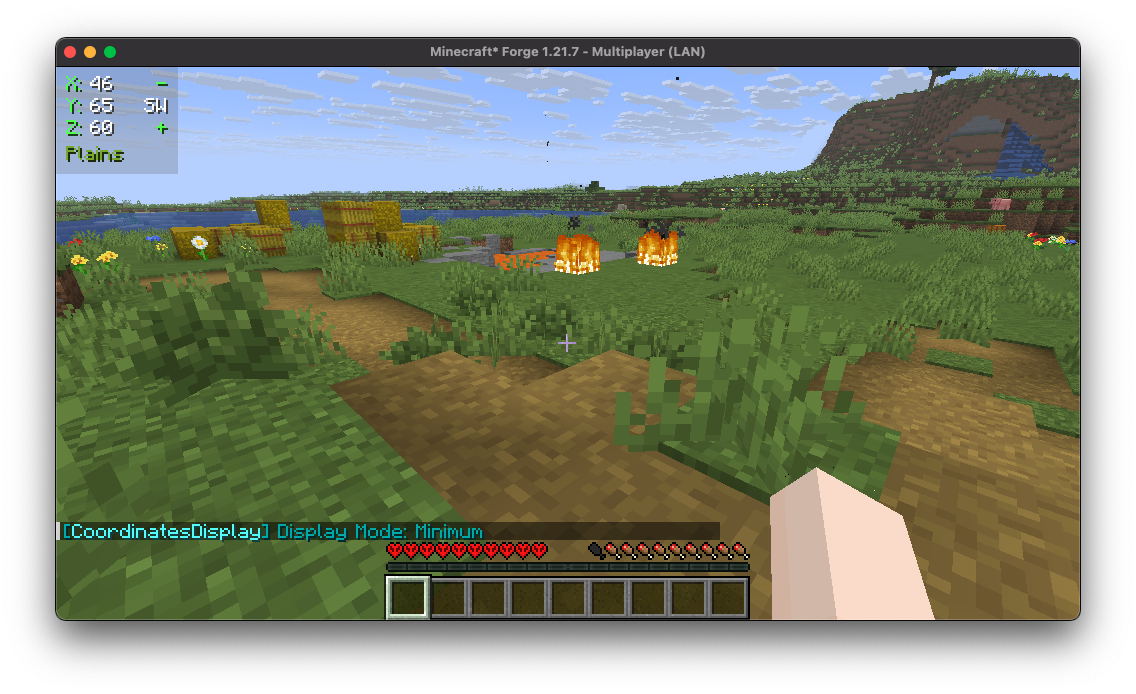
min mode compass mode hotbar mode

Coordinates Display provides a wide array of diverse "display modes" for you to select from, each tailored to suit various preferences and needs.

2. Highly Configurable
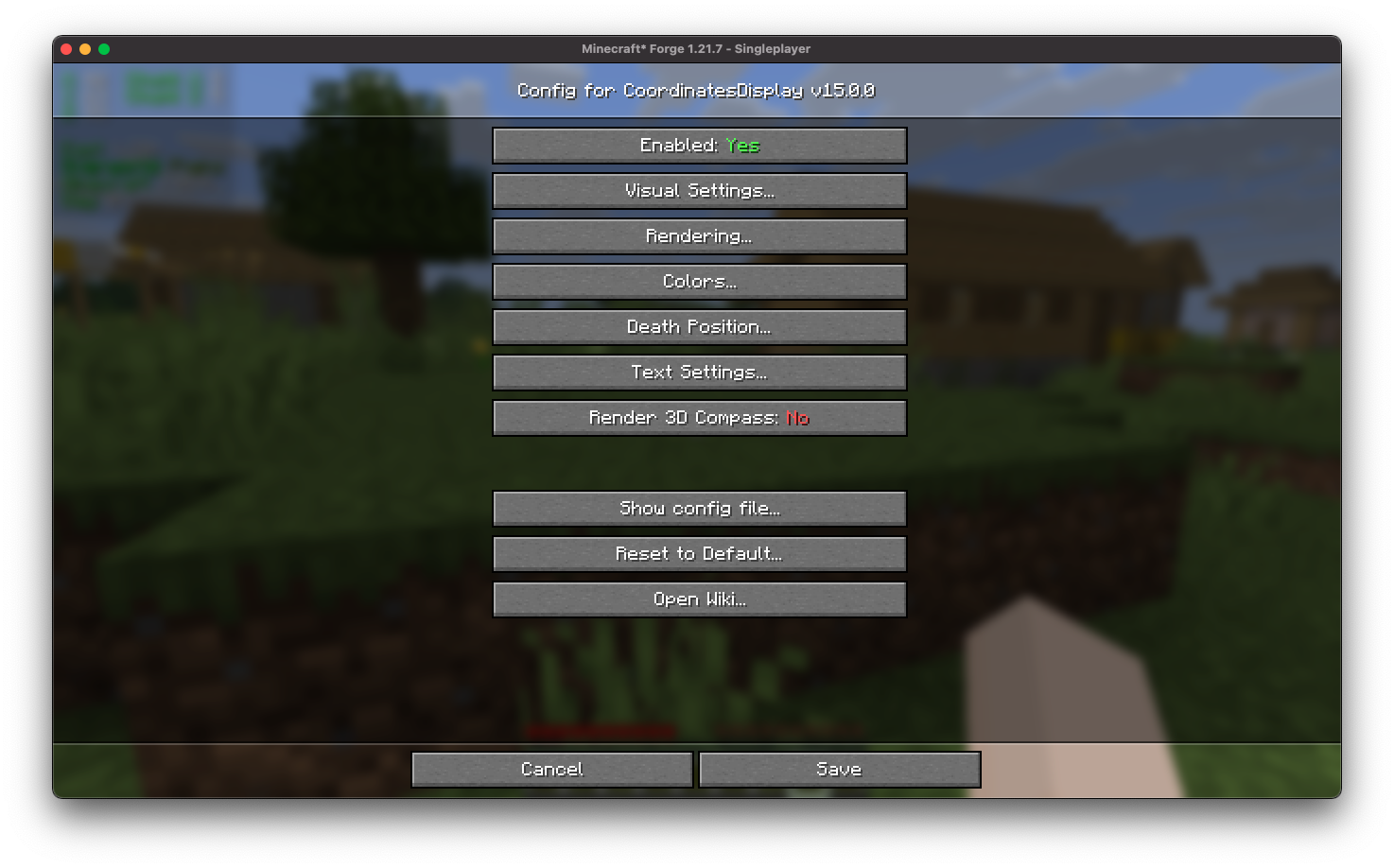
config screen

Coordinates Display features an intuitive configuration screen designed for effortless customization, ensuring users can easily adjust settings to tailor their experience according to individual preferences.

3. Easy-to-use Positioning
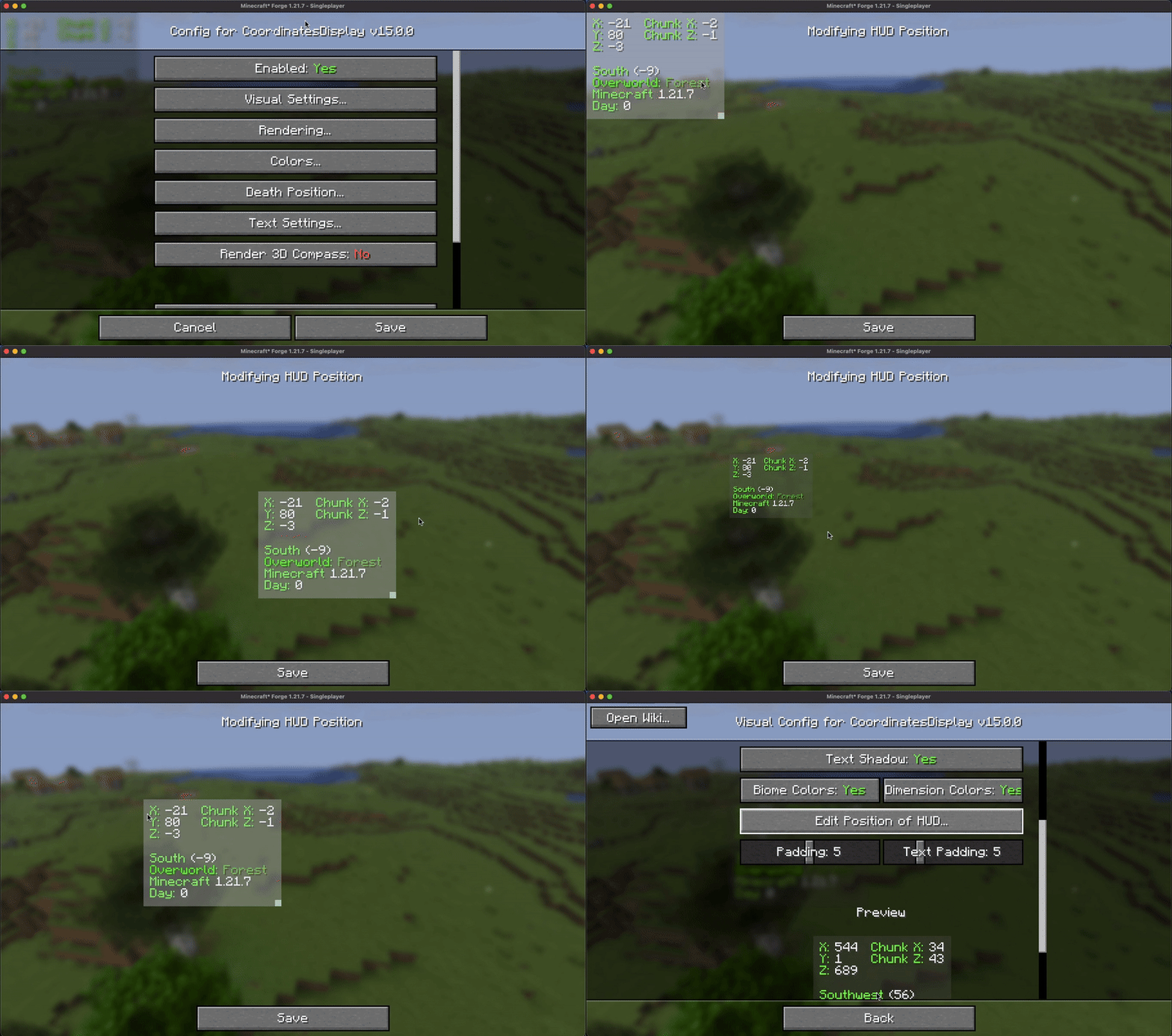
hud position screen

Coordinates Display provides users with a user-friendly HUD position screen, allowing for seamless scaling and adjustment of the coordinates HUD to any desired position across the in-game HUD.

4. Configurable Color
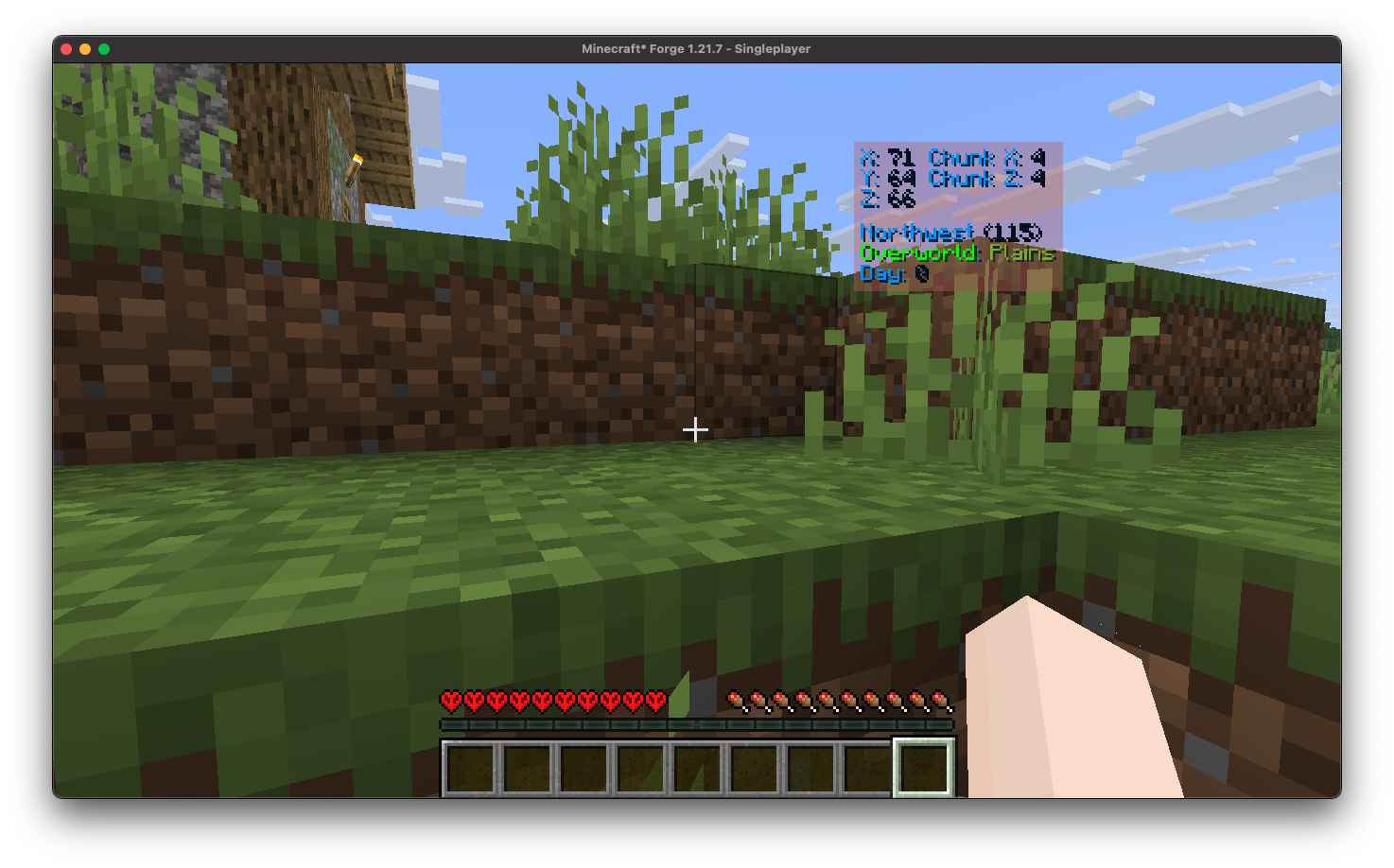
colorized

Coordinates Display offers a straightforward way to colorize your HUD by allowing you to effortlessly customize the colors of the displayed text.

5. Death Position Saving
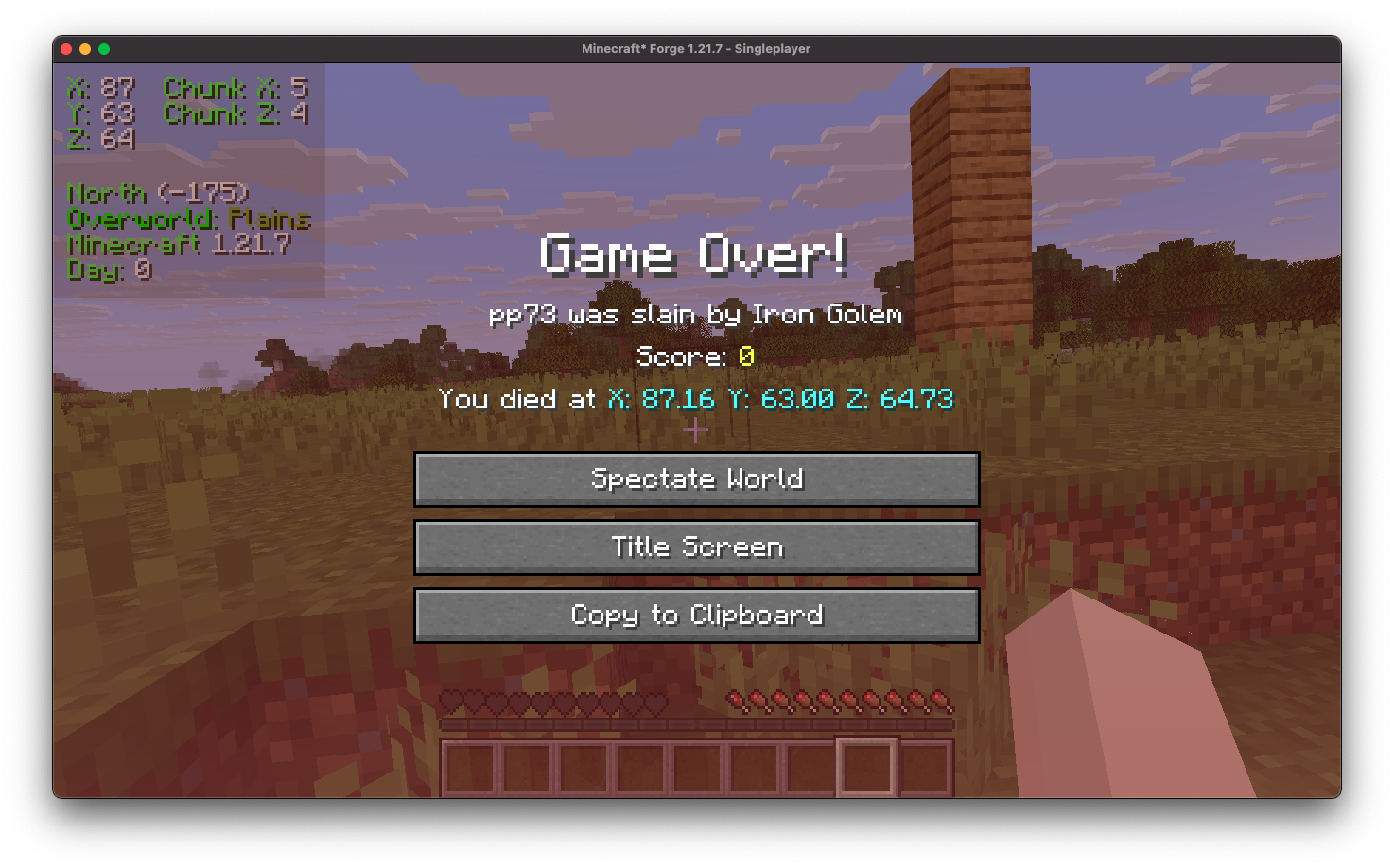
death position on death screen
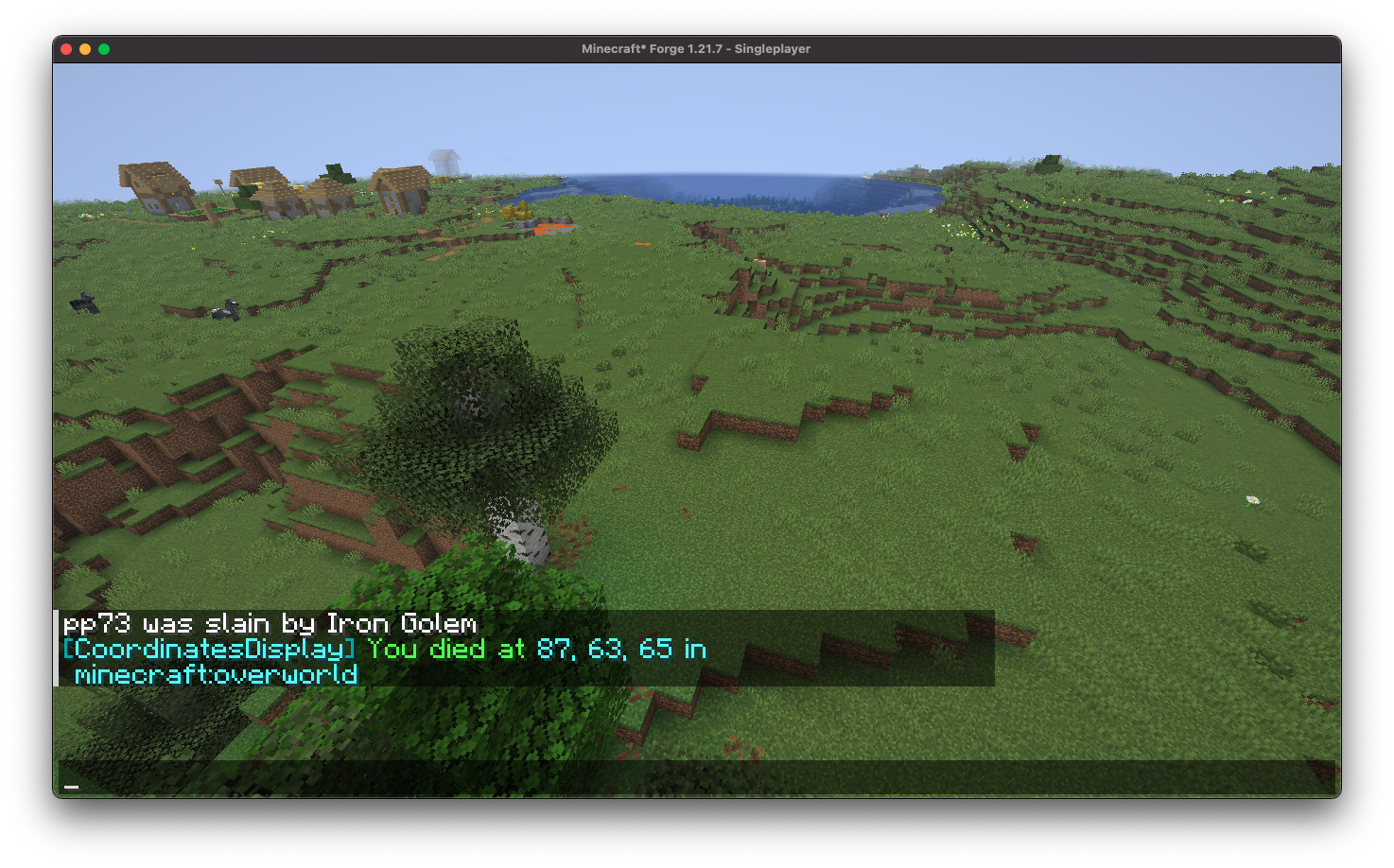
death position on chat

Coordinates Display conveniently showcases your death position directly on the death screen and automatically logs it in the chat upon respawn, ensuring you can easily return to your items.

6. Essential Keybindings
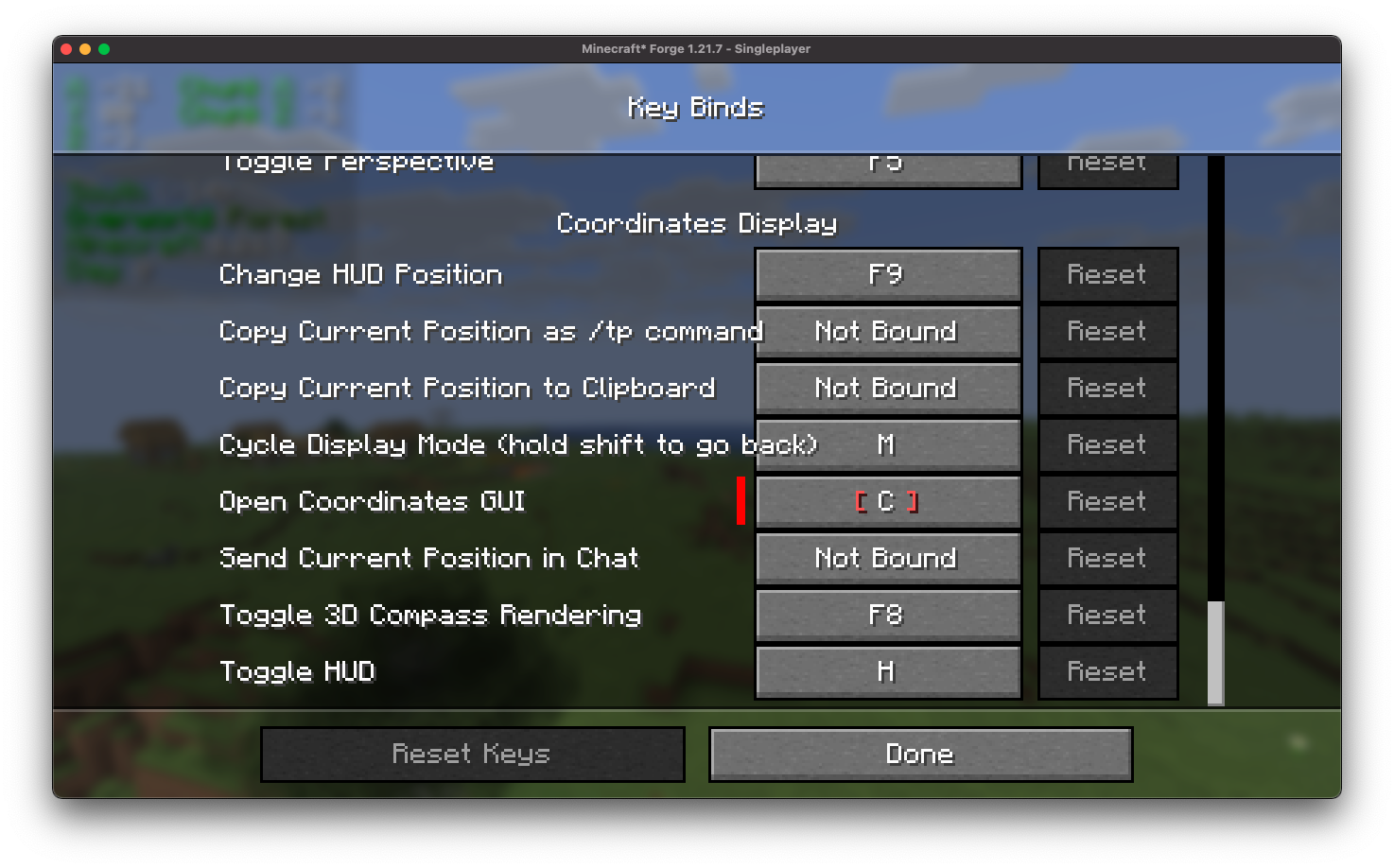
keybinds

Coordinates Display provides a comprehensive selection of customizable keybindings, designed to better configuration processes and enhance user convenience.

7. Position Marking
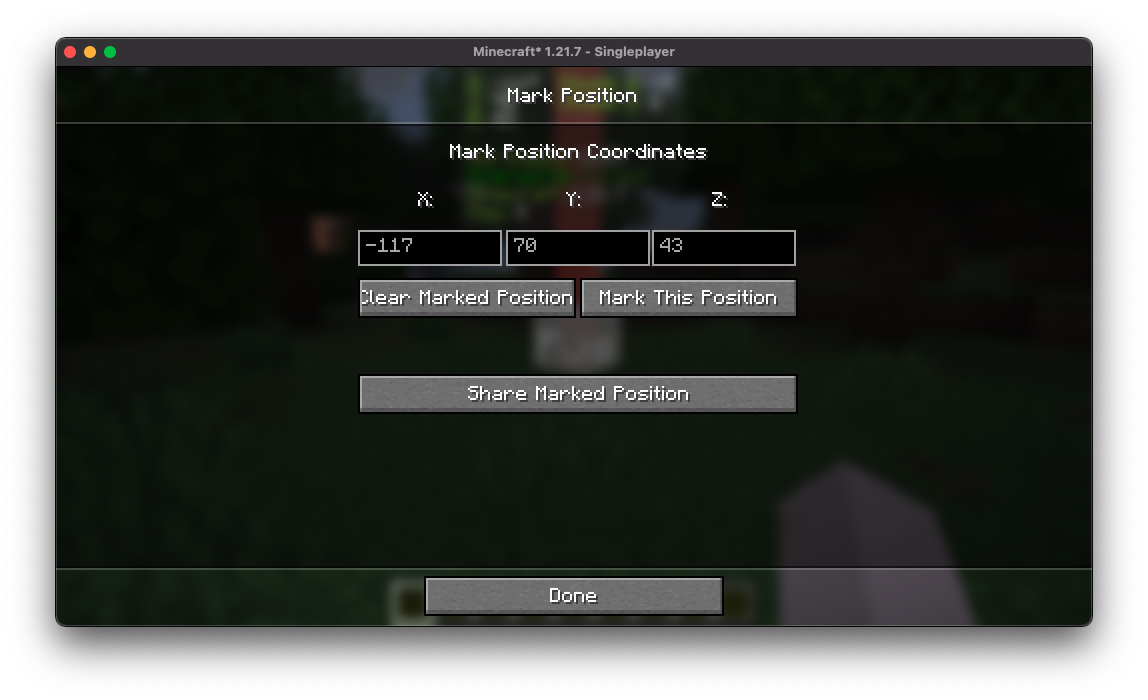
mark gui
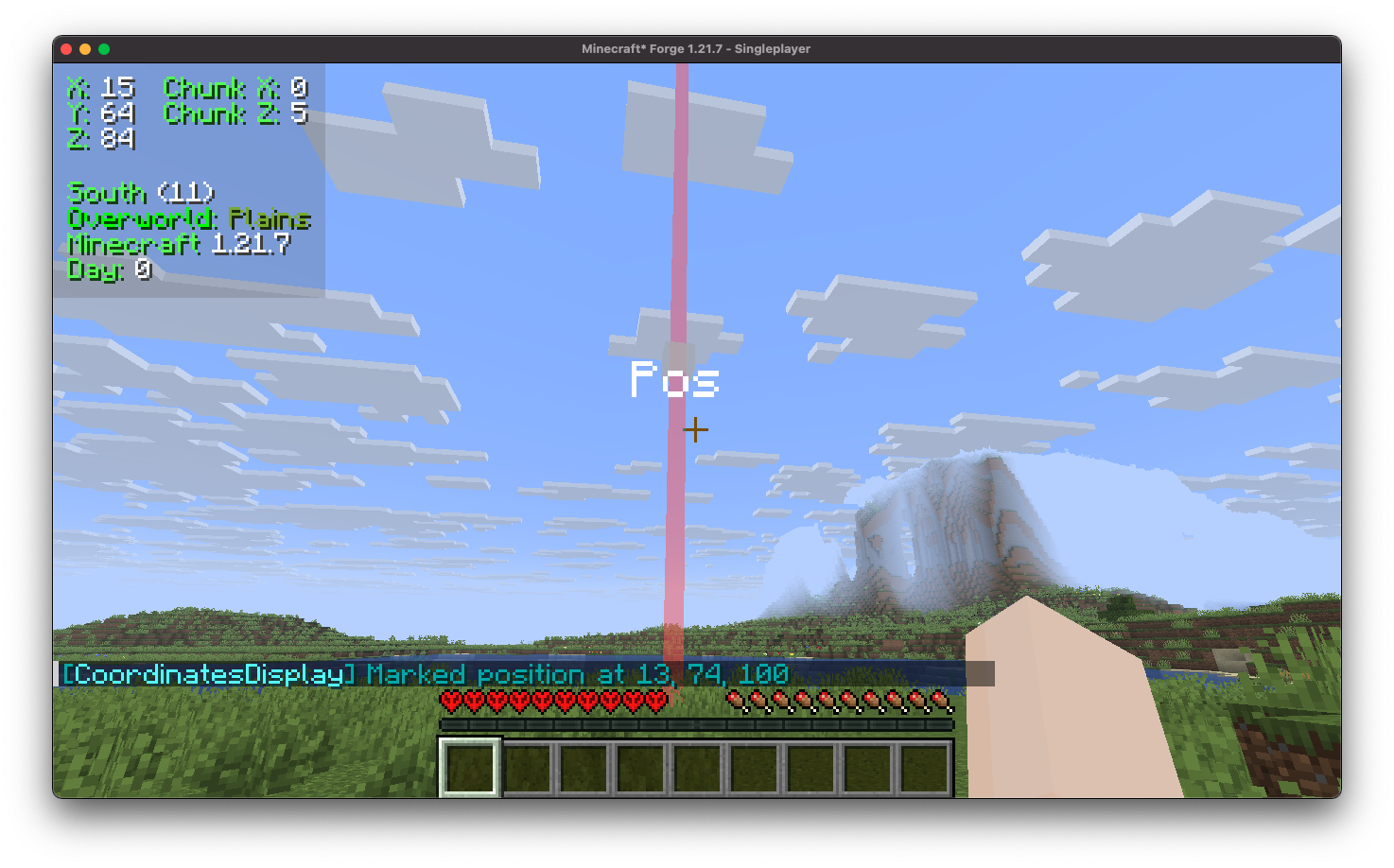
mark position

Coordinates Display includes a position marking feature that allows you to easily mark and save specific coordinates, enabling quick navigation back to those locations at any time.
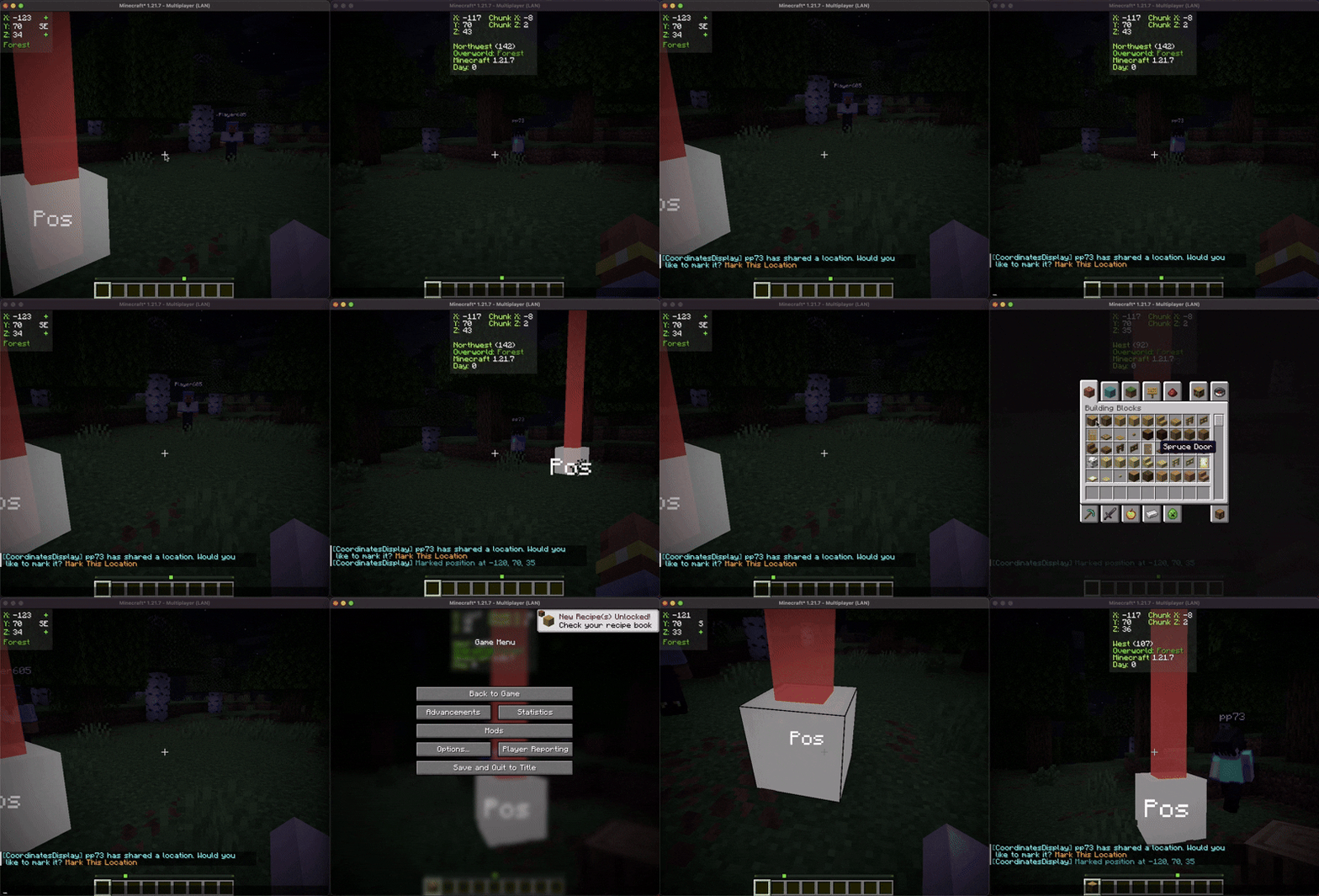
mark sharing gif

Furthermore, you can share these marked positions with other players, facilitating collaborative exploration and coordination within the game.

Contributing

We encourage contributions! Don't hesitate to open issues or pull requests through our GitHub Repository. Your input helps us improve and evolve.

Translations

We welcome translations! If you're interested in translating this mod, please locate the localization files and submit a pull request. Your contributions help make the mod accessible to more users worldwide.

Support

If you encounter any issues, please open an issue on the GitHub repository.

Building

If you'd like to build this mod on your own machine, follow these steps.

  • Download the source code from GitHub (Code -> Download zip)
  • Make sure Java is installed
  • Extract the zip file onto your local machine, and open the folder.
  • Open a terminal prompt in said folder
  • Run the command "gradlew build"
    • The fabric build will be in "fabric/build/libs"
    • The forge build will be in "forge/build/libs"
    • The neoforge build will be in "neoforge/build/libs"

Версии

Release
20.0.0
fabric, quilt · 26.1, 26.1.1, 26.1.2 · 2mo ago
## Changelog - Update 26.1.1 - Fixed crash with position marking - Allow for position marking to be configurable (colors, text) - Re-organized config screen…
10.3k
Release
20.0.0
neoforge · 26.1, 26.1.1, 26.1.2 · 2mo ago
## Changelog - Update 26.1.1 - Fixed crash with position marking - Allow for position marking to be configurable (colors, text) - Re-organized config screen…
627
Release
19.0.1
neoforge · 1.21.11 · 4mo ago
## Changelog - Fixed bug where the mod would spam the log
1.1k
Release
19.0.1
forge · 1.21.11 · 4mo ago
## Changelog - Fixed bug where the mod would spam the log
1.5k
Release
19.0.1
fabric, quilt · 1.21.11 · 4mo ago
## Changelog - Fixed bug where the mod would spam the log
31.3k
Release
19.0.0
neoforge · 1.21.11 · 4mo ago
## Changelog - Added Bedrock-Edition rendering mode - Allowing to change size of the 3d compass - Fixed bug where HUD would not render over chunk borders -…
95
Release
19.0.0
forge · 1.21.11 · 4mo ago
## Changelog - Added Bedrock-Edition rendering mode - Allowing to change size of the 3d compass - Fixed bug where HUD would not render over chunk borders -…
142
Release
19.0.0
fabric, quilt · 1.21.11 · 4mo ago
## Changelog - Added Bedrock-Edition rendering mode - Allowing to change size of the 3d compass - Fixed bug where HUD would not render over chunk borders -…
1.2k
Release
18.0.2
forge · 1.21.9, 1.21.10 · 6mo ago
## Changelog - Fixed issue where the HUD would not render
1.3k
Release
18.0.2
neoforge · 1.21.9, 1.21.10 · 6mo ago
## Changelog - Fixed issue where the HUD would not render
453
Release
18.0.2
fabric, quilt · 1.21.9, 1.21.10 · 6mo ago
## Changelog - Fixed issue where the HUD would not render
14.3k
Release
18.0.1
neoforge · 1.21.9, 1.21.10 · 8mo ago
## Changelog - Ported to 1.21.10
481

Комментарии 0

Пока нет комментариев. Будь первым, кто поделится мнением.

Скачать Coordinates Display

R 20.0.0 26.1, 26.1.1, 26.1.2 fabric, quilt 292 KB R 20.0.0 26.1, 26.1.1, 26.1.2 neoforge 290 KB R 19.0.1 1.21.11 neoforge 522 KB R 19.0.1 1.21.11 forge 524 KB R 19.0.1 1.21.11 fabric, quilt 525 KB R 19.0.0 1.21.11 neoforge 522 KB R 19.0.0 1.21.11 forge 524 KB R 19.0.0 1.21.11 fabric, quilt 525 KB R 18.0.2 1.21.9, 1.21.10 forge 519 KB R 18.0.2 1.21.9, 1.21.10 neoforge 517 KB R 18.0.2 1.21.9, 1.21.10 fabric, quilt 521 KB R 18.0.1 1.21.9, 1.21.10 neoforge 517 KB R 18.0.1 1.21.9, 1.21.10 forge 519 KB R 18.0.1 1.21.9, 1.21.10 fabric, quilt 520 KB R 18.0.0 1.21.9, 1.21.10 neoforge 517 KB R 18.0.0 1.21.9, 1.21.10 forge 519 KB R 18.0.0 1.21.9, 1.21.10 fabric, quilt 520 KB R 17.0.2 1.21.6, 1.21.7, 1.21.8 neoforge 511 KB R 17.0.2 1.21.6, 1.21.7, 1.21.8 fabric, quilt 513 KB R 17.0.2 1.21.6, 1.21.7, 1.21.8 forge 514 KB R 17.0.1-fabric 1.21.6 fabric, quilt 496 KB R 17.0.1-neoforge 1.21.6 neoforge 498 KB R 17.0.1-forge 1.21.6 forge 498 KB R 17.0.1-forge 1.21.6 forge 498 KB R 17.0.1-neoforge 1.21.6 neoforge 498 KB R 17.0.0-fabric 1.21.6 fabric, quilt 496 KB R 17.0.0-forge 1.21.6 forge 497 KB R 17.0.0-neoforge 1.21.6 neoforge 498 KB R 16.0.0-fabric 1.21.5 fabric, quilt 497 KB R 16.0.0-neoforge 1.21.5 neoforge 499 KB R 16.0.0-forge 1.21.5 forge 499 KB R 15.0.0-forge 1.21.4 forge 498 KB R 15.0.0-fabric 1.21.4 fabric, quilt 496 KB R 15.0.0-neoforge 1.21.4 neoforge 498 KB R 9.2.1-fabric 1.20, 1.20.1 fabric, quilt 487 KB R 9.2.1-forge 1.20, 1.20.1 forge 489 KB R 14.0.0-fabric 1.21.2, 1.21.3 fabric, quilt 496 KB R 14.0.0-neoforge 1.21.2, 1.21.3 neoforge 498 KB R 14.0.0-forge 1.21.2, 1.21.3 forge 499 KB R 13.2.0-fabric 1.21, 1.21.1 fabric, quilt 496 KB R 13.2.0-neoforge 1.21, 1.21.1 neoforge 498 KB R 13.2.0-forge 1.21, 1.21.1 forge 499 KB R 9.2.0-fabric 1.20, 1.20.1 fabric, quilt 487 KB R 9.2.0-forge 1.20, 1.20.1 forge 489 KB R 13.1.0-forge 1.21, 1.21.1 forge 496 KB R 13.1.0-fabric 1.21, 1.21.1 fabric, quilt 493 KB R 13.1.0-neoforge 1.21, 1.21.1 neoforge 495 KB R 12.1.0-neoforge 1.20.5, 1.20.6 neoforge 488 KB R 12.1.0-forge 1.20.5, 1.20.6 forge 490 KB R 12.1.0-fabric 1.20.5, 1.20.6 fabric, quilt 487 KB

Файлы отдаются напрямую с первоисточника. Modgrid не хранит и не изменяет их.