
Death Plus
ModrinthThe Smartest Cinematic Death Spectate Kill-Cam Ever Built - Custom Death Type and Spatially Aware Cameras. Plus Advanced Death Messages +
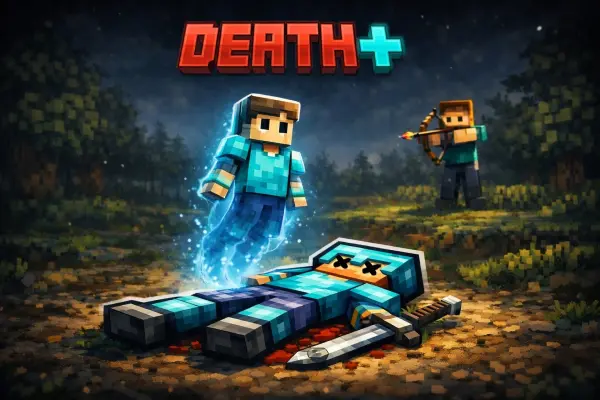
DeathPlus
Supports
Paper / Spigot 1.21 - 1.21.11
Java 21
Advanced Death Messages + Smart Cinematic Death Spectate Kill-Cams
Built to work with the Dead Body Plugin.
By Duq_
Example server: mcwar.co
Wiki

Overview
DeathPlus is a modern death-experience overhaul plugin for Paper / Spigot servers that combines two major systems into one polished package:
- DeathMessages — A configurable death message engine for PvP, mobs, projectiles, explosions, environmental kills, custom weapons, and more.
- DeathSpectate — An advanced cinematic post-death smart camera system that turns every death into a short immersive kill-cam sequence.
This is not just another death message plugin, and it is not just another simple respawn delay plugin.
DeathPlus is built to make death feel dramatic, informative, cinematic, and server-specific.
Purpose
- Smart Kill-Cams — DeathSpectate considers the death location, killer position, corpse location, death type, interior or exterior space, roof coverage, walls, underground areas, confined spaces, and clipping safety.
- Death Profiles — PvP melee, PvP projectile, mob melee, mob projectile, fall deaths, explosions, drowning, void deaths, and default deaths can all use different title pools and camera sequences.
- In-Game Editors — Admins can tune the system with GUIs and editors instead of doing everything manually in YAML.
- Clean Overrides — Base config files stay readable while in-game changes are saved into separate override files.
- Combat Support — Optional integrations support custom gun systems, vehicle systems, and corpse plugins.
Features
DeathMessages
DeathMessages replaces or augments vanilla death messages with a configurable system that supports:
- Player vs player deaths
- Player vs mob deaths
- Environmental deaths
- Projectile-specific wording
- Weapon display names
- Custom weapon integrations
- Vehicle run-over attribution
- Location, world, and biome placeholders
- Distance placeholders
- Named mob handling
- Last-attacker attribution for falls, lava, drowning, and other follow-up deaths
This lets you build death messages that match your server instead of relying on flat vanilla text.
DeathSpectate
DeathSpectate is the cinematic side of DeathPlus.
When a player dies, DeathPlus can move them into a short spectator-based kill-cam sequence before respawn completes.
The camera system analyzes the scene and adapts based on:
- Exact death location
- Killer location
- Corpse location, when available
- Indoor or outdoor location
- Underground or confined spaces
- Roof coverage and camera clearance
- Line-of-sight and wall clipping safety
- Cause of death
- Profile type
Examples include:
- Killer-focused orbit shots
- Side-pan kill-cam shots
- Corpse-focused transition shots
- Indoor corpse panning
- Overview orbits
- Hold stages for dramatic pauses
DeathSpectate also includes smoothing and clipping resolution logic so the camera is much less likely to end up inside walls or blocked by terrain.
Editors
DeathPlus includes multiple in-game tools for admins:
- Main DeathPlus GUI
- DeathMessages GUI
- DeathSpectate GUI
- Animation Editor
- UI Message Editor
- Preview tools for testing spectate paths
These tools make it practical for real servers where admins need to adjust the experience quickly.
Companions
Dead Body
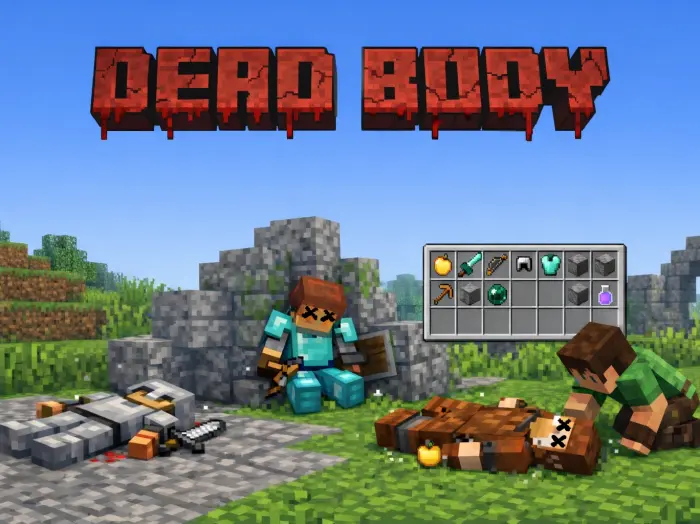
DeathPlus does not create corpses by itself.
Instead, it includes an optional corpse-focus integration layer so it can collaborate with dedicated corpse plugins.
Recommended companion plugin:
Dead Body — Realistic Lootable Corpses
When used together:
- Dead Body handles the physical corpse and lootable body side of the death experience.
- DeathPlus handles cinematic spectating, death messaging, kill-cam flow, and post-death presentation.
DeathPlus includes optional corpse locator logic with support for automatic corpse detection, scoreboard tag detection, and persistent data key detection.
In short: Dead Body gives you the body, and DeathPlus turns that body into part of a cinematic death scene.
Integrations
- Duckshot — Weapon ID, weapon type, lore placeholders, and custom weapon-aware death messaging. Message for beta download.
- VehicleMC — Vehicle run-over attribution and vehicle-aware kill messaging. Message for beta download.
Highlights
- Advanced smart post-death kill-cam system
- Death-type aware spectate profiles
- Indoor and confined-space aware camera behavior
- Wall, clipping, and line-of-sight camera safety
- PvP, mob, projectile, explosion, fall, drowning, void, and default profiles
- Customizable death messages with placeholders
- Last-attacker attribution for environmental follow-up deaths
- Optional Duckshot support
- Optional VehicleMC support
- Optional Dead Body companion integration
- In-game GUI tools and editors
- Base config and override file system
- Modern Paper / Spigot 1.21.x support
Installation
- Drop DeathPlus.jar into your plugins folder.
- Start the server once.
- DeathPlus will generate its config files inside plugins/DeathPlus/.
- Set your respawn location with /deathspectate setspawn.
- Use the GUIs or edit the YAML files to tune behavior.
Generated files:
config.ymldeath-messages.ymldeath-spectate.yml
Runtime / override files:
death-messages-overrides.ymldeath-spectate-overrides.ymldeath-spectate-data.yml
Compatibility
- Paper / Spigot 1.21 through 1.21.11
- Java 21
- No required hard dependency plugins
Commands
Main
/deathplus
Alias: /dp
/deathplus/deathplus gui/deathplus gui main/deathplus gui messages/deathplus gui spectate/deathplus reload/deathplus status/deathplus files/deathplus help
DeathMessages
/deathmessages
Alias: /dm
/deathmessages/deathmessages gui/deathmessages reload/deathmessages status/deathmessages test/deathmessages help
DeathSpectate
/deathspectate
Alias: /dsp
/deathspectate/deathspectate gui/deathspectate ui/deathspectate editor/deathspectate editor [PROFILE]/deathspectate preview stop/deathspectate reload/deathspectate status/deathspectate on/deathspectate off/deathspectate toggle/deathspectate on [player]/deathspectate off [player]/deathspectate toggle [player]/deathspectate setspawn/deathspectate end [player]/deathspectate help
Permissions
- deathplus.admin — Grants access to admin commands, GUIs, editors, reloads, setup tools, and module control.
- deathplus.spectate.bypass — Allows self-use of spectate testing toggles such as
/dsp on,/dsp off, and/dsp toggle.
DeathMessages
DeathMessages intercepts player deaths, classifies the death context, selects the best template, applies placeholders, and sends the message using the configured delivery pipeline.
Delivery
- CHAT — Sends the message directly through chat components.
- EVENT — Uses the vanilla death message event pipeline.
- BOTH — Uses both systems.
Broadcast
- GLOBAL — Everyone online sees it.
- WORLD — Only players in the victim’s world see it.
- RADIUS — Only players near the death location see it.
Context
- PvP melee
- PvP projectile
- Mob melee
- Mob projectile
- Named mobs
- Natural deaths
- Weapon-specific messaging
- Vehicle-attributed deaths
- Parachute / fall special handling
- Last-attacker follow-up attribution
Placeholders
%victim%%plrtag%%killer%%weapon%%world%%biome%%x% %y% %z%%distance%%weapon_id%%weapon_type%%weapon_lore%%vehicle%%vehicle_name%%vehicle_type%%vehicle_id%
DeathSpectate
DeathSpectate creates a short spectator-based death camera sequence after death.
Once triggered, the system can:
- Classify the death type
- Choose the matching spectate profile
- Build stage-by-stage camera behavior
- Use the killer and corpse location as anchor points
- Adapt the shot type to interior or exterior space
- Attempt to maintain safe line-of-sight
- Avoid bad clipping or invalid camera positions
- Display title, subtitle, bossbar, or actionbar messages during the sequence
Profiles
PVP_PROJECTILEPVP_MELEEMOB_PROJECTILEMOB_MELEEFALLDROWNEXPLOSIONVOIDDEFAULT
Stages
HOLDFOCUS_KILLER_ORBITFOCUS_KILLER_PAN_SIDETRANSITION_TO_CORPSECORPSE_OVERVIEW_ORBITCORPSE_INDOOR_PAN
This is what gives the system its smart kill-cam feel.
Open outdoor fights can use wider corpse overview orbits, while tighter areas can shift into confined corpse pan shots instead of forcing a wide-angle camera into walls.
Editors
/deathplus gui
Main entry point for admins.
/deathmessages gui
Quick access to common DeathMessages settings.
/deathspectate gui
Quick access to DeathSpectate settings and editor links.
/deathspectate editor
Profile and stage editor for cinematic camera tracks.
/deathspectate ui
Message editor for bossbar, actionbar, title, and subtitle text.
Website
Click here for the DeathPlus website
Comments 0
No comments yet. Be the first to share your thoughts.