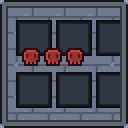
Dungeon GUI
ModrinthCold grey stonework, riveted slots and skulls for health.
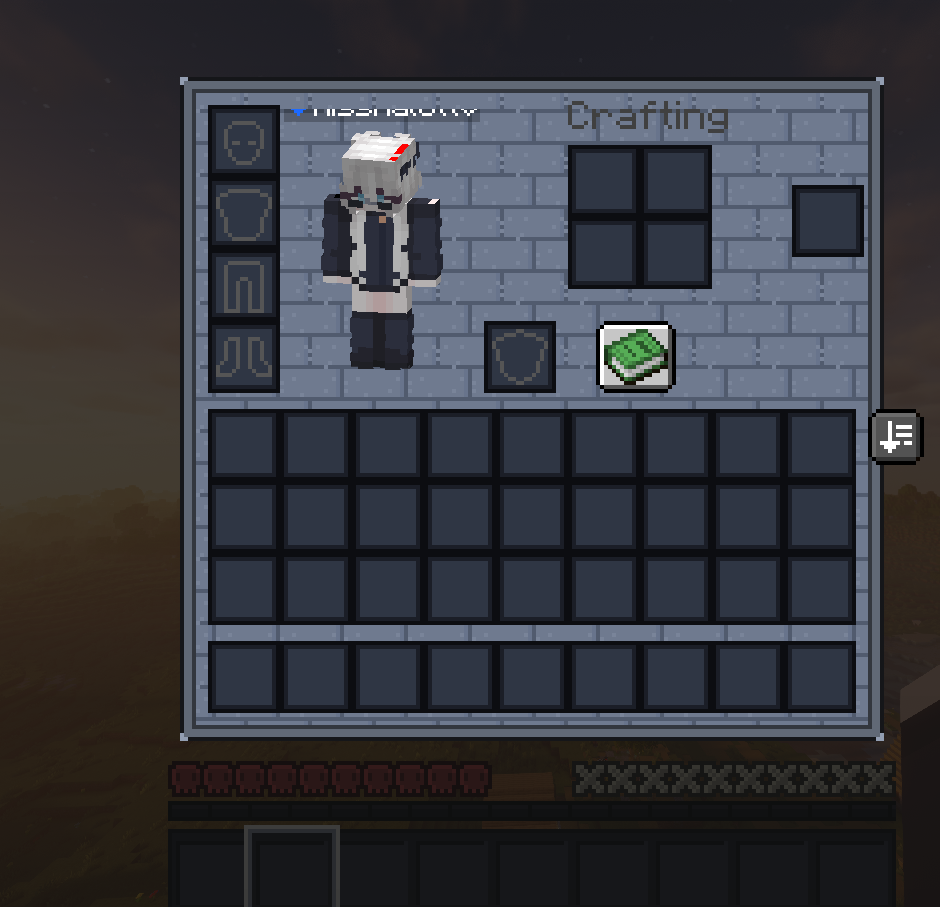
Stone brick panelling with heavy riveted metal slots and a studded border. Skulls for health, shields for armour, bones for hunger. An outlined bracket crosshair keeps the middle of the screen clear.
Specs
| | |
|---|---|
| Background | dungeon |
| Border | rivets |
| Slots | deep |
| Health | skull — #D64848 |
| Armour | shield — #B0BACC |
| Hunger | bone — #E0D6BE |
| Cursor | bracket (outline) — #C8D0DC |
| Hotbar | wide |
| XP bar | segmented |
| Panel | #68748C |
| Border colour | #96A2B6 |
| Slot colour | #4A546A |
| Menu | #606C84 |
Contents: 21 container screens · 47 heart sprites · armour · hunger · air · hotbar · selection · XP bar · crosshair · menu buttons · 92 files
Versions
FAQ
How do I install Dungeon GUI?
Download the file for your Minecraft version and loader from this page, then drop the .jar into your mods (or plugins) folder and launch the game.
Is Dungeon GUI free?
Dungeon GUI is free to download on Modgrid — we link straight to the official source, no paywall or bundled installer.
Which Minecraft versions does Dungeon GUI support?
Works with Minecraft. Supports versions 1.13–1.21.11. See the download section on this page for the full list of supported versions and loaders.
Comments 0
No comments yet. Be the first to share your thoughts.