
Enchanted's Sodium Options
ModrinthCurseForgeChanges Sodium's video settings screen to match the style of vanilla screens better
79.3k downloads 79 followers updated 1mo ago
latest v1.3.2+0.9.2-mc26.3-neoforge Modrinth
Enchanted's Sodium Options replaces Sodium's video settings screen with one that matches the aesthetic of vanilla Minecraft more closely.
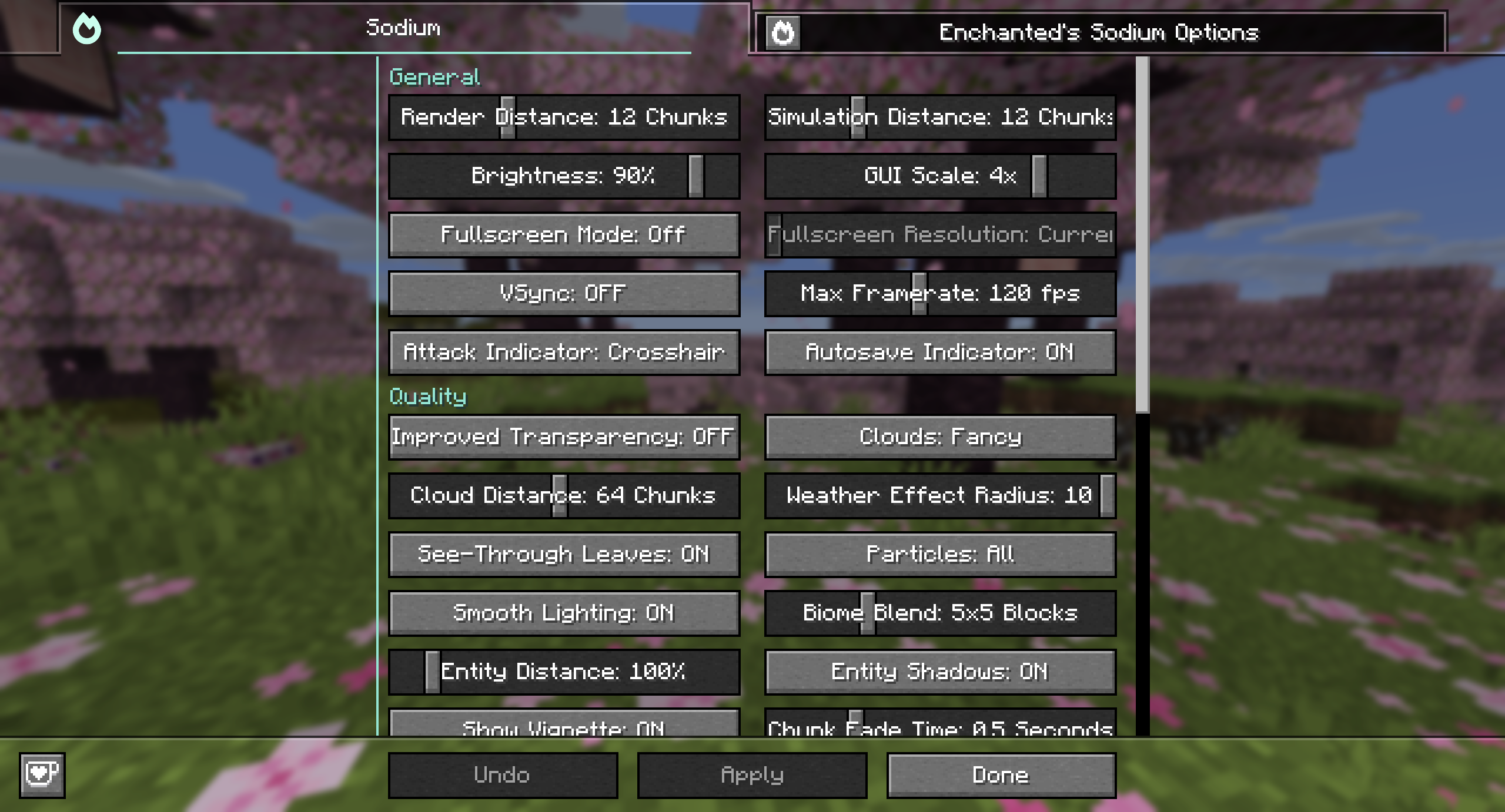
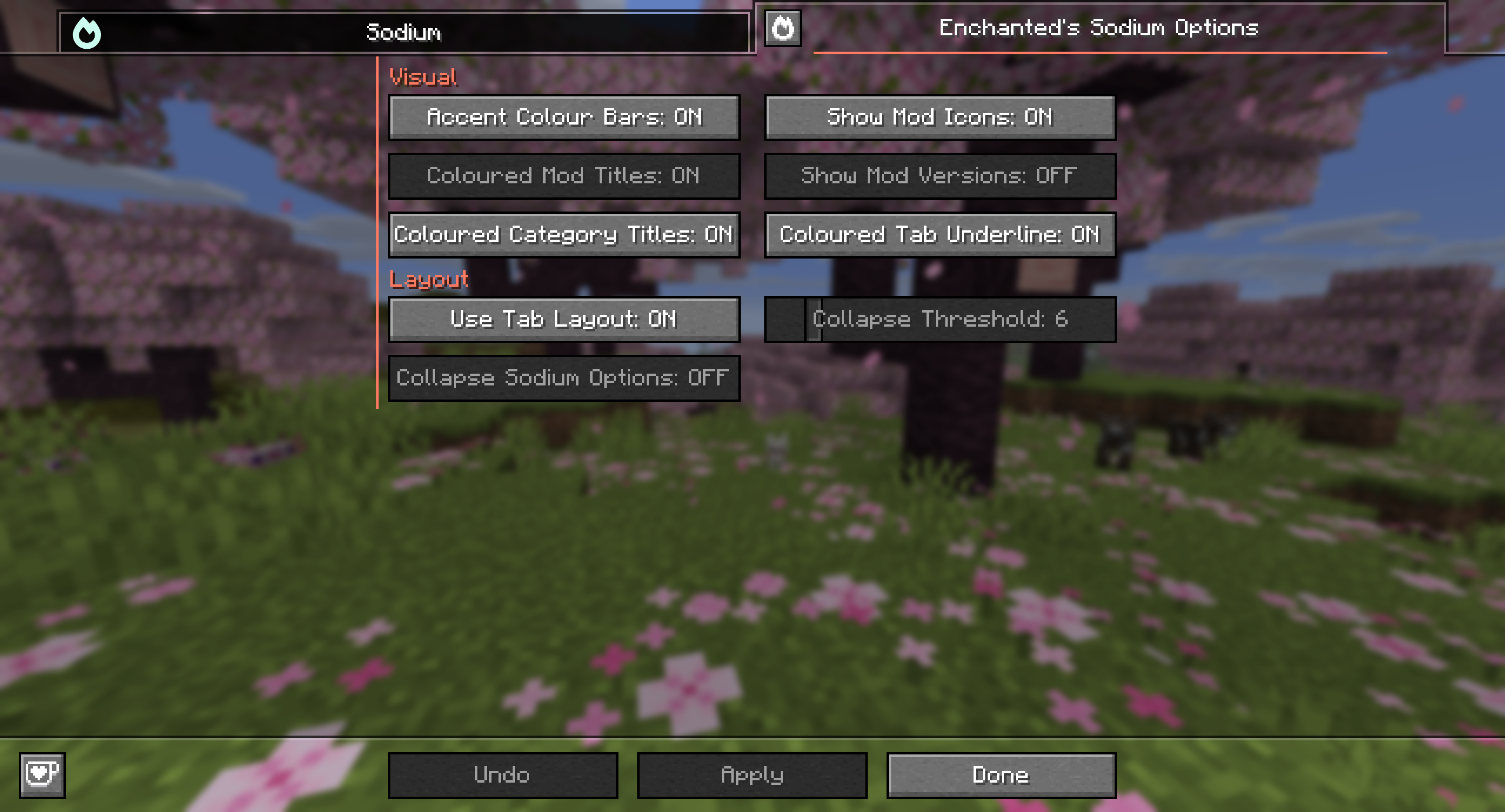
Features
- Supports all mods that use Sodium's configuration system
- Colours in the video settings screen can be disabled
- Alt + P keybind to open the default Sodium video settings screen if needed
Supported Versions
- I will keep this mod updated to the latest version of Sodium
- This mod will not be backported to previous versions of Minecraft or Sodium due to Sodium lacking a proper config api in versions before
0.8 - Forks of Sodium won't be supported by this mod
License
Enchanted's Sodium Options by ioblackshaw (a.k.a. Enchanted_Games) is licensed under CC BY-NC 4.0
Video content creators may monetise videos including this work provided the license is followed.Versions
Release
1.3.2+0.9.2-mc26.3-neoforge
# 1.3.2
- Ported to 26.3
- Updated to Sodium 0.9.2 (compatible with Sodium 0.8.11 - 0.9.2)
- Increased the scroll rate to more closely match the vanilla video…
Release
1.3.2+0.9.2-mc26.3-fabric
# 1.3.2
- Ported to 26.3
- Updated to Sodium 0.9.2 (compatible with Sodium 0.8.11 - 0.9.2)
- Increased the scroll rate to more closely match the vanilla video…
Release
1.3.2+0.9.2-mc26.2-neoforge
# 1.3.2
- Ported to 26.3
- Updated to Sodium 0.9.2 (compatible with Sodium 0.8.11 - 0.9.2)
- Increased the scroll rate to more closely match the vanilla video…
Release
1.3.2+0.9.2-mc26.2-fabric
# 1.3.2
- Ported to 26.3
- Updated to Sodium 0.9.2 (compatible with Sodium 0.8.11 - 0.9.2)
- Increased the scroll rate to more closely match the vanilla video…
Release
1.3.2+0.9.2-mc26.1.2-neoforge
# 1.3.2
- Ported to 26.3
- Updated to Sodium 0.9.2 (compatible with Sodium 0.8.11 - 0.9.2)
- Increased the scroll rate to more closely match the vanilla video…
Release
1.3.2+0.9.2-mc26.1.2-fabric
# 1.3.2
- Ported to 26.3
- Updated to Sodium 0.9.2 (compatible with Sodium 0.8.11 - 0.9.2)
- Increased the scroll rate to more closely match the vanilla video…
Release
1.3.1+0.9.1-mc26.2-neoforge
# 1.3.1
- Updated to Sodium 0.9.1 (compatible with Sodium 0.8.11 - 0.9.1)
- Shift + Click to reset now plays the button click sound
Release
1.3.1+0.9.1-mc26.2-fabric
# 1.3.1
- Updated to Sodium 0.9.1 (compatible with Sodium 0.8.11 - 0.9.1)
- Shift + Click to reset now plays the button click sound
Release
1.3.1+0.9.1-mc26.1.2-neoforge
# 1.3.1
- Updated to Sodium 0.9.1 (compatible with Sodium 0.8.11 - 0.9.1)
- Shift + Click to reset now plays the button click sound
Release
1.3.1+0.9.1-mc26.1.2-fabric
# 1.3.1
- Updated to Sodium 0.9.1 (compatible with Sodium 0.8.11 - 0.9.1)
- Shift + Click to reset now plays the button click sound
Release
1.3.0+0.9.0-mc26.2-neoforge
# 1.3.0
- Ported to 26.2
- Updated to Sodium 0.9.0 (compatible with Sodium 0.8.11 - 0.9.0)
- Implemented shift + click on options to reset then, which was…
FAQ
How do I install Enchanted's Sodium Options?
Download the file for your Minecraft version and loader from this page, then drop the .jar into your mods (or plugins) folder and launch the game.
Is Enchanted's Sodium Options free?
Enchanted's Sodium Options is free to download on Modgrid — we link straight to the official source, no paywall or bundled installer.
Which Minecraft versions does Enchanted's Sodium Options support?
Works with Fabric, Neoforge. Supports versions 1.21.11–26.3. See the download section on this page for the full list of supported versions and loaders.
Comments 0
No comments yet. Be the first to share your thoughts.