
icon modifier
ModrinthThis mod modifies the icon of the instance
Custom instance Icon


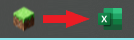
What does this mod do?
Custom Logo replaces the default Minecraft window icon — the one shown in your taskbar and title bar — with your own custom image.
No config files. No commands. Just drop a logo.png in your .minecraft folder and launch the game.
How it works
This mod uses a Mixin that intercepts Minecraft's internal Window.setIcon() method before the vanilla icon is applied.
At startup, the mod:
- Looks for
logo.pngin your.minecraft/directory (or insidemods/as a fallback) - Decodes the image using STBImage (already bundled with Minecraft via LWJGL — no extra dependencies)
- Passes the image to GLFW to set the OS window icon
- Cancels the vanilla icon so only your custom one is shown
Installation
- Download the
.jarand place it in yourmods/folder - Place
logo.pngdirectly in your.minecraft/folder
.minecraft/
├── mods/
│   └── custom-logo-x.x.x.jar
├── logo.png        <- here!
├── saves/
└── options.txt
Tip: You can also place
logo.pnginside themods/folder itself as an alternative.
Image requirements
| Property | Recommendation |
|----------|----------------|
| Format | PNG with transparency (RGBA) |
| Size | 32×32 or 64×64 px |
| Name | Must be exactly logo.png |
Windows uses 16×16 and 32×32 for taskbar icons. A 32×32 or 64×64 image will be scaled automatically.
Requirements
- Minecraft 1.21.1
- Fabric Loader 0.16.9+
- Fabric API
Made by IamSboby
Comments 0
No comments yet. Be the first to share your thoughts.