
InventoryPro
ModrinthSpigotMCedit player inventory,change profile switch
InventoryPro
ProfileSwitch and Manage player inventory
An admin-side inventory management mod for Minecraft 1.21.1 (NeoForge 21.1.x).
It allows operators to inspect and edit any player's inventory and ender chest, and enables approved players to maintain up to five independent profile slots (inventory, ender chest, and status).
Features
- Admin GUI / Commands — View and edit any player's inventory and ender chest for both online and offline players
- Multiple Profiles — Up to 5 profiles per player (configurable). Each profile stores inventory, ender chest, health, hunger, XP, and game mode independently
- Per-player Permission System — Disabled by default. Admins can grant access individually through the GUI or commands
- Admin Detection — Based on OP level (default: 4) and a UUID whitelist
- Language - Supports Japanese and English (automatic switching)
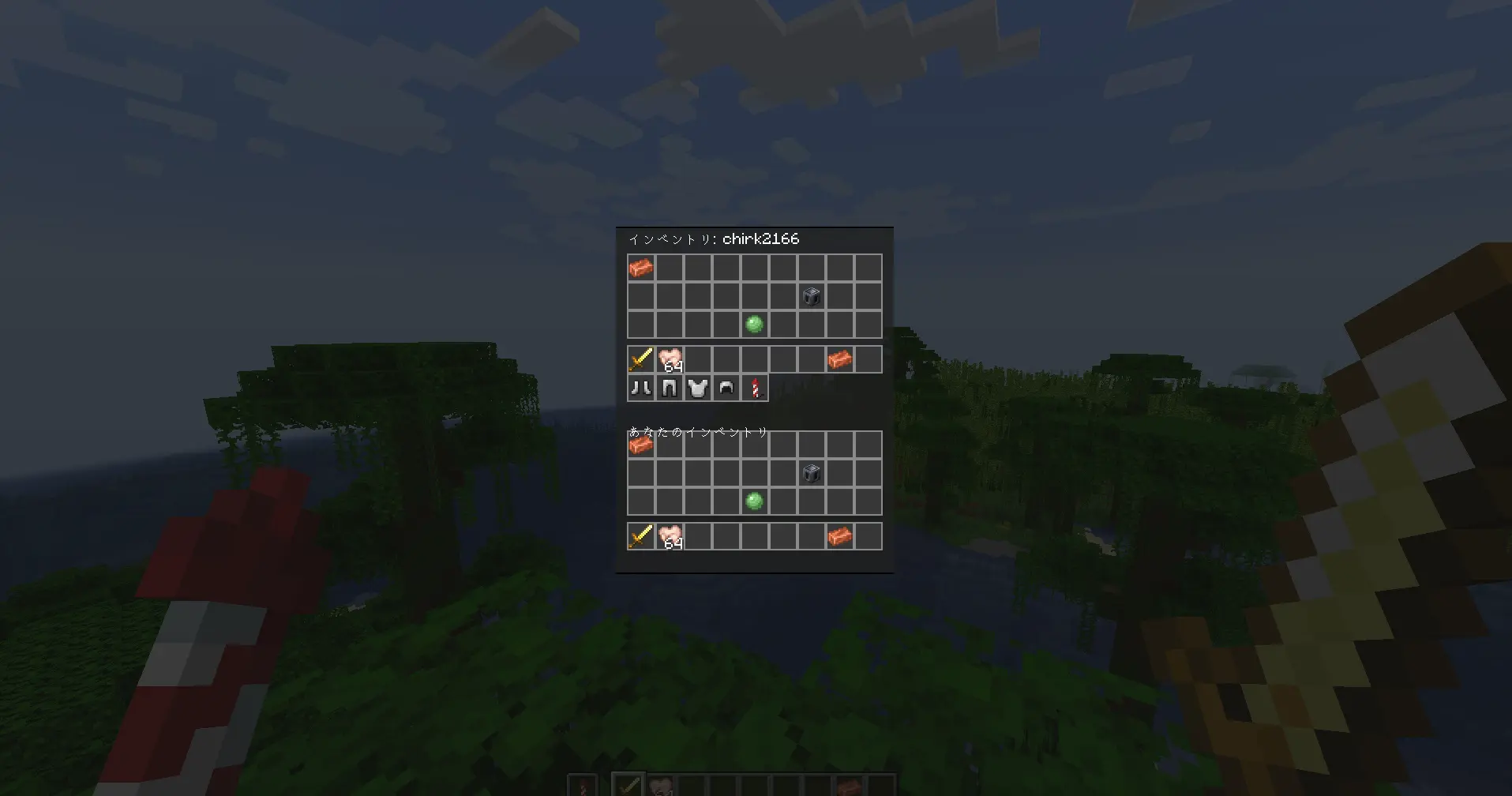
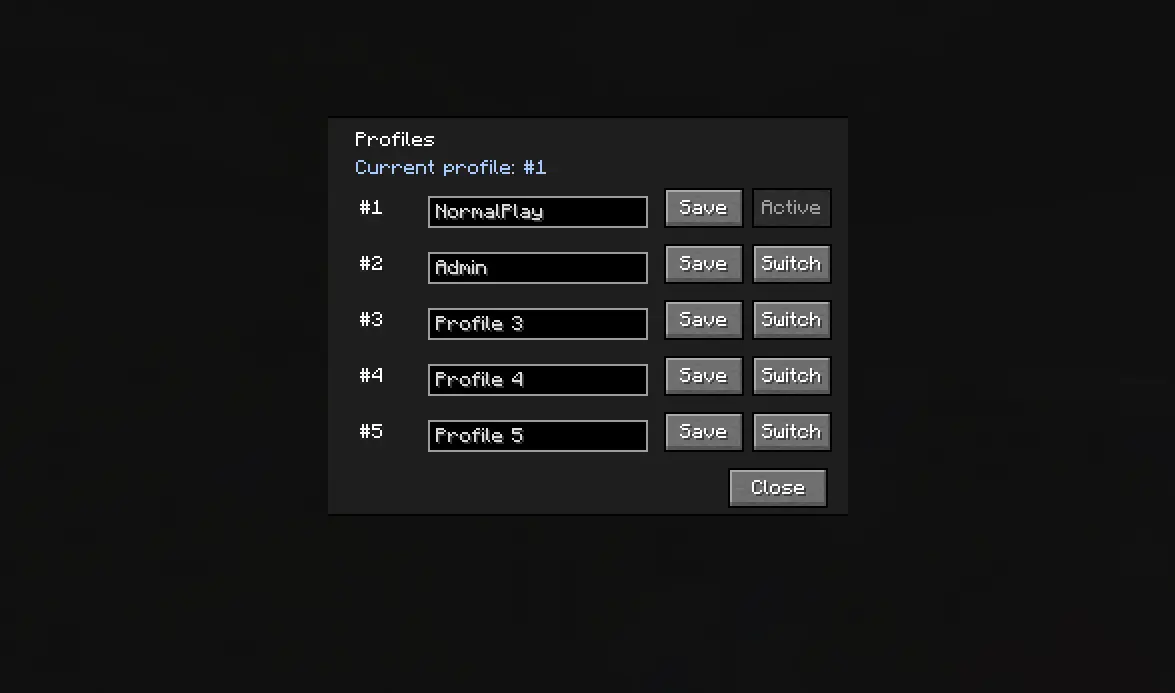
The Paper (plugin) version is currently in alpha testing. It may not function correctly.
Quick Start
~ver1.1.2 old command
# Open the admin GUI (permission management + player search)
/invpro admin permissions

# Open a player's inventory
/invpro admin view <player>

# Open a player's ender chest
/invpro admin ender <player>

# Grant profile access to a player
/invpro admin grant <player>

# Open the profile menu (approved players only)
/invpro profile menu
ver1.1.3~ new command
# Open the admin GUI (permission management + player search)
/ivp admin

# Open a player's inventory
/ivp inv <player>

# Open a player's ender chest
/ivp ender <player>

# Grant profile access to a player
/ivp grant <player>

# Deny profile access to a player
/ivp deny <player>

# Open the profile menu (approved players only)
/ivp profile
/switch
Installation Options
Forge / NeoForge / Fabric
Prior to version 1.1.0, it was necessary to install the mod on both the server and client. However, from version 1.1.2 onwards, it is mandatory on the server, while on the client, only users who wish to utilize the mod's features (checking inventory, switching profiles) need to have it installed to function.
If a user without the mod installed executes a command, it will return an error.
In the future, we plan to provide a GUI for users who do not have the mod installed on their client.
Paper
Works by installing on the server only.
Commentaires 0
Aucun commentaire pour l'instant. Sois le premier à donner ton avis.