
Jukebox GUI
ModrinthThis mod lets you manage your jukeboxes with a dedicated GUI.
374 downloads 1 followers updated 4d ago
latest v4.1.0 Modrinth
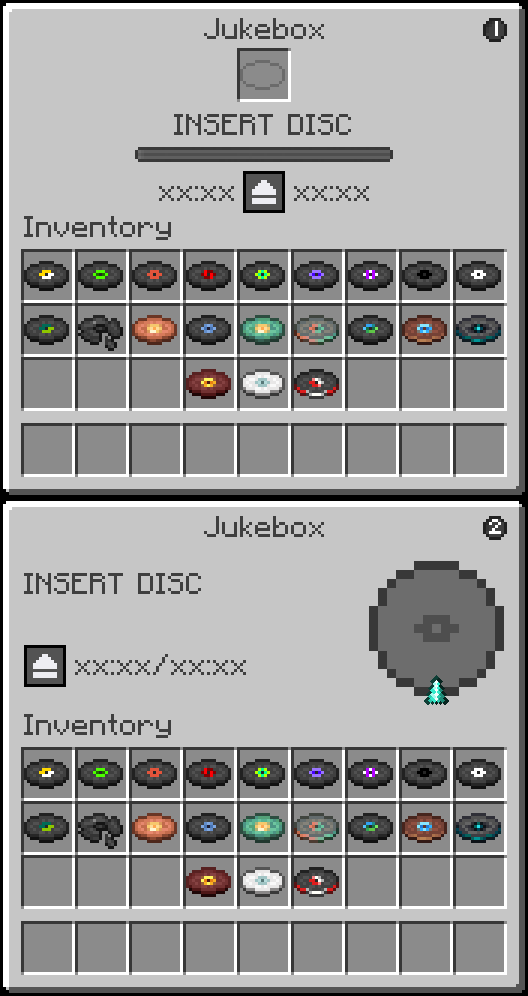
| FEATURES |
| Jukebox Management Screen | Displays an interactive GUI for the vanilla Jukebox |
| Disc Slot | Insert and eject music discs directly from the interface |
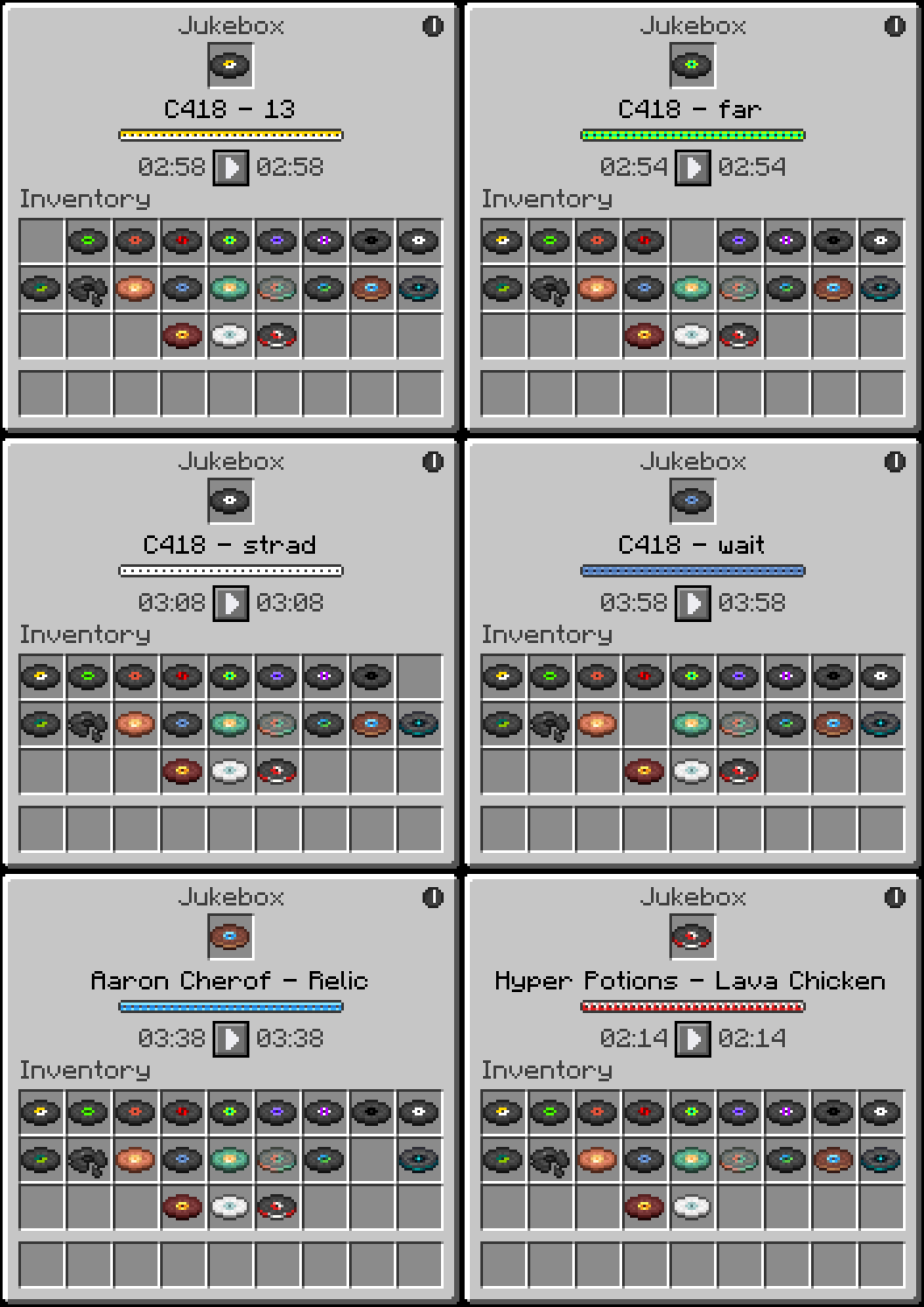
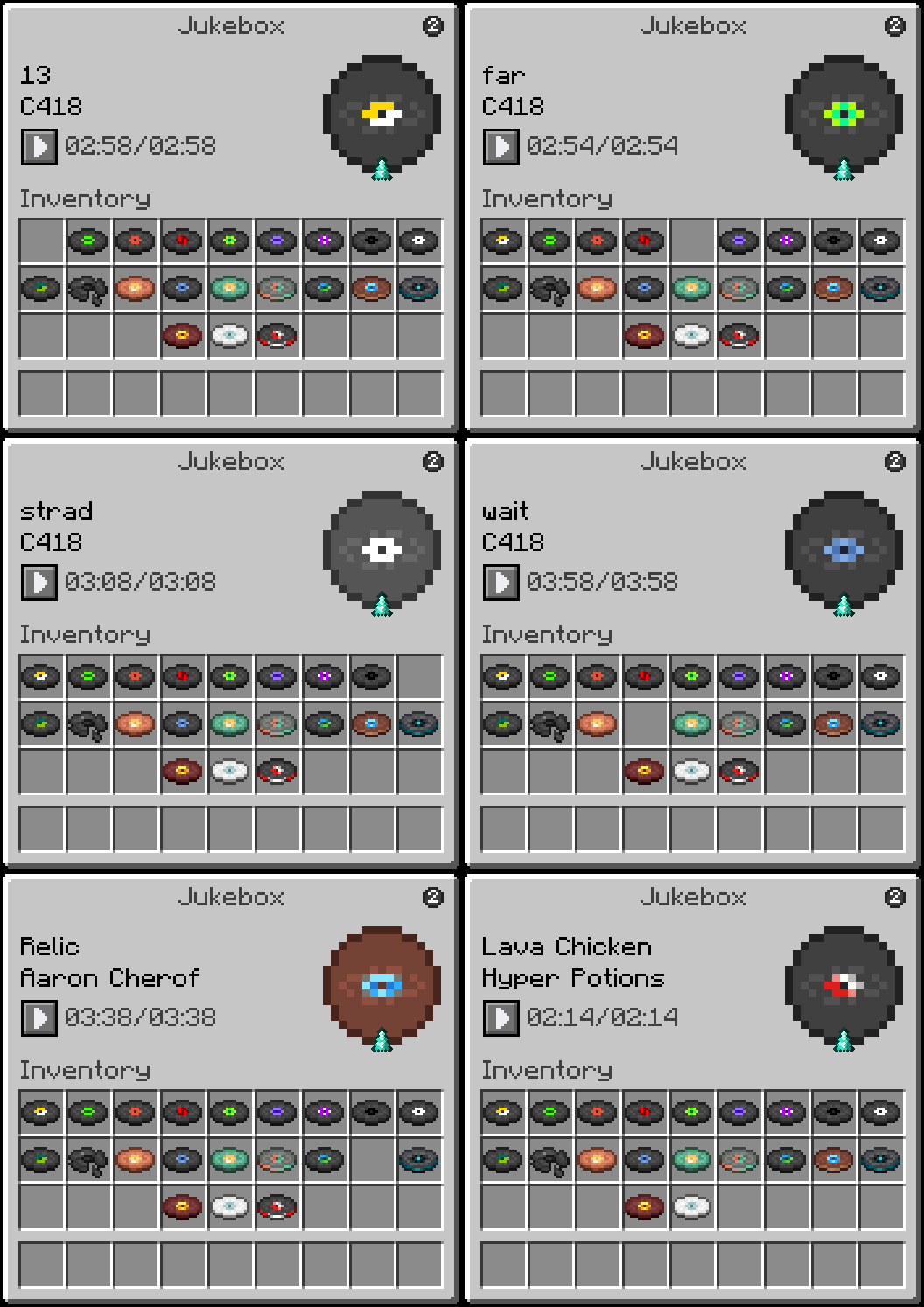
| Song Title Display | Shows the Artist and Title of the currently loaded disc, animates in rainbow colors while playing and turns black when stopped |
| Digital Timer | Displays elapsed time and total song duration in MM:SS format |
| Playback Controls | Pause and resume your music at any time with dedicated control buttons |
| Themes | Two visual themes to choose from, each with a unique style and playback display |
| HOW TO USE |
a Jukebox while holding nothing or any item to open the JukeboxGUI screen.
- Drag a music disc into the disc slot to start playback.
- Click the pause button to pause the track and freeze the timer. Click the play button to resume from where you left off.
- Click the theme toggle button in the top right corner to switch between Theme 1 and Theme 2.
- Click the disc in the slot to eject it and stop playback.
- Close the GUI at any time. Music continues and the timer keeps running in the background.
- Reopen the GUI to see the updated elapsed time.


Regular Right-Click (without sneaking) inserts or ejects discs the vanilla way. The GUI will still reflect the correct playback state when opened afterward.
| REQUIREMENTS |
- Fabric Loader
- Fabric API
| CLIENT & SERVER |
Some functionality exists on both the client and server, requiring the mod to be installed on both sides.
| FREE & OPEN SOURCE |
This is a completely free project. I'm not asking for donations or "buy me a coffee" contributions. If you enjoy the mod, the best way to support it is by:
- Leaving a rating/review
- Sharing it with friends
- Reporting any bugs you find
| GALLERY |
Theme 1
Theme 2
Versions
Release
3.1.0
- Split 1.21.5-1.21.11 into three separate version ranges to account for API differences across minor versions
- Fixed a crash on 1.21.5 caused by a rendering…
Release
3.1.0
- Split 1.21.5-1.21.11 into three separate version ranges to account for API differences across minor versions
- Fixed a crash on 1.21.5 caused by a rendering…
Release
3.1.0
- Split 1.21.5-1.21.11 into three separate version ranges to account for API differences across minor versions
- Fixed a crash on 1.21.5 caused by a rendering…
Release
3.0.0
- Added multi-version support covering Minecraft 1.21.5 through 1.21.11
- Fixed shift+right-clicking a jukebox while holding a placeable block causing a ghost…
Release
3.0.0
- Added multi-version support covering Minecraft 1.21.2 through 1.21.4
- Fixed shift+right-clicking a jukebox while holding a placeable block causing a ghost…
Release
3.0.0
- Added multi-version support covering Minecraft 1.21 through 1.21.1
- Fixed shift+right-clicking a jukebox while holding a placeable block causing a ghost…
Comments 0
No comments yet. Be the first to share your thoughts.