Kinda Winter Mode - Vanilla Foliage
ModrinthVanilla terrain generation but with a lot of ice and snow, AND vibrant vanilla foliage!

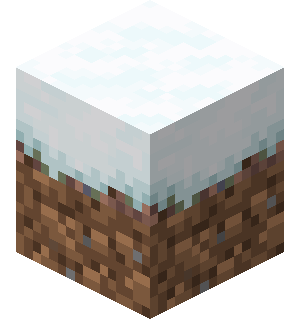
Kinda Winter Mode is a world generation datapack that transform your vanilla world into a snowy, icey and winter theme world by setting all non-cold biomes, oceans and caves' temperature to 0.0.
This version overrides the teal-ish hue based on biome temperature with the more vibrant vanilla foliage colour we all know and love.
Inspired by the short-lived Alpha version's Winter Mode, this time on modern Minecraft version! (26.*+)
Features:
- Snow everywhere!
- Frozen surface water!
- Moody atmosphere!
- Colourful biome-based grass and foliage!
- Absolutely no other gameplay changes (hopefully)
Compatibility
Compatible with any structures datapacks
Incompatible with datapacks or mods that overrides vanilla generation. Ex: Geophilic
Recommended!
- Better Snow Coverage by ToBinio
- Snow Under Trees (Fabric) by IMB11 or Snow Under Trees by bl4ckscor3
Loves the boring teal hue being everywhere?
Check out Kinda Winter Mode!
DO NOT RUN THOSE DATAPACKS TOGETHER, for they both replace vanilla world generation
Extra
- Want more snow pilling up your world?
Try /gamerule max_snow_accumulation_height <value>! (
Note: Going higher than 1 might destroy your CPU because of how Java checks for each individual blocks in simluated chunks for accumlated snow ticks
- Want eternal snowy weather?
Do /weather rain or /weather thunder
Then Disable weather cycle using /gamerule advance_weather false
- Don't want frozen ocean/lake/river?
Remove .json file of the corresponded biome in data\minecraft\worldgen\biome inside the datapack
- Adding (and removing) the datapack to existing world/map
Notes: Remember to back up/make a copy of your world!
Open saves folder of your Minecraft instance, find your world, put the datapack in your datapacks folder. Afterwards, launch the game and enter your world, type /datapack enable <name of the pack>, then rejoin your world. There's no snow on ground yet, but there will be when it start snowing. If there still isn't any snow, make sure the random_tick_speed gamerule of your world isn't set to 0 (the default is 3). You can increase it for faster snow piling up during snowy weather, but it also affects plant growth and leaf decay, so be careful on the world you are doing!). And enjoy the winter!
If you're tired of "winter mode", you can use /datapack disable and delete the datapack from the datapacks folder, then rejoin your world. (Disabling it should theoretically be safe, as my datapack only modify vanilla biomes temperature, precipitation and foliage colours. Disabling it would revert them to vanilla biome rules). But the snow on the ground won't melt naturally, so have fun cleaning them up! (or you can just use /fill command)
Versions
FAQ
Comment installer Kinda Winter Mode - Vanilla Foliage ?
Téléchargez le fichier pour votre version de Minecraft et votre loader sur cette page, puis placez le .jar dans le dossier mods (ou plugins) et lancez le jeu.
Kinda Winter Mode - Vanilla Foliage est-il gratuit ?
Kinda Winter Mode - Vanilla Foliage est gratuit sur Modgrid — nous renvoyons directement vers la source officielle, sans paywall.
Quelles versions de Minecraft Kinda Winter Mode - Vanilla Foliage prend-il en charge ?
Compatible avec Datapack. Prend en charge les versions 26.1.2–26.3-snapshot-6. La liste des versions et loaders pris en charge est dans la section de téléchargement de cette page.
Commentaires 0
Aucun commentaire pour l'instant. Sois le premier à donner ton avis.