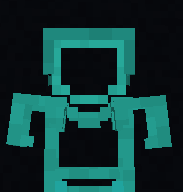
Lazycat's Partially Transparent Armor
ModrinthArmor is partially transparent. only the outlines armor are shown. letting you see the skin easily while not disabling armor view fully.
Armor is partially transparent. only the outlines of the armor are shown. letting you see the skin easily while not disabling armor view fully.
like this :D
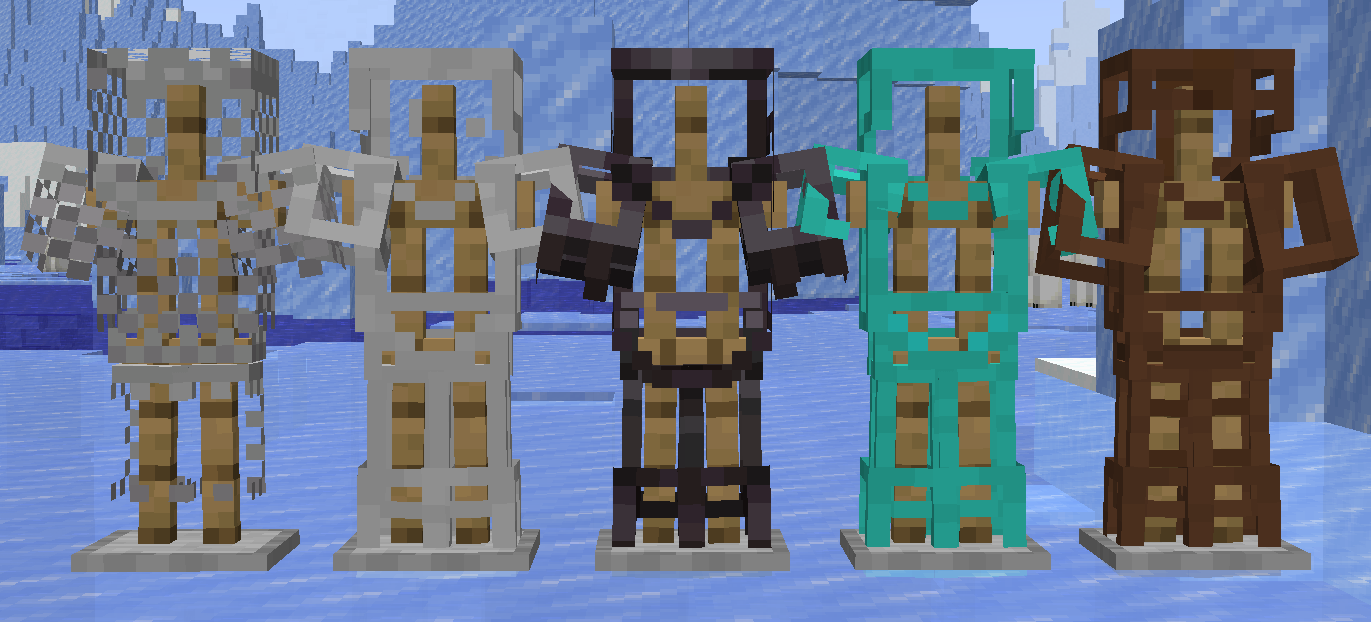
as of now it supports
- Leather Armor
- Chainmail Armor
- Iron Armor
- Diamond Armor
- Netherite Armor
- Turtle shell helmets
How to install
(if you do not understand check out youtube tutorials or the wiki)
on Windows :
download the resource pack and u should see a file named
Lazy's PaTrAr
or
Lazy's PaTrAr.zip
downloaded.
now copy the file and then press win+R to open the run dialouge
it will show up in the bottom left of your screen
now erase whatever is typed in the box and type
%appdata%
now press ENTER
it should open a folder with lots of files. find "minecraft" and open it
then u should see a "resource pack" folder
paste the file there
now open the game go to options. click on resource packs and enable it.
on Linux:
download the resource pack and u should see a file named "Lazy's PaTrAr" or "Lazy's PaTrAr.zip" downloaded.
now copy the file and then
go to ur home directory and enable "show hidden files" if u dont know how to look it up based on ur file manager.
now u should see a file named ".minecraft" open it and go into the "resource packs" folder and paste the zip file u copied there.
now open the game go to options. click on resource packs and enable it.
on mac:
download the resource pack and you should see a file named "Lazy's PaTrAr" or "Lazy's PaTrAr.zip" downloaded.
now copy the file.
open Finder and in the top menu bar click Go → Go to Folder…
a small box will appear. erase whatever is in it and type:
~/Library/Application Support/minecraft
then press Enter
it should open a folder with lots of files. find "resourcepacks" (or "resource packs" depending on version) and open it.
paste the file there.
now open the game go to options. click on resource packs and enable it.
Let me know if u have any suggestions regarding this resource pack
bai bai my dear strangers <3
Comments 0
No comments yet. Be the first to share your thoughts.