
Location Copy
ModrinthSimple location copy tool
!!! IMPORTANT !!!
In Minecraft v1.21.6(LocationCopy v1.2.8), the default key for LocationCopy has been changed to 'G' -> 'B' because the new feature 'Quick Actions' uses the default key 'G'.
If the 'G' key of 'Copy Location' overlaps with the 'G' key of 'Quick Actions', the location copy does not work properly.
If you have used LocationCopy before, make sure that the key does not overlap in 'Options -> Controls -> Key Binds'.
Location Copy
This mod makes copying location in Minecraft much more convenient.

Function
Simply press the "B" key(LocationCopy v1.2.8 or higher) to copy your current location and world.
(You can also customize the key to something else in the key bind settings.)
If you install ModMenu as an additional mod, it's convenient because you can easily adjust the settings from the main screen. (Optional)
You can set the mod by pressing the "I" key in the game or using the ModMenu interface. If you want a more precise configuration, you can adjust it in "config\LocationCopy.properties".
(v0.0.3 ~ v1.0.5 are available in "config\locationcopy\config.properties")
How to set up "Advanced" mode (LocationCopy v1.2.0 or higher)
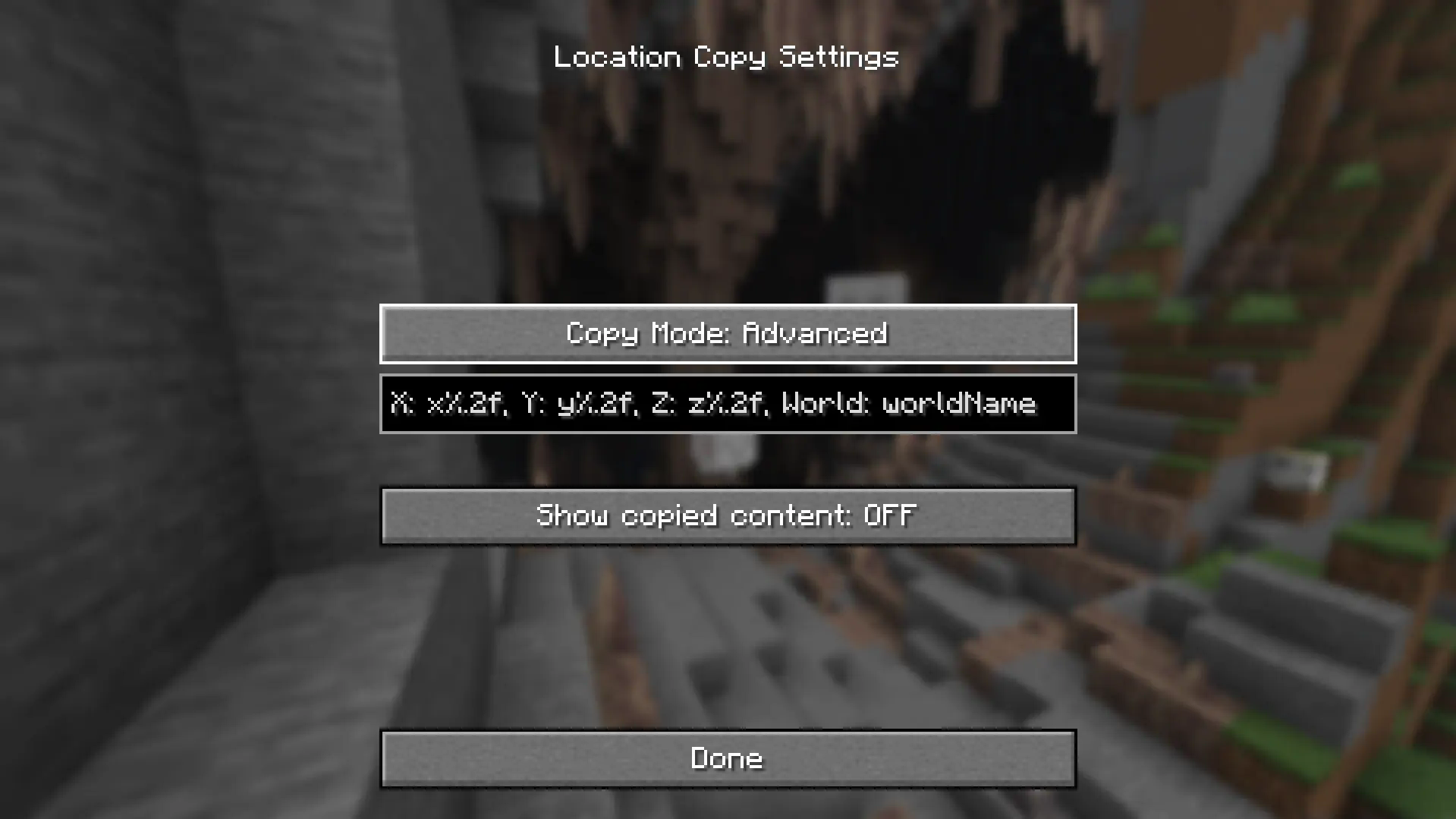
“%.nf” in advanced settings, "n" represents the number of decimal places. It is set to 2 by default and you can adjust this number. If you enter 0, only integer value will appear.
If you want to display only some of the three locations (e.g. Show only x and z locations), remove the location you want to clear (e.g. y%.2f). It will not be displayed.
x-value: x%.2f
y-value: y%.2f
z-value: z%.2f
World Name: worldName
"worldName" represents the world name. If you want to display the world name, use this. If you do not want the world name to be included in the copied field, remove "worldName".
How to set up "Advanced" mode (LocationCopy v1.1.0 - v1.1.3)
“%.nf” in advanced settings, "n" represents the number of decimal places. It is set to 2 by default and you can adjust this number. If you enter 0, only integer value will appear.
"%s" represents the world name. If you want to display the world name, use this. If you do not want the world name to be included in the copied field, remove "%s".
But be careful. If incorrect values are entered in advanced mode, Minecraft may crash when copying the location!
If an incorrect value is assigned, it will be restored to its original state when switching to another mode and then setting it back to advanced mode.
!! IMPORTANT !!
You can avoid errors only by using a version that is compatible with your version of Minecraft.
Issues
If you find translation problems or mod issues, please report them to Issues.
Комментарии 0
Пока нет комментариев. Будь первым, кто поделится мнением.