
Multi-Sided Blocks
ModrinthAssign a different block texture to each of the six faces of a single block.
Multi-Sided Blocks
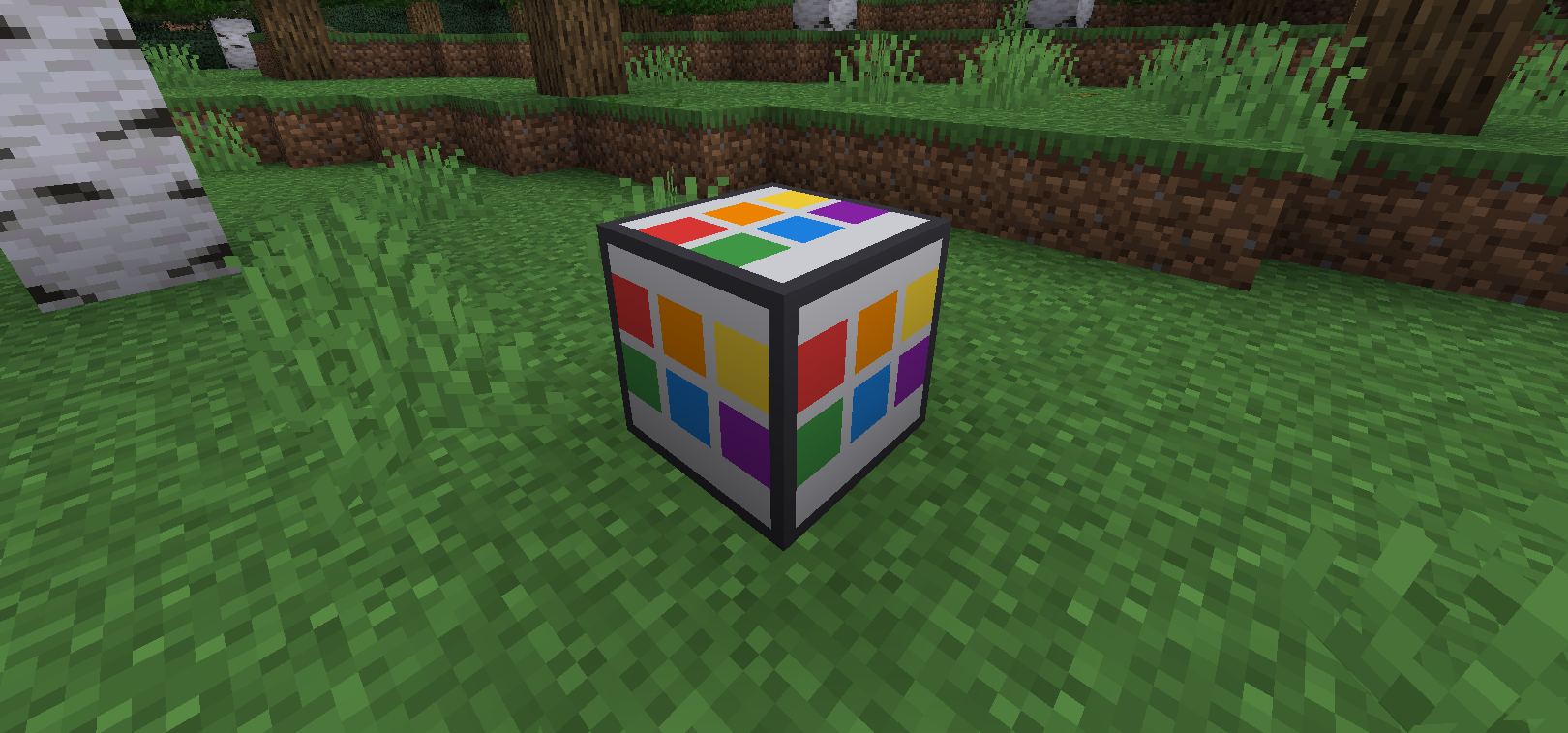
One block — six independent faces.
Multi-Sided Blocks adds a customizable building block whose six faces can display
textures from different blocks. It is useful for realistic buildings where the
outside and inside of a wall should look different without constructing double walls.
Features
- Assign a separate block texture to each of the six faces.
- Supports vanilla and modded block textures.
- Preserves biome tinting for blocks such as grass and leaves.
- Face configuration is saved in the world through BlockEntity NBT.
- Broken blocks retain their configured faces.
- Creative pick block copies the configured faces.
- Compatible with resource packs.
- Compatible with Sodium when Indium is installed.
Usage
- Place a Multi-Sided Block.
- Hold another block in your hand.
- Right-click the desired face.
- The selected face receives the held block's texture.
- Sneak and right-click with an empty hand to reset a face.
Each face can be configured independently.
Renderer compatibility
The mod uses Fabric Renderer API for dynamic face rendering.
- Vanilla renderer / Indigo: supported.
- Sodium 0.5: install Indium.
- Sodium without Indium: only the default base texture is displayed.
Requirements
Server installation
The mod must be installed on both the client and server.
Versions
FAQ
How do I install Multi-Sided Blocks?
Download the file for your Minecraft version and loader from this page, then drop the .jar into your mods (or plugins) folder and launch the game.
Is Multi-Sided Blocks free?
Multi-Sided Blocks is free to download on Modgrid — we link straight to the official source, no paywall or bundled installer.
Which Minecraft versions does Multi-Sided Blocks support?
Works with Fabric. Supports versions 1.20.1–1.20.1. See the download section on this page for the full list of supported versions and loaders.
Comments 0
No comments yet. Be the first to share your thoughts.