
PokeCenter PCs (Cobblemon Addon)
ModrinthAdds a PC to every village PokeCenter
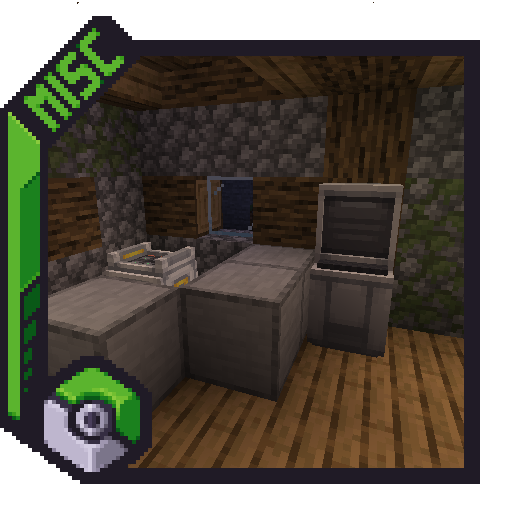
This very simple addon adds a PC to every village PokeCenter. Similar to PokeCenter Healing Machines, breaking the PC in the PokeCenter will not drop it, but rather materials involved in crafting it.
How to install a datapack:
- Download the .zip file, and do not extract it.
- Navigate to your Minecraft world's folder, which can be done through clicking
[Edit]and[Open World Folder]in the world selection screen. - Navigate to the folder called
[datapacks], and drop the .zip file inside of that folder.
Versions
No version history available. Use the Download button to get the latest from the source.
FAQ
How do I install PokeCenter PCs (Cobblemon Addon)?
Download the file for your Minecraft version and loader from this page, then drop the .jar into your mods (or plugins) folder and launch the game.
Is PokeCenter PCs (Cobblemon Addon) free?
PokeCenter PCs (Cobblemon Addon) is free to download on Modgrid — we link straight to the official source, no paywall or bundled installer.
Which Minecraft versions does PokeCenter PCs (Cobblemon Addon) support?
Works with Datapack. Supports versions 1.21.1–1.21.1. See the download section on this page for the full list of supported versions and loaders.
Comments 0
No comments yet. Be the first to share your thoughts.