
ServerConnect
ModrinthSpigotMCA plugin to connect multiple servers without a proxy.
🔗 ServerConnect
Connect Your Minecraft Servers — Without Proxies
ServerConnect is a lightweight and easy-to-use plugin that links multiple Paper and Spigot servers together without requiring Velocity, BungeeCord, Waterfall, or any other proxy software.
Create a seamless Minecraft network with:
- 💬 Global Chat
- 👋 Network-wide Join & Leave Messages
- 📊 Shared Player Counts
- 💀 Death & Advancement Synchronization
- ✉️ Cross-Server Private Messaging
- 🚀 Paper Server Transfers
- ⚡ Network-wide Commands
Whether your servers are hosted on dedicated machines, VPSs, home servers, or through services like playit.gg and Ngrok, ServerConnect keeps your entire network synchronized.

✨ Features
💬 Global Network Chat
Chat with players across every connected server.
No matter where they are, everyone shares the same conversation.
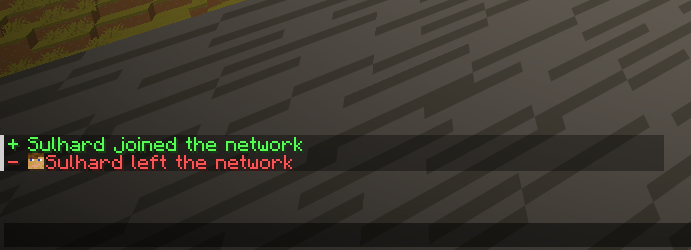
👋 Network Join & Leave Messages
Broadcast joins and quits across your entire network.
Fully configurable per server.
You can even choose to only display messages when players join the HUB server.
🚀 Paper Server Transfers
Transfer players between servers using:
/sc send <player> <server>
ServerConnect uses the modern Paper Transfer API for smooth server switching without a proxy.
📊 Shared Global Player Count
Display the combined player count of all connected servers.
Example:
- Server A: 15 players
- Server B: 20 players
Players see:
35 Online
instead of only the local server count.
💀 Death & Advancement Synchronization
Keep your entire network connected.
- Share death messages
- Broadcast advancements
- Celebrate achievements together
✉️ Cross-Server Private Messaging
Send messages to players across every connected server.
Supported commands:
/msg
/tell
/w
Includes player name tab-completion.
⚡ Network Administration
Manage your entire network from any connected server.
Features:
- Execute commands on all servers
- View network status
- Transfer players
- Shutdown the entire network
- Real-time debugging tools
🚀 Simple Setup (HUB & NODE)
ServerConnect uses a straightforward HUB & NODE system.
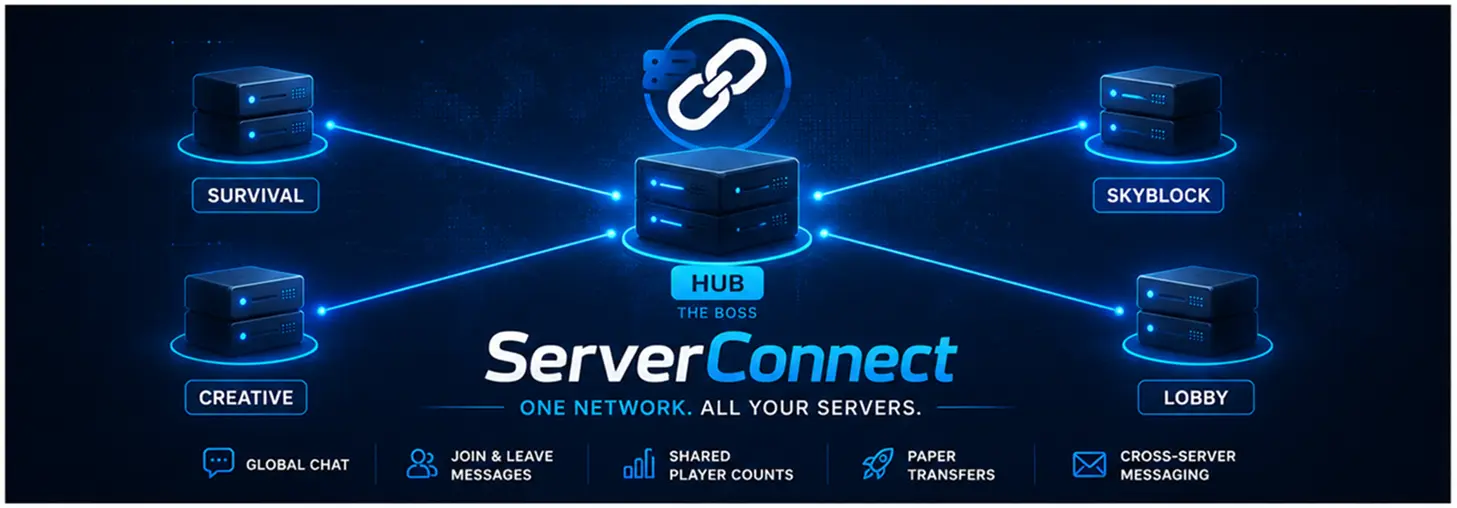
👑 HUB (The Boss)
Choose one server to act as the central network hub.
Typically this is your lobby server.
Setup
- Set:
mode: HUB
- Choose a secure:
auth-key
- Open the configured port:
bind-port: 25560
in your firewall.
🛠️ NODE (The Helpers)
For every additional server:
- Set:
mode: NODE
- Enter the HUB address:
hub-host
- Use the same:
auth-key
That's it.
No Velocity.
No BungeeCord.
No Waterfall.
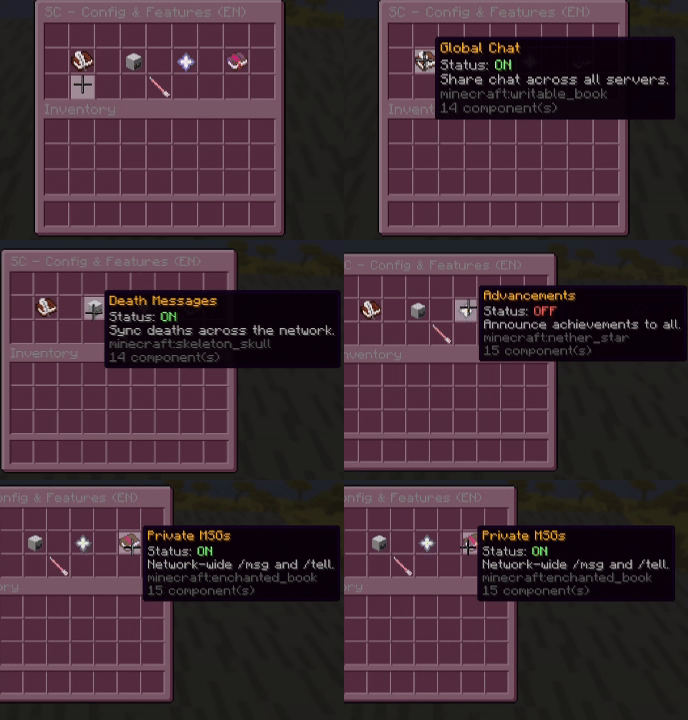
/sc help

📜 Commands & Permissions
| Command | Description | Permission |
| ---------------------------- | ------------------------------------------- | ----------------------- |
| /sc info | Show plugin information & Modrinth link | Everyone |
| /sc help | Open the interactive GUI help menu | serverconnect.help |
| /sc reload | Reload configuration and restart networking | serverconnect.reload |
| /sc status | View connected servers (HUB marked) | serverconnect.status |
| /sc send <player> <server> | Transfer a player | serverconnect.send |
| /sc stop | Shutdown the whole network | serverconnect.stop |
| /sc command <command> | Execute a command on all servers | serverconnect.command |
| /sc debug | Toggle live network logs | serverconnect.debug |
| /msg <player> | Cross-server private message | Everyone |
🎮 In-Game Configuration
Manage important settings directly from Minecraft.
/sc setname <name>
Change the server name.
/sc setmode <HUB|NODE>
Switch network role.
/sc setkey <password>
Update authentication key.
/sc sethubip <IP:Port>
Set HUB transfer shortcut.
/sc hidetab <Server>
Hide players from a specific server in your local tab list.
/sc language <de|en>
Switch plugin language instantly.
👥 Global Tab List Setup
Because ServerConnect operates without a proxy, we use the Layout feature of TAB to display network-wide players.
1️⃣ Configure Player Format
In ServerConnect:
tab:
  format: "&b%player% &7(%server%)"
Example:
Steve (Lobby)
Alex (Survival)
Notch (Creative)
2️⃣ Enable Layouts in TAB
layout:
  enabled: true
3️⃣ Add Placeholders
Example:
- '24|%serverconnect_p1%'
- '25|%serverconnect_p2%'
- '26|%serverconnect_p3%'
Continue up to:
%serverconnect_p80%
ServerConnect automatically fills slots with players from all connected servers.
🧩 PlaceholderAPI Support
PlaceholderAPI is required.
| Placeholder | Description |
| -------------------------------------------- | --------------------------------------- |
| %serverconnect_global_online% | Total players online across the network |
| %serverconnect_server_online% | Players online on the current server |
| %serverconnect_p1% → %serverconnect_p80% | Network player entries |
💻 Technical Requirements

Java
Java 21+
Minecraft Version
- Minecraft 1.21.11 ✅
Tested On
- Minecraft 1.21.11
Supported Server Software
- Paper ✅ (Highly Recommended)
- Purpur ✅
- Pufferfish ✅
- Spigot ❌ (Not Supported)
Paper is strongly recommended.
🔌 Dependencies
Required
Without PlaceholderAPI several network features will not function correctly.
Recommended
Use TAB to display:
- Network player lists
- Global online counts
- Advanced layouts
- Scoreboards
🌐 Network Requirements
HUB Server
Requires:
- One open firewall port
- Default:
25560 - Configurable in
config.yml
NODE Servers
Require:
- Outgoing internet access
- HUB address
- Matching authentication key
🏠 Home Hosting Support
ServerConnect works perfectly with:
- playit.gg
- Ngrok
- Other TCP tunneling services
Simply use your tunnel address as the HUB host.
⚡ Performance
ServerConnect uses lightweight TCP communication and has minimal impact on server performance.
Designed for small and medium-sized Minecraft networks that want network-wide features without the complexity of traditional proxy solutions.
🆘 Troubleshooting
Having connection issues?
Run:
/sc debug
ServerConnect can help identify:
- Invalid authentication keys
- Closed ports
- Connectivity problems
- Configuration mistakes
❤️ Why ServerConnect?
✅ No Velocity required
✅ No BungeeCord required
✅ No Waterfall required
✅ Works across multiple machines
✅ Home-hosting friendly
✅ Shared chat, deaths and advancements
✅ Fast and lightweight
✅ Easy setup in minutes
❤️ Developed with Love by FelixFGF
Thank you for using ServerConnect.
🚀 Download the latest version on Modrinth and start connecting your servers today.
Commentaires 0
Aucun commentaire pour l'instant. Sois le premier à donner ton avis.