
TaTe's Inventory Enhancements
ModrinthVarious Inventory Improvements to Make it Easier to Use, Including New Items, Custom Enchantments, and Other Tweaks!

IMPORTANT - I (AverageTaTeMan) only share my content on Planet Minecraft, Modrinth, and CurseForge - If you see this project on any other site, IT IS NOT ME AND SHOULD NOT BE TRUSTED!
This pack aims to improve the inventory system to make it easier to use.
These changes include:
-
Increasing the stack sizes of many items (Cakes, Banner Patterns, Snowballs, etc...)
-
Hundreds of new recipes for the Stonecutter and Crafting Table, offering better value crafts and the ability to recycle niche resources (stairs, slabs, etc...)
-
Craftable Upgrades to Shulker Boxes:
- Pushing Variant - transfers items from the mainhand to the Shulker Box held in the offhand
- Pulling Variant - transfers items fromthe Shulker Box held in the offhand to the mainhand
-
Three new enchantments:
- Magnetism - Tool enchant to bring nearby items directly to you
- Extra Pockets - Chestplate enchant that allows it to store Bundles inside it (Treasure)
- Curse of Trashing - Chestplate curse that destroys the contents of held Bundles (Treasure)
Installation Instructions to Get the Data AND Resource Packs:
-
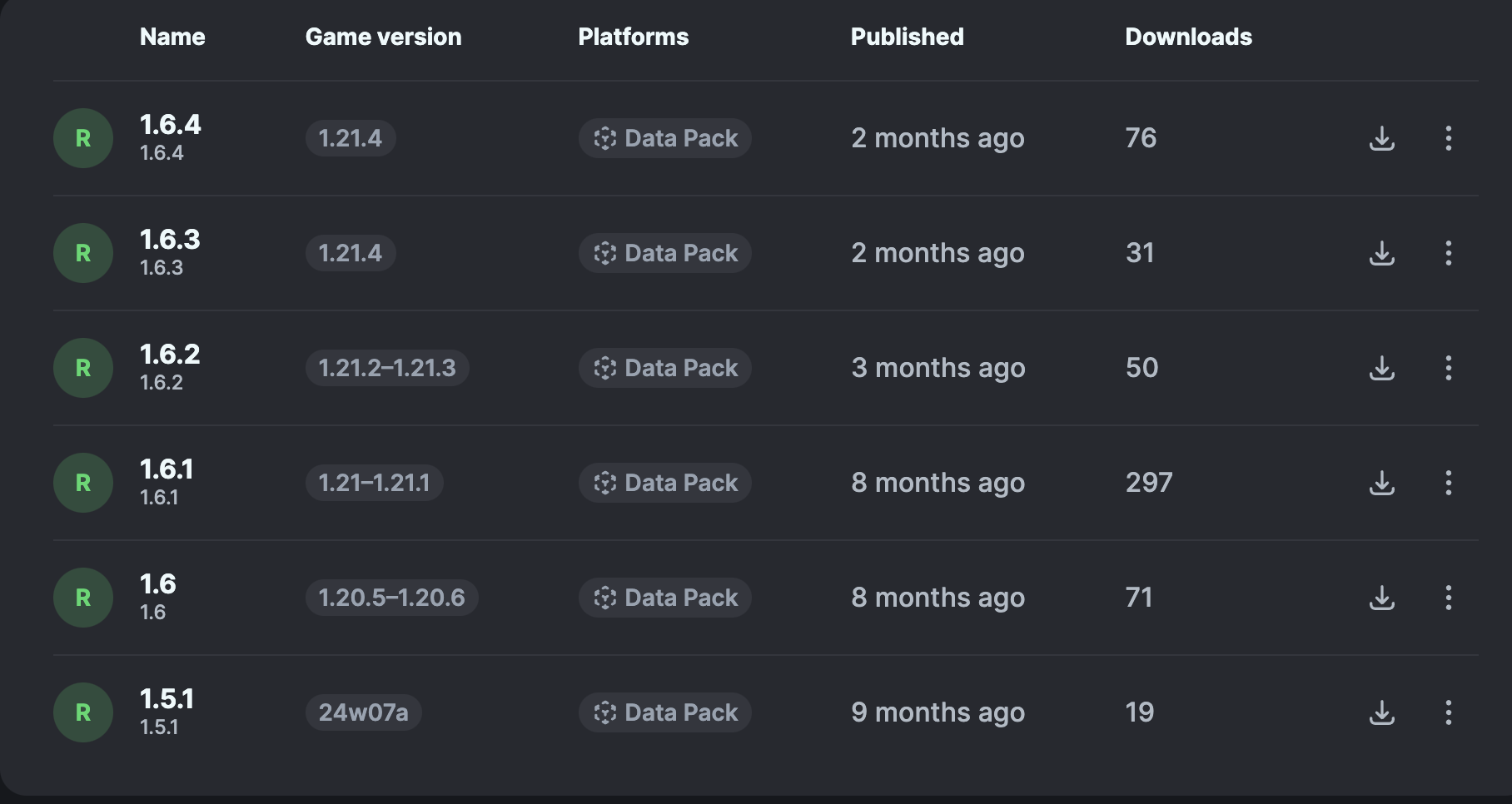
Click "Versions"

-
Select a Version
-
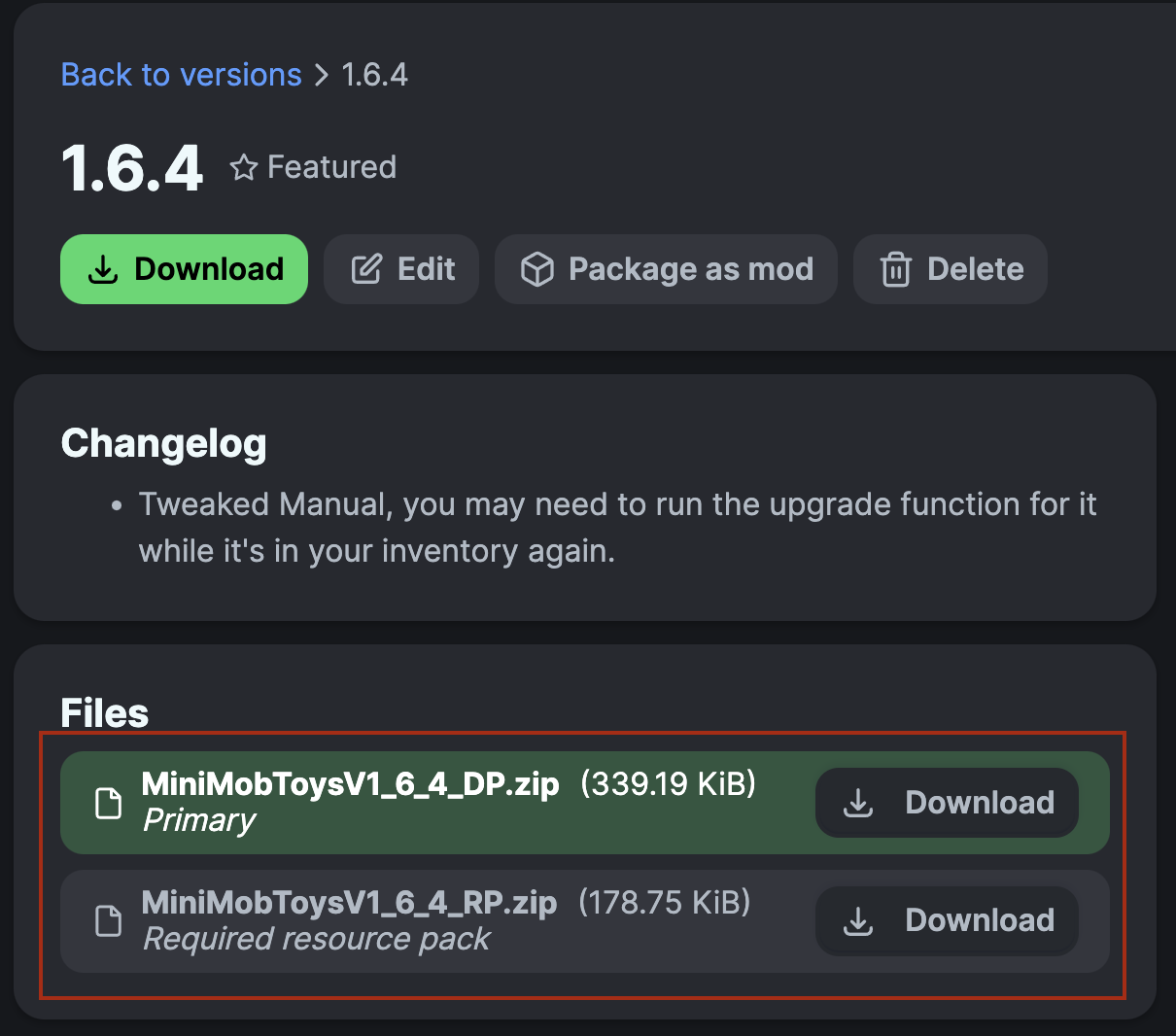
Under "Files", click "Download" on both the 'Primary' file (data pack) and 'Required resource pack' file (resource pack)
-
Unzip the files (optional, but recommended as that's how I use/test them).
-
Add the resource pack to your Selected Packs (ideally at the top) in your Resource Packs menu.
-
Add the data pack to either your Selected Packs in the Data Packs menu (if adding at world creation) OR put it in your world's 'datapacks' folder (if adding afterwards. Recommended to either not have world open at the time or to close and reopen it afterwards).
-
You may get a prompt about experimental settings not being supported when opening the world. This can safely be ignored, but it's also never a bad idea to make a backup if it's a world you care about.
Versions
No version history available. Use the Download button to get the latest from the source.
Comments 0
No comments yet. Be the first to share your thoughts.