
Day Counter
ModrinthA simple mod for drawing custom UI elements to your screen.
4.1k downloads 2 followers updated 21mo ago
latest v1.1.0 Modrinth
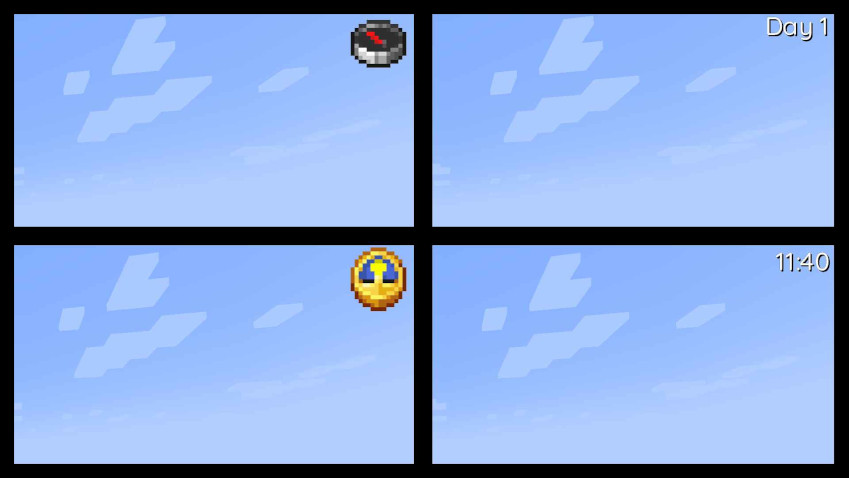
This clientside mod introduces four new rendering modes to enhance your gameplay experience. Other versions and versions for Fabric, will be released in the future.
Also available on Curseforge.
This mod also offers extensive customization options, allowing you to adjust everything from item scale to shadow color and font type. It utilizes a TTF-based font system, making it simple to add and customize your own fonts. To do so, just place or replace a TTF file in the following folder within the jar: assets/daycounter/font. Important: The TTF file name must not contain spaces, special characters, or uppercase letters.
Config:
Spoiler
["Config for Day Counter Mod"]

#Position of the UI element (LEFT|CENTER|RIGHT)
Position = "RIGHT"
#Size of the font
"Font size" = 24
#Font that will be used (minecraft|epilogue-light...)
Font = "quicksand-medium"
#Color of the text in hexadecimal
Textcolor = "0xFFFFFF"
#Color of the text-shadow in hexadecimal
Shadowcolor = "0x000000"
#Render different UI elements (Clock|Compass|Time|Day)
"UI element type" = "Day"
#Should a drop shadow be rendered
"Text has drop shadow" = true
#Render the UI on top of everything
"Render over everything" = false
#Scales the Item UI element
#Range: 0.5 ~ 5.0
"Item Scale Factor" = 3.0
#Offsets the UI position along the X axis
#Range: -1920.0 ~ 1920.0
OffsetX = 0.0
#Offsets the UI position along the Y axis
#Range: -1920.0 ~ 1920.0
OffsetY = 0.0
#Offsets the Shadow position
#Range: -10.0 ~ 10.0
"Shadow Offset" = 1.0
Comments 0
No comments yet. Be the first to share your thoughts.