
Utility Belt
ModrinthAdds a wearable secondary hotbar to help manage your tools and clear inventory clutter
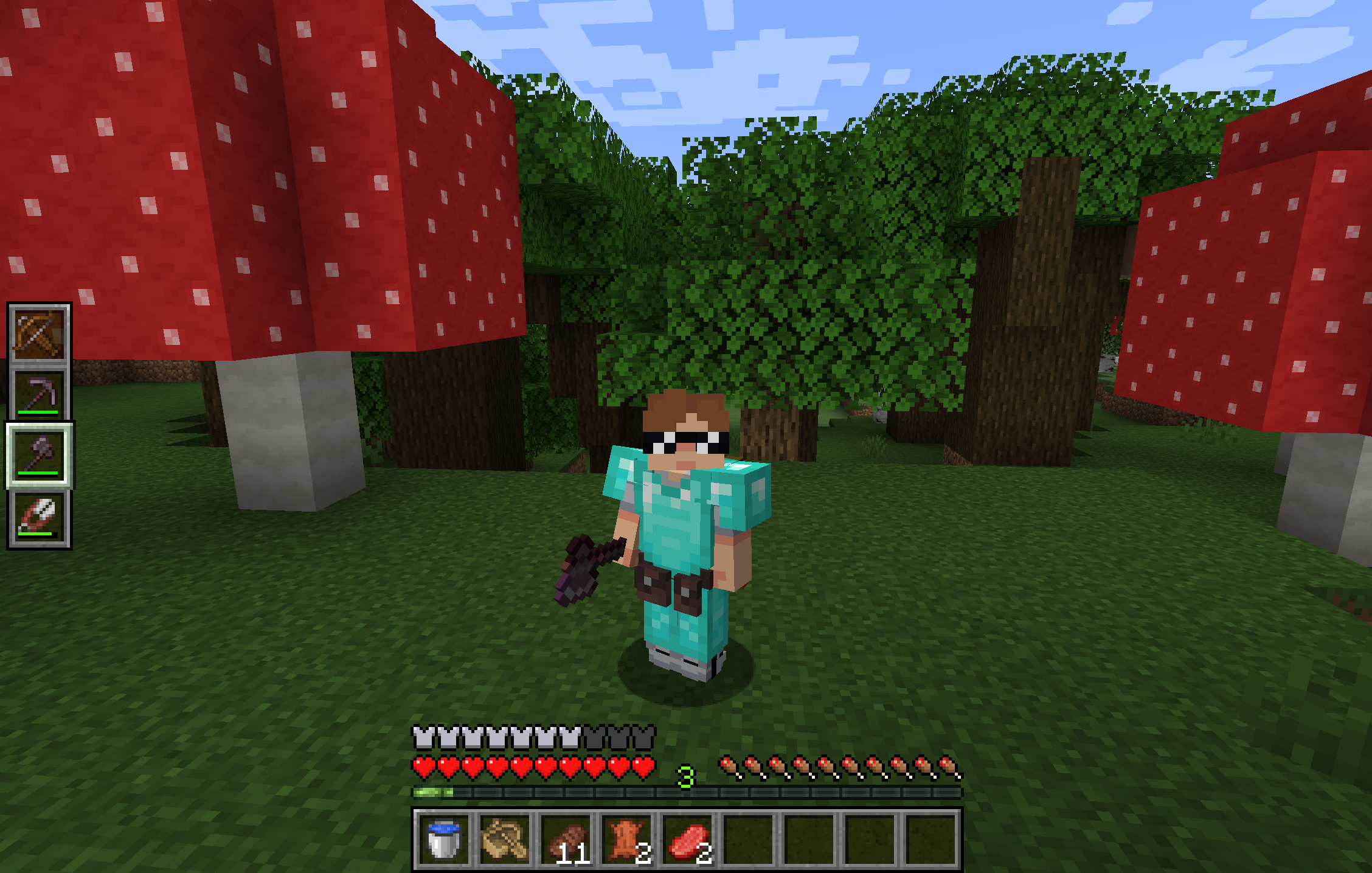
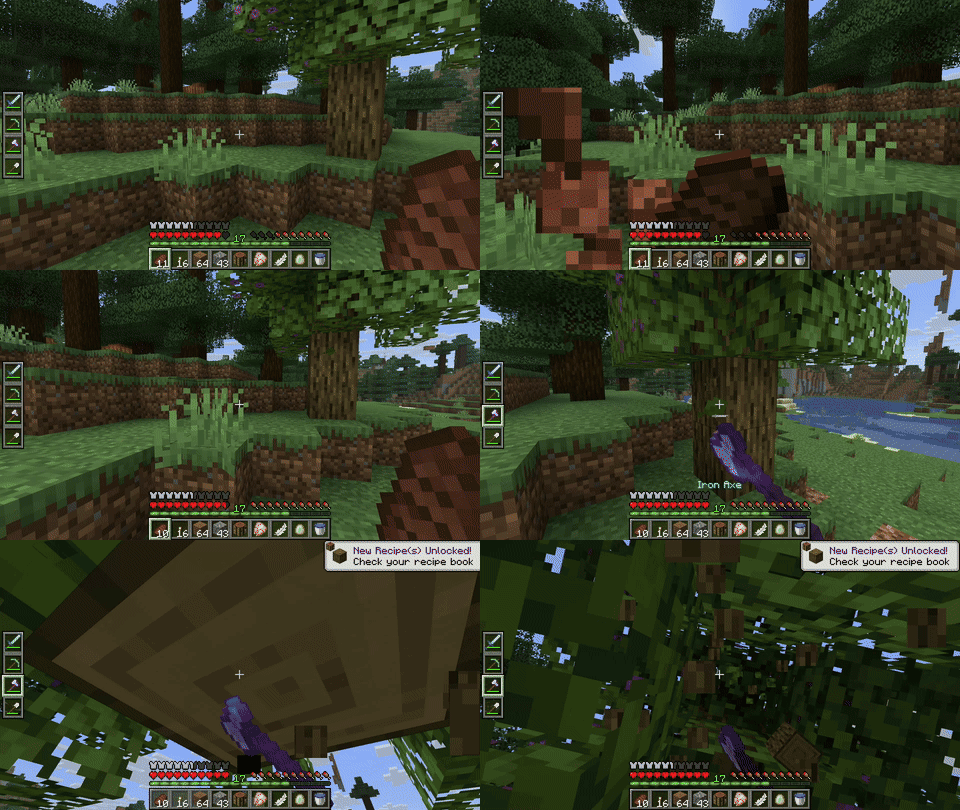
Utility Belt will solve your inventory clutter issues. 9 hotbar slots are not enough, especially when playing with mods. Wearing a Utility Belt gives you a second hotbar where only tools and weapons can be stored.
🛠️ Getting Started
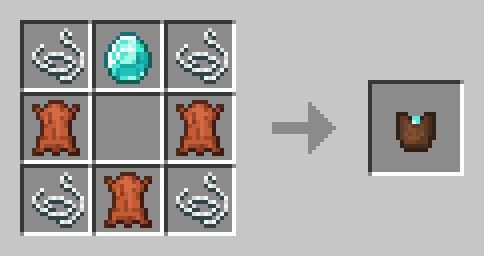
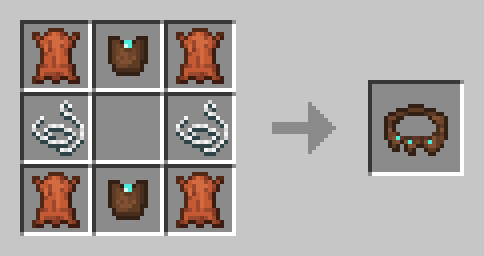
- Craft two belt pouches using the recipe above.
- Craft a Utility Belt using the recipe above.
- Equip it in your belt slot.
- Fill it with your tools and weapons.
⬆️ Upgrading the Belt
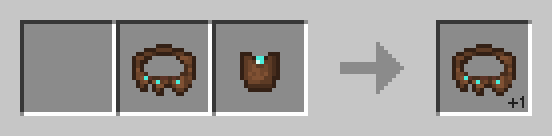
By default, the belt has 4 slots and can be upgraded to have up to 6 slots (these values can be changed in the mod configuration). You can add a slot to a belt in a Smithing Table using the recipe below.
🎮 Controls
| Action | Default Keybind | Description |
|----------------------|--------------------------|------------------------------------------------------------------|
| Open Belt Screen | ' | Opens the belt GUI to store items in the belt |
| Swap Hotbar | B (toggle), N (hold) | Switches between your main hotbar and the belt hotbar |
| Quick Transfer | Sneak + Swap | Swap the item in your hand between your main hotbar and the belt |
⚙️ Configuration
You can customize Utility Belt's options using the in-game configuration screen:
- Fabric: Accessible using ModMenu.
- Forge/NeoForge: Accessible using the Mods screen.
To change which items are accepted in the belt, you can make a datapack and add items to the allowed_in_utility_belt tag.
🔗 Compatibility
- LambDynamicLights: torches and lanterns in your belt will light up the world around you.
🐛 Bugs and Suggestions
You can report any issues and suggest changes on the GitHub issue tracker. Try out the /utilitybelt fixme command to see if it resolves the issue while you wait for a fix.
Always keep backups of your world, especially when playing versions marked as beta.

Versionen
FAQ
Wie installiere ich Utility Belt?
Lade die Datei für deine Minecraft-Version und deinen Loader auf dieser Seite herunter, lege die .jar in den mods- (oder plugins-) Ordner und starte das Spiel.
Ist Utility Belt kostenlos?
Utility Belt ist auf Modgrid kostenlos — wir verlinken direkt zur offiziellen Quelle, ohne Paywall.
Welche Minecraft-Versionen unterstützt Utility Belt?
Funktioniert mit Fabric, Forge, Neoforge, Quilt. Unterstützt die Versionen 1.20.1–1.21.10. Die unterstützten Versionen und Loader findest du im Download-Bereich dieser Seite.
Kommentare 0
Noch keine Kommentare. Sei der Erste, der seine Meinung teilt.