
Utility Belt
ModrinthAdds a wearable secondary hotbar to help manage your tools and clear inventory clutter
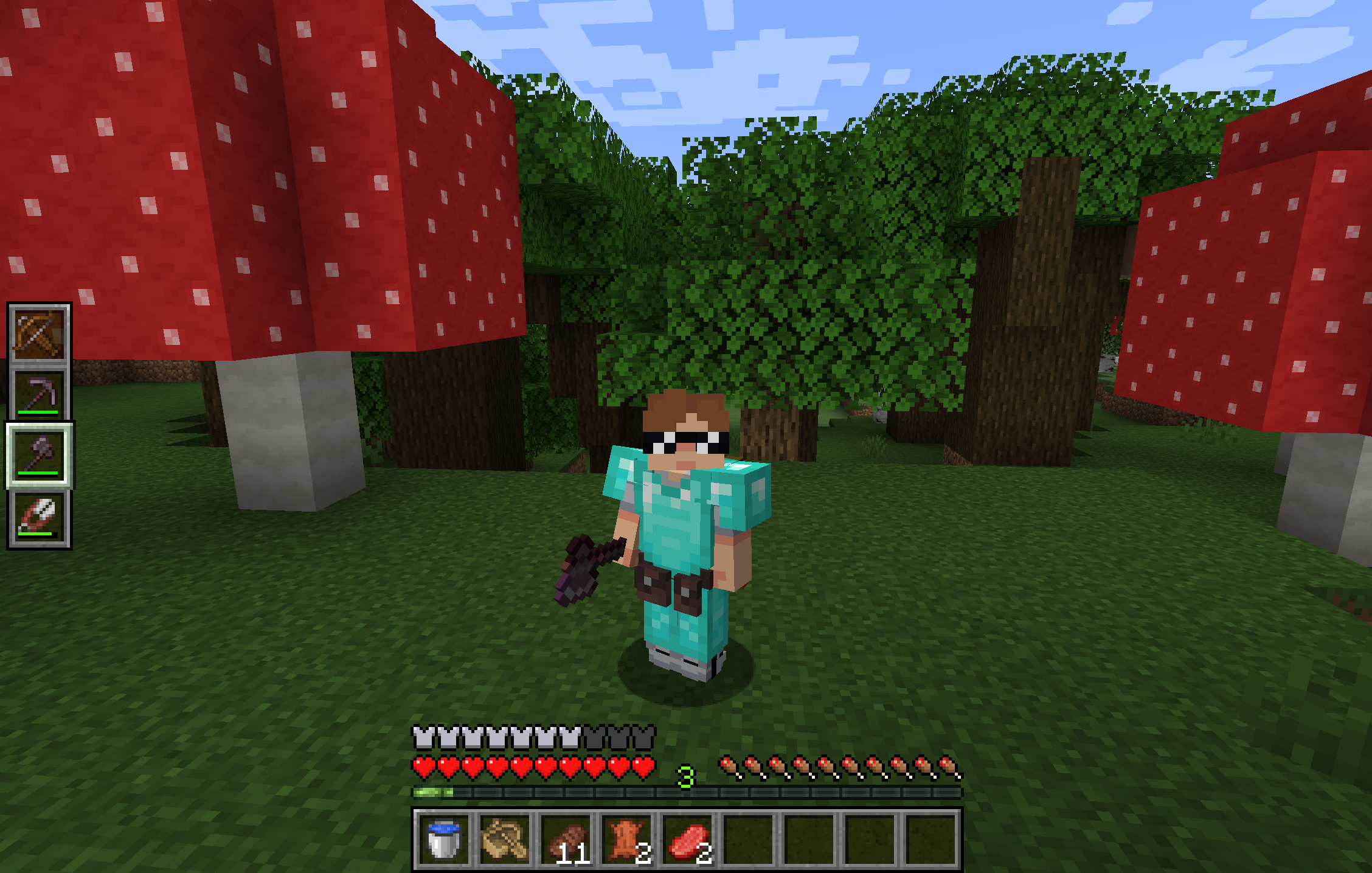
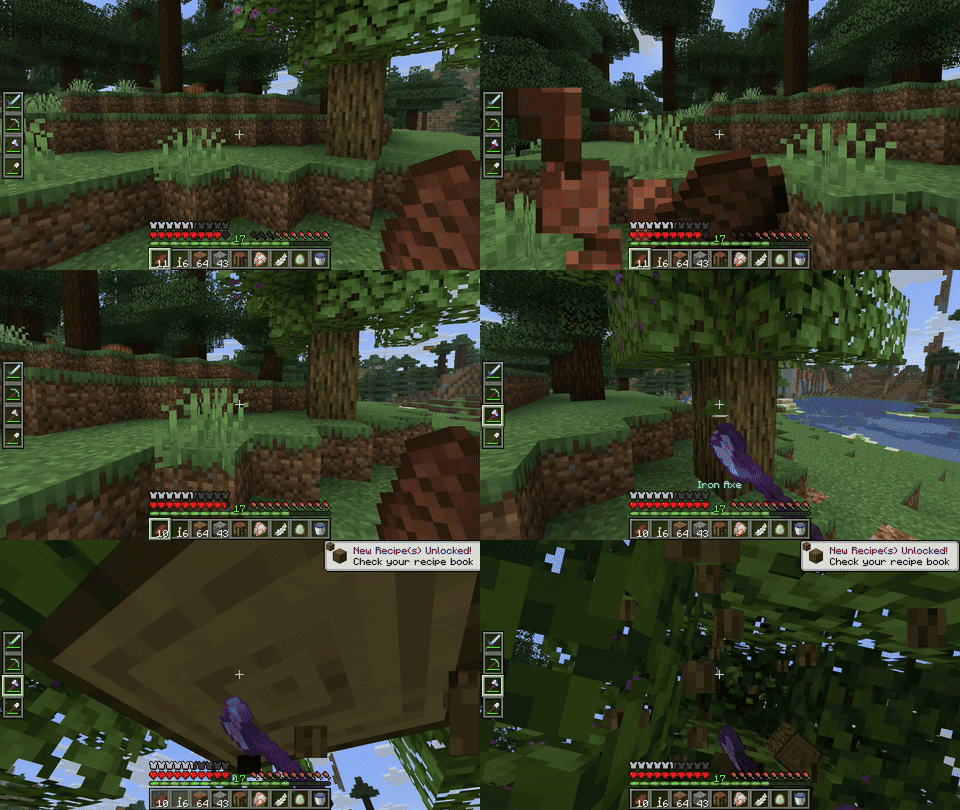
Utility Belt will solve your inventory clutter issues. 9 hotbar slots are not enough, especially when playing with mods. Wearing a Utility Belt gives you a second hotbar where only tools and weapons can be stored.
🛠️ Getting Started
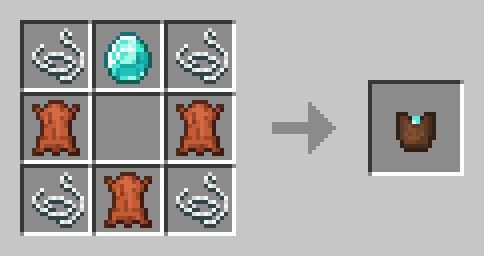
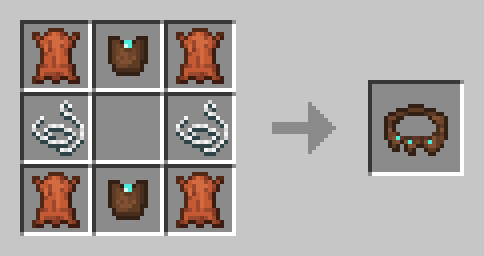
- Craft two belt pouches using the recipe above.
- Craft a Utility Belt using the recipe above.
- Equip it in your belt slot.
- Fill it with your tools and weapons.
⬆️ Upgrading the Belt
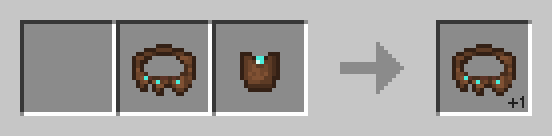
By default, the belt has 4 slots and can be upgraded to have up to 6 slots (these values can be changed in the mod configuration). You can add a slot to a belt in a Smithing Table using the recipe below.
🎮 Controls
| Action | Default Keybind | Description |
|----------------------|--------------------------|------------------------------------------------------------------|
| Open Belt Screen | ' | Opens the belt GUI to store items in the belt |
| Swap Hotbar | B (toggle), N (hold) | Switches between your main hotbar and the belt hotbar |
| Quick Transfer | Sneak + Swap | Swap the item in your hand between your main hotbar and the belt |
⚙️ Configuration
You can customize Utility Belt's options using the in-game configuration screen:
- Fabric: Accessible using ModMenu.
- Forge/NeoForge: Accessible using the Mods screen.
To change which items are accepted in the belt, you can make a datapack and add items to the allowed_in_utility_belt tag.
🔗 Compatibility
- LambDynamicLights: torches and lanterns in your belt will light up the world around you.
🐛 Bugs and Suggestions
You can report any issues and suggest changes on the GitHub issue tracker. Try out the /utilitybelt fixme command to see if it resolves the issue while you wait for a fix.
Always keep backups of your world, especially when playing versions marked as beta.

Versions
FAQ
Comment installer Utility Belt ?
Téléchargez le fichier pour votre version de Minecraft et votre loader sur cette page, puis placez le .jar dans le dossier mods (ou plugins) et lancez le jeu.
Utility Belt est-il gratuit ?
Utility Belt est gratuit sur Modgrid — nous renvoyons directement vers la source officielle, sans paywall.
Quelles versions de Minecraft Utility Belt prend-il en charge ?
Compatible avec Fabric, Forge, Neoforge, Quilt. Prend en charge les versions 1.20.1–1.21.10. La liste des versions et loaders pris en charge est dans la section de téléchargement de cette page.
Commentaires 0
Aucun commentaire pour l'instant. Sois le premier à donner ton avis.